Hey Pinokio community!
We just dropped a major update for Vibe Player! Until now, SEEDVR2 upscaling was only available for single images — but now you can upscale entire local video files and batch queues directly inside the app!
What's New in this Update:
Video Upscaling with SEEDVR2: Full support for upscaling local video files (previously image-only).
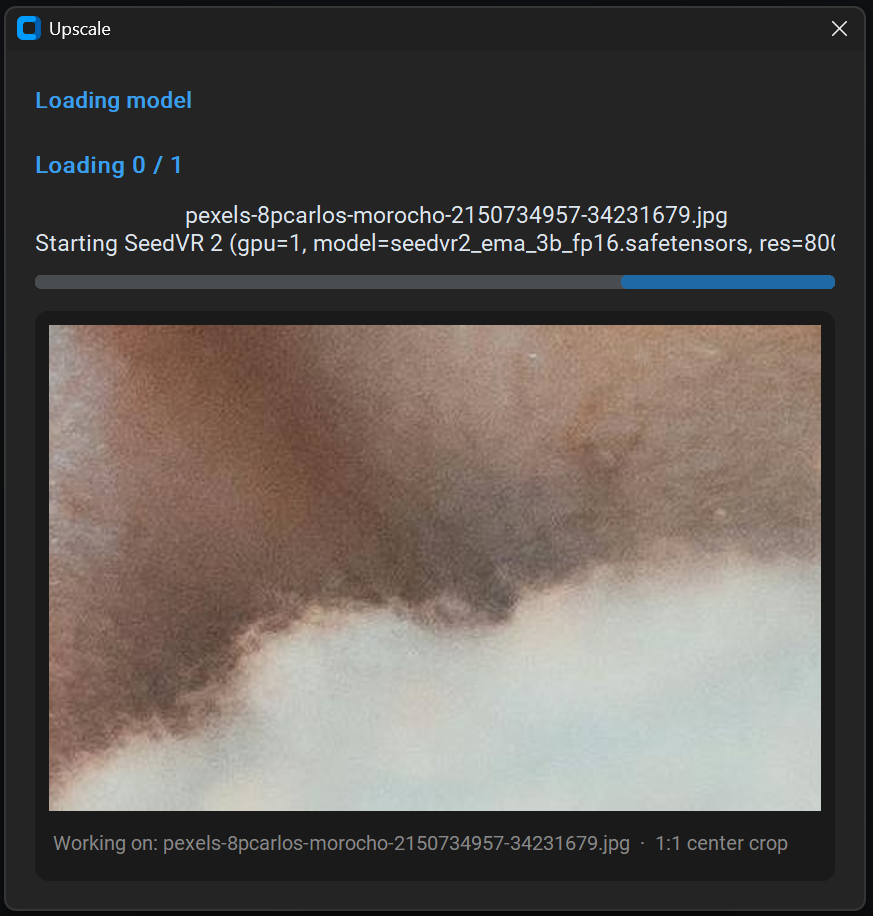
Real-Time Chunk Previews: Instead of rendering blindly for minutes, Vibe Player displays a live preview image for every processed chunk in real-time so you can verify quality immediately.
Batch Processing: Queue whole directories or select multiple video files to process in a single run.
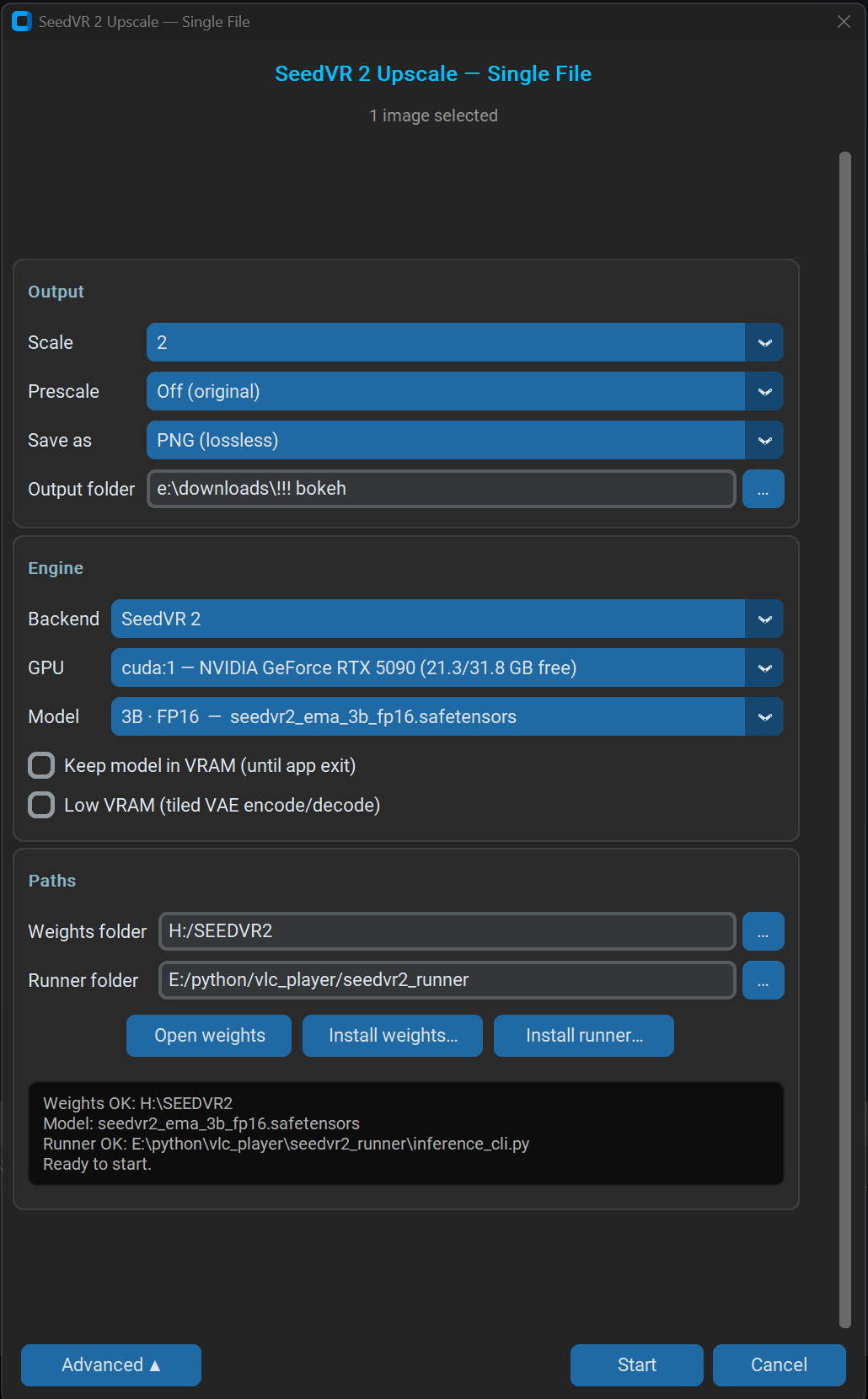
Tiled VAE / Low VRAM Mode: Optional tiled encode/decode to prevent Out-Of-Memory (OOM) errors on high-res passes or mid-range GPUs.
Multi-GPU & VRAM Control: Select target CUDA devices directly from the UI and toggle Keep model in VRAM for ultra-fast sequential runs.
Automated Setup: Built-in 1-click buttons to download model weights and install inference runners automatically.
Also Included in Vibe Player:
Offline GPU Autotagging: Automatically tag your local video and image library using local AI models.
Custom Virtual Grid: Smooth, butter-like scrolling across 10,000+ media files by bypassing Windows GDI limits.
📦 Try It Out:
_Search for Vibe Player in Pinokio Discovery or install/update directly on our project page.
Drop your test results, feedback, or feature requests right here in the community tab!_


Hey Pinokio community!
We just dropped a major update for Vibe Player! Until now, SEEDVR2 upscaling was only available for single images — but now you can upscale entire local video files and batch queues directly inside the app!
What's New in this Update:
Video Upscaling with SEEDVR2: Full support for upscaling local video files (previously image-only).
Real-Time Chunk Previews: Instead of rendering blindly for minutes, Vibe Player displays a live preview image for every processed chunk in real-time so you can verify quality immediately.
Batch Processing: Queue whole directories or select multiple video files to process in a single run.
Tiled VAE / Low VRAM Mode: Optional tiled encode/decode to prevent Out-Of-Memory (OOM) errors on high-res passes or mid-range GPUs.
Multi-GPU & VRAM Control: Select target CUDA devices directly from the UI and toggle Keep model in VRAM for ultra-fast sequential runs.
Automated Setup: Built-in 1-click buttons to download model weights and install inference runners automatically.
Also Included in Vibe Player:
Offline GPU Autotagging: Automatically tag your local video and image library using local AI models.
Custom Virtual Grid: Smooth, butter-like scrolling across 10,000+ media files by bypassing Windows GDI limits.
📦 Try It Out:
_Search for Vibe Player in Pinokio Discovery or install/update directly on our project page.
Drop your test results, feedback, or feature requests right here in the community tab!_