Hmm, the repository exists. I even cloned the repo with exactly your clone command in the error which works too.
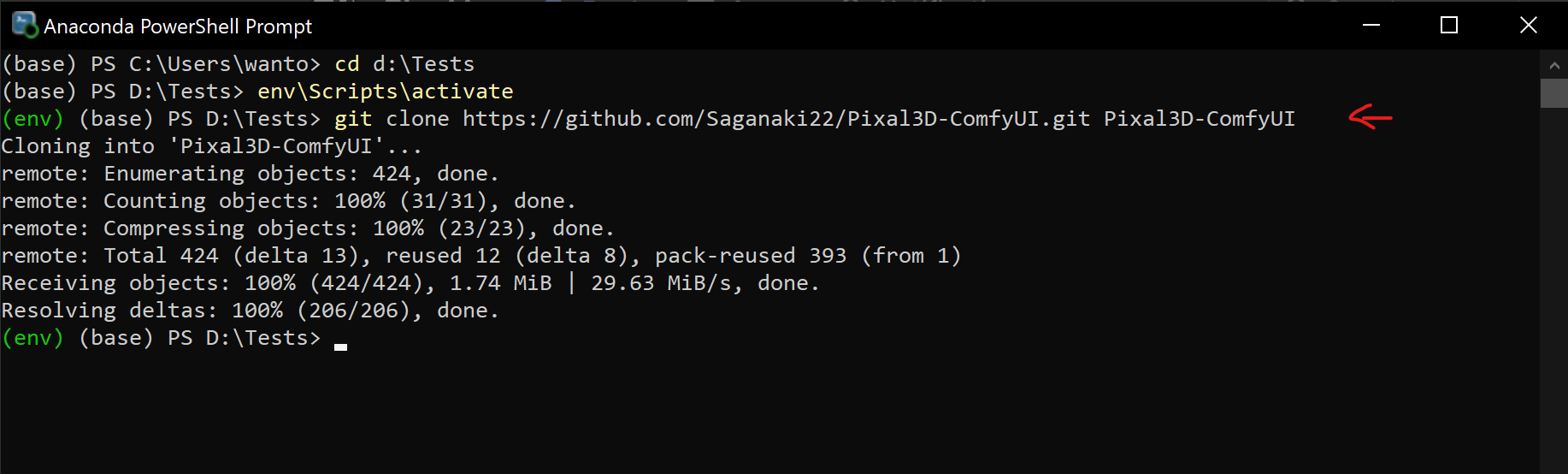
Could be that you require a VPN to be able to access it. But in this case also the other clone commands should have failed.
Let's try something:
- Click the Menu icon of Pixal-3D on the main page of pinokio
- One the right side menu click Open dev mode
- In the next window at the bottom click CMD - Python Shell
- In the terminal that appears execute the following 2 commands:
cd comfyui\custom_nodesgit clone https://github.com/Saganaki22/Pixal3D-ComfyUI Pixal3D-ComfyUI- If that worked, stop the terminal and click the install button of Pixal-3D again. This step should be skipped now.


Hmm, the repository exists. I even cloned the repo with exactly your clone command in the error which works too.
Could be that you require a VPN to be able to access it. But in this case also the other clone commands should have failed.
Let's try something:
cd comfyui\custom_nodesgit clonehttps://github.com/Saganaki22/Pixal3D-ComfyUIPixal3D-ComfyUI