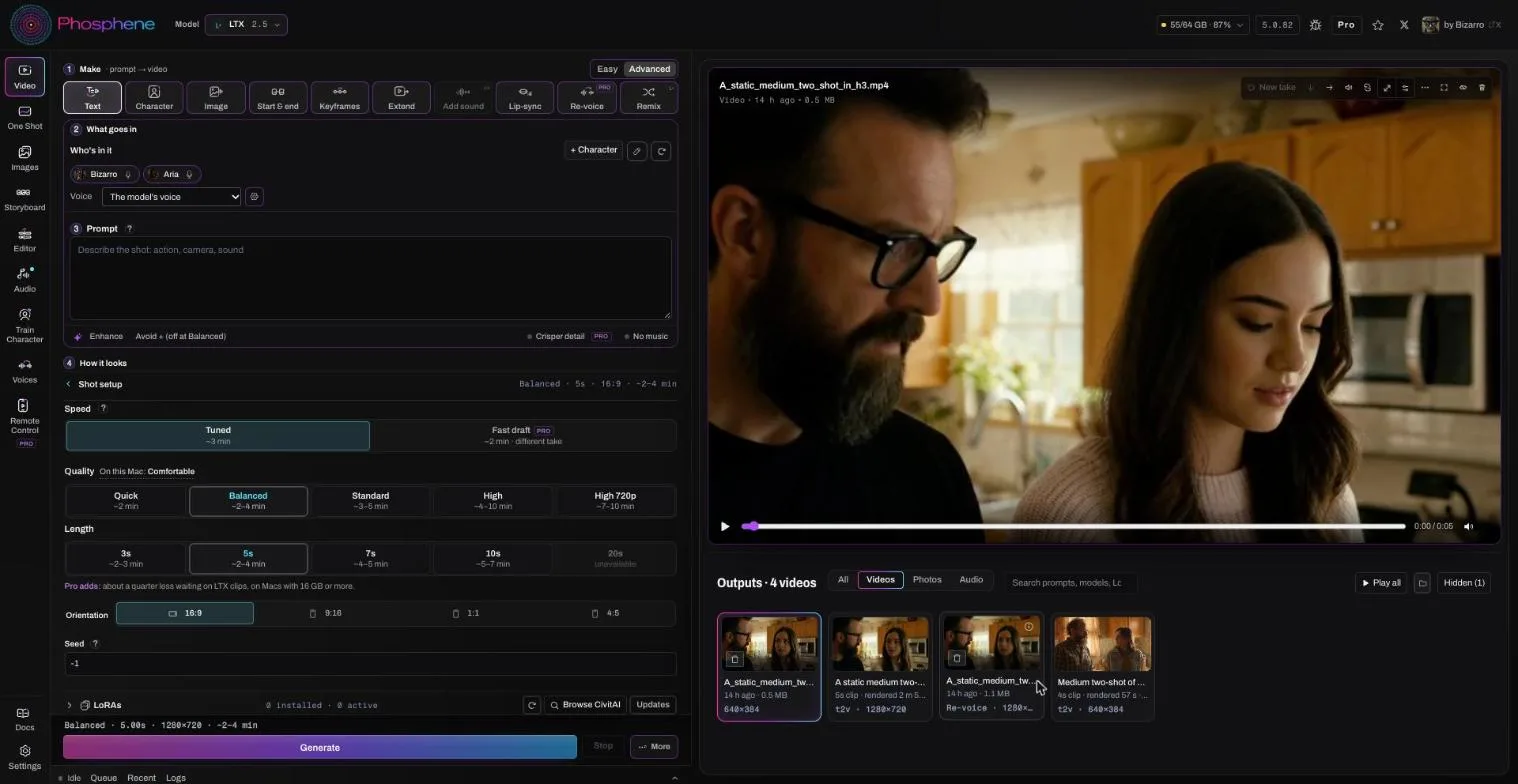
The whole Studio is redesigned. We went through every screen and rebuilt how it is laid out: more room for your prompt and your clips, and every control where you expect it.
New for everyone
- Every mode has its own button and a new set of icons. The model choice sits at the top, and the queue opens only when you press Generate.
- Start & end and Keyframes: your pictures sit side by side in one grid. Drag to reorder, swap first and last, add or remove keyframes.
- Extend and the other modes that start from a clip let you pick one of your recent clips.
- Short tips appear when you hover, instead of long text on the screen.
Now in Pro
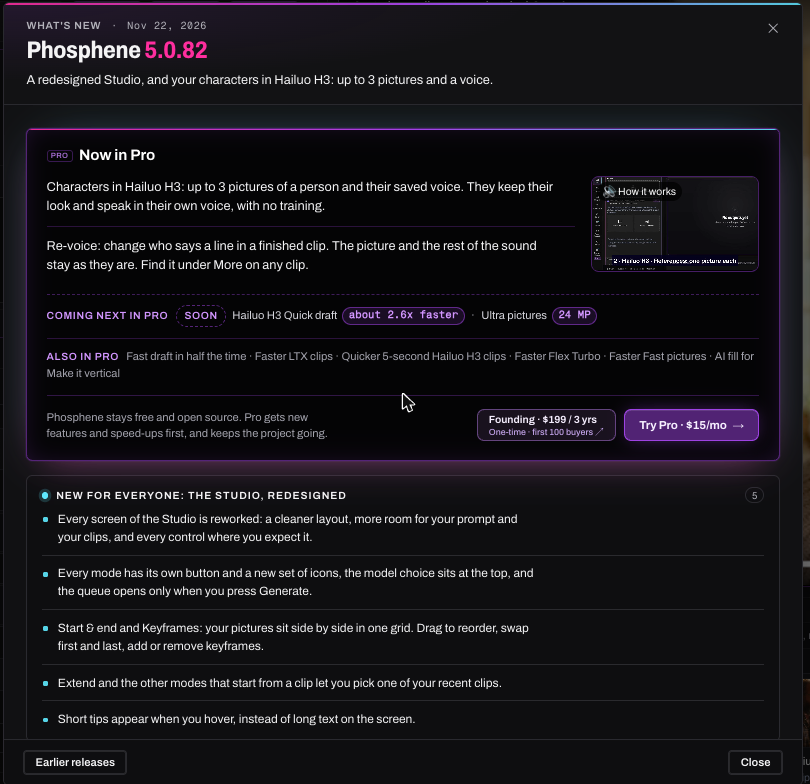
Characters in Hailuo H3: give it up to 3 pictures of a person and their saved voice. They keep their look and speak in their own voice, with no training. Re-voice changes who says a line in a finished clip, and the rest stays as it is.
Also out: 5.0.83, with ten reliability fixes across updates, Lip-sync, Hailuo H3, model repair and the queue.
On Pinokio, press Update, then restart.
Release notes: https://phosphene.video/changelog/
Mac app: https://phosphene.video/

The whole Studio is redesigned. We went through every screen and rebuilt how it is laid out: more room for your prompt and your clips, and every control where you expect it.
New for everyone
Now in Pro
Characters in Hailuo H3: give it up to 3 pictures of a person and their saved voice. They keep their look and speak in their own voice, with no training. Re-voice changes who says a line in a finished clip, and the rest stays as it is.
Also out: 5.0.83, with ten reliability fixes across updates, Lip-sync, Hailuo H3, model repair and the queue.
On Pinokio, press Update, then restart.
Release notes: https://phosphene.video/changelog/
Mac app: https://phosphene.video/