
Pinokio
FeedAppsRemoteCreate
Author@mumblebox
Download Pinokio
Sign inCreate accountJoin

@mumblebox

Ai workflow design enthusiast.

GitHubchaosmagickgroup.com

Joined November 2026

26 Following12 Followers2 Apps
PostsRepliesApps
More
ActivityCheckpointsFollowed appsGitHub creations

Published apps

  • Mumblebox 3D Asset FoundryTurn an image or prompt into a textured 3D asset on your own GPU. Install and start Foundry in Pinokio, then try the included ray-gun reference in Single Image or Text and export a GLB you can edit in Blender. Foundry also offers guided meshes, rigged hair, Gaussian splats and exports for game development and 3D printing. Connect Codex, Claude Code or another compatible client to the included local MCP to start jobs, see progress and retrieve exports from the same workflows. Windows/NVIDIA preview. Available in English, Simplified Chinese, Latin American Spanish, French, Brazilian Portuguese, German, Japanese, Korean and Hindi. 用中文做出你的下一个 3D 素材! ¡Crea tu próximo asset en español! Créez votre prochain objet 3D en français ! Crie seu próximo asset em português! Erstelle dein nächstes 3D-Asset auf Deutsch! 日本語で次の3Dアセットを作ろう! 한국어로 다음 3D 에셋을 만들어 보세요! अपना अगला 3D एसेट हिंदी में बनाएँ!
  • MaestroAn all-in-one, 100% local AI creative studio, director, and multi-track editor. Generate with MiniMax H3, LTX-2.5/2.3, Wan, Flux, Qwen, and more; turn an idea or song into a planned production; then finish it on the timeline. Requires an NVIDIA GPU (6GB+ VRAM).
View all apps
Posts · 17
Pinned
@mumblebox·2d

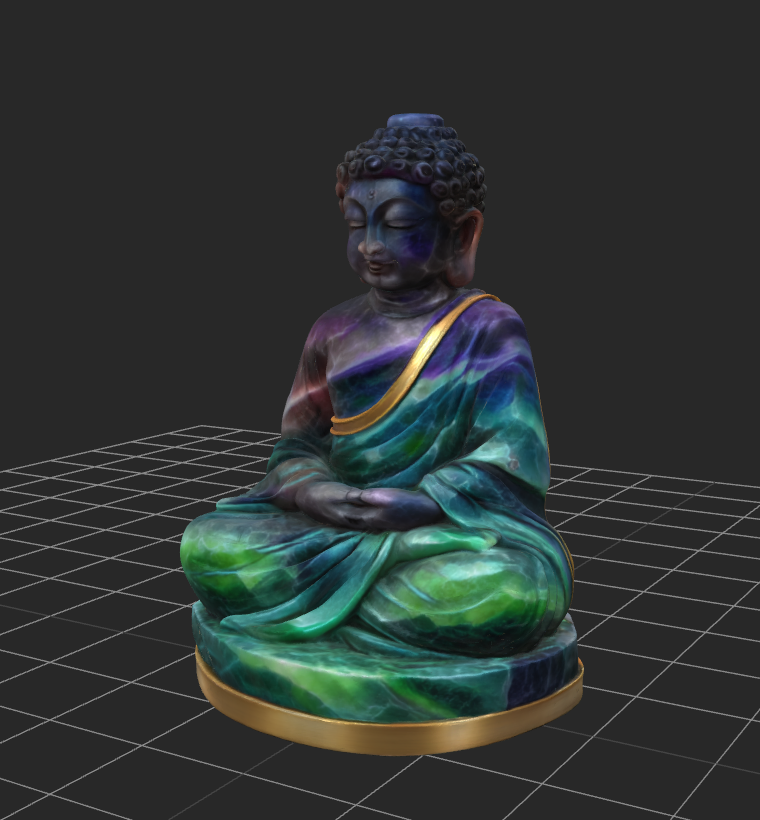
From one image to a 4K textured Buddha — Foundry + MCP

The exported 3D mesh in Foundry. You can watch the camera orbit that helped build it in step 2. One picture of a fluorite Buddha became a turnaround sheet, a moving camera orbit, and then a textured 3D model. Here's the whole trip through Mumblebox 3D Asset Foundry, including what I checked along the way and how you can work with your agent from your phone. This walkthrough uses Preview 28 and the Orbit to Mesh wizard. The result has 4096 × 4096 textures, a detailed GLB, and a reduced GLB for further game development. The seated silhouette, face, robe folds, and gold trim all came through. I i
Mumblebox 3D Asset Foundrymumblebox-gpt/mumblebox-foundry
#guide
@mumblebox·5h

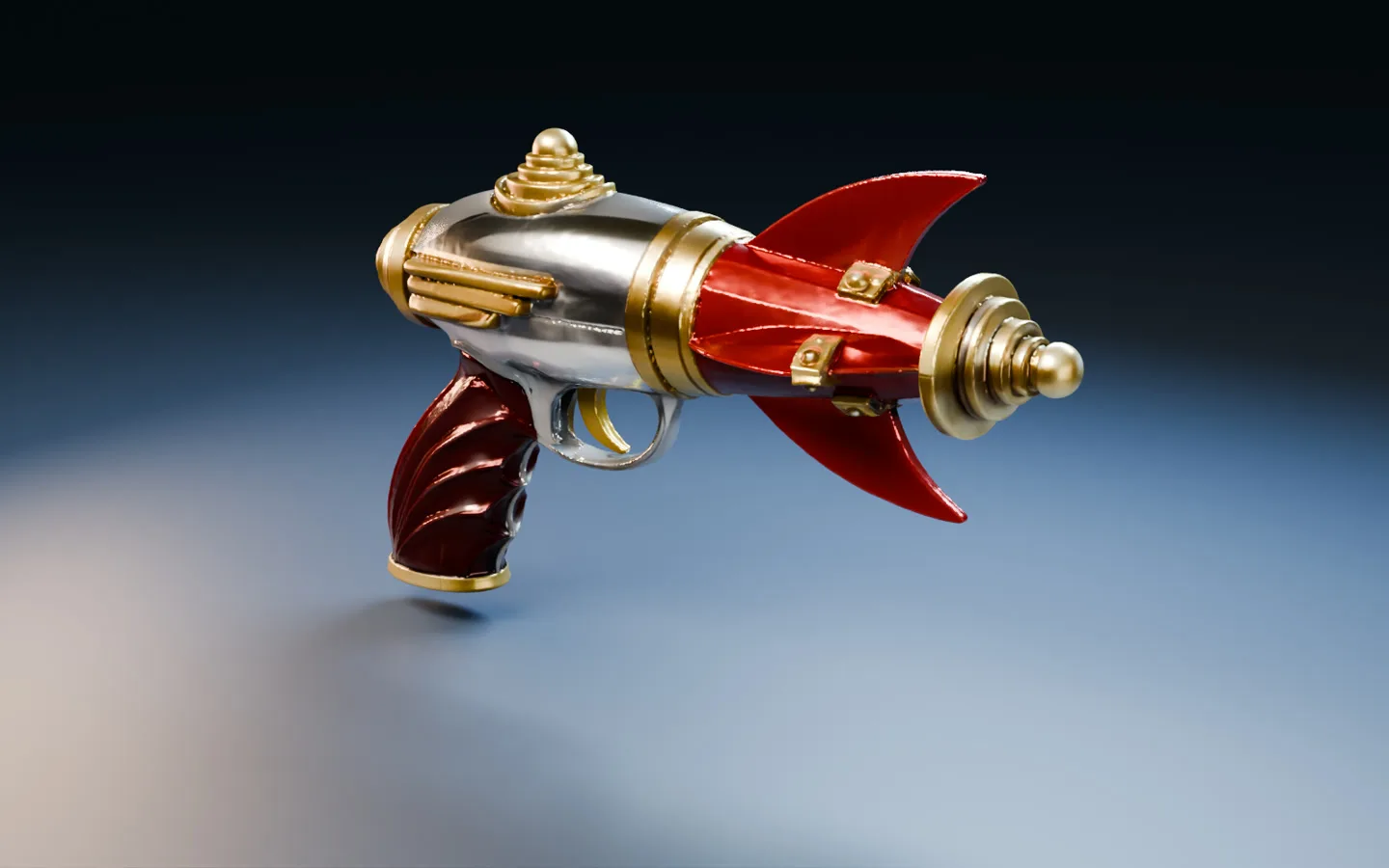
Foundry Preview 35 · The retro ray gun, better MCP tools, and an update fix

Sorry about all the commits and updates today. We kept making the same circular mistake. Update restarted Foundry, and reopening Foundry could start Update again. Preview 35 removes that step and checks for a newer release before stopping Foundry. I’ve been working on making Foundry easier to try, easier to connect to your agent, and easier to help improve. I made a 1930s-style ray gun to show what that looks like. You can load the same reference in Foundry, export the textured model, and take it into Blender. The Foundry GLB rendered under Blender studio lights. What’s fixed. Clicking Next in

Mumblebox 3D Asset Foundrymumblebox-gpt/mumblebox-foundry
#announcement
@mumblebox·1d

Foundry Preview 31 — Orbit with Splats and nine languages

Make 3D gaming assets on your GPU, from quick blockouts to finished textured models for Blender. Preview 31 is up, and this time the mushroom gets to do two jobs. Orbit with Splats Start with an image, make an orbit video, and use it to build a textured mesh and a matching Gaussian splat. The splat can capture the fine color and surface detail you see in the orbit. The mesh gives you geometry you can edit in Blender or use as the basis for collision. You can preview both and export them together as a GLB and PLY in one package. I had a last-minute change of heart about making people install Br

Mumblebox 3D Asset Foundrymumblebox-gpt/mumblebox-foundry
#announcement
@mumblebox·2d
Loving Groove youtu.be/Pefe6VqKgvM?is=rqLshO-…
youtu.beSweet Dreams (Are Made of This) – Eurythmics | Marimba & Xylophone Cover by Mumblebox
#yue-2#yue2#yue-2-groove
@mumblebox·2d

Building a better SKILL.md for my Blender agent

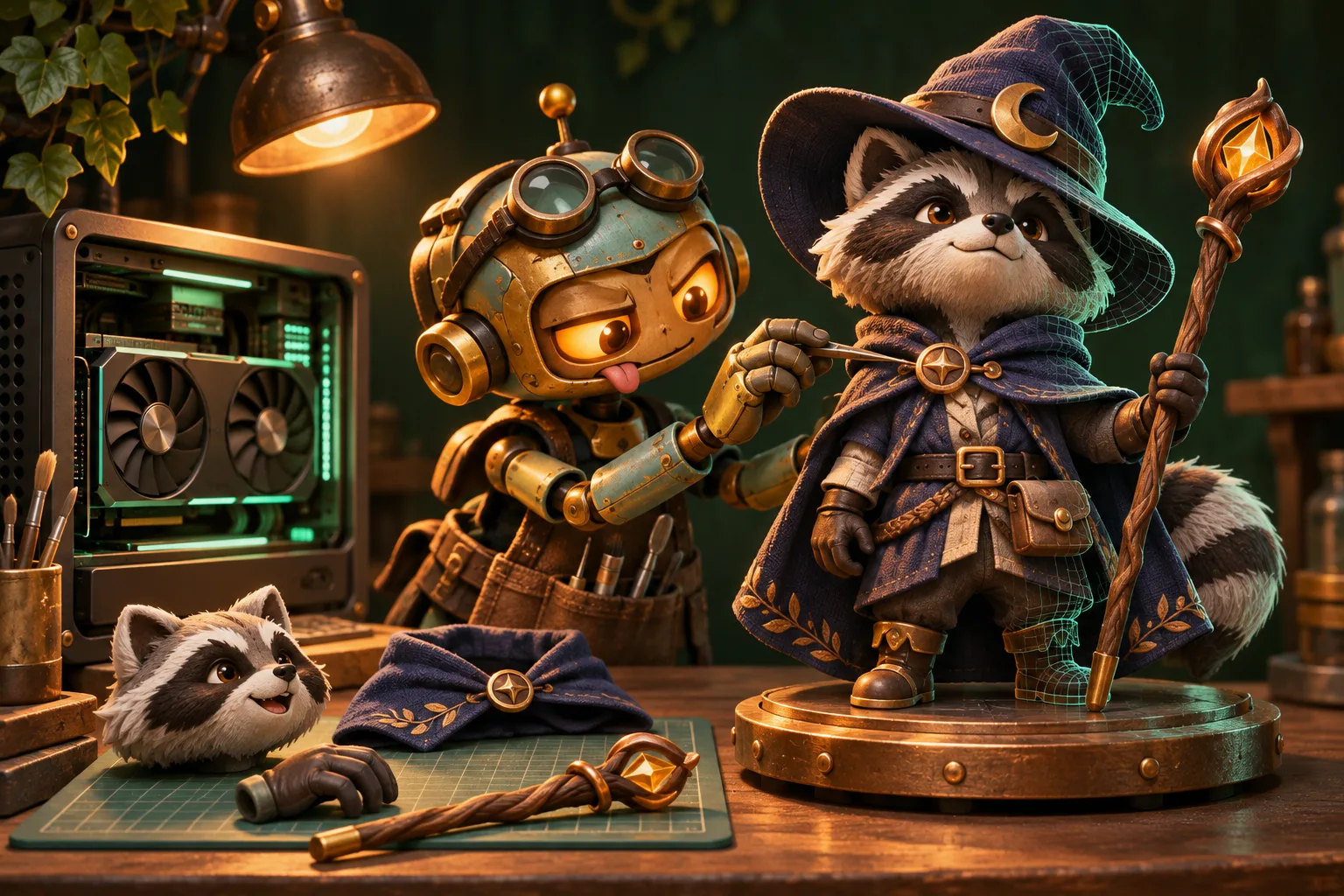
Building something from scratch in Blender with a coding agent can get crazy expensive in tokens. It can take days, too. I had Codex build a raccoon wizard that way. It did a pretty good job. When I tried generating most of the parts locally and had Codex fit them together in Blender, it already had something to work with. Meshy and Tripo can give you great results, but a few wrong turns can get expensive. Local 3D models can do some really good work too, once you figure out which workflows and settings work for what you’re making. I built Mumblebox 3D Asset Foundry because I wanted my agent t

Mumblebox 3D Asset Foundrymumblebox-gpt/mumblebox-foundry
@mumblebox·2d

Foundry Preview 29 fixes the Windows installer

The installer got a little ahead of itself. It checked a video component before ComfyUI was ready, and Pinokio stopped setup when it saw the warning. Preview 29 puts those steps in the right order. I tested a fresh install and a repair on Windows. Big thanks to Obbz (@obbz) for taking the time to post the terminal log. It showed exactly where setup stopped. Logs like that really help, and I appreciate you sharing it. If your install stopped partway through, follow these steps to retry and keep your downloads. See the Preview 29 release.

Mumblebox 3D Asset Foundrymumblebox-gpt/mumblebox-foundry
#announcement
@mumblebox·3d

Foundry Preview 27 — Orbit to Mesh and a head start in Blender

I joined Pinokio about a week ago, and the welcome has been incredible. Thanks to everyone who tried Foundry, sent feedback, or offered to help. I’m glad to be part of this community. Orbit to Mesh is the new workflow I’m most excited about. Start with one image. Foundry makes a four-view sheet and a 360° orbit, then lets you review the frames before Pixal3D builds the mesh. Hi3D and TRELLIS.2 handle refinement and texturing. The jade guardian below shows the reference, the generated orbit, and the textured mesh from the same run. The orbit wizards now have named presets, Custom controls, and

Mumblebox 3D Asset Foundrymumblebox-gpt/mumblebox-foundry
#announcement
@mumblebox·4d

Foundry Preview 24 fixes Single Image or Text setup

Preview 24 fixes a first-run error in Single Image or Text. Foundry now downloads and verifies the exact MoGe 2 checkpoint the wizard needs. Thanks to @knomadaero for sharing the error log that helped track this down. If you already use Foundry through Pinokio, choose Update in the launcher. Preview 24 release · GitHub commit 5ed3c79

Mumblebox 3D Asset Foundrymumblebox-gpt/mumblebox-foundry
#announcement
@mumblebox·5d

Foundry now in 简体中文 and Español (Latinoamérica) 🌐

Hey folks! I’ve been busy pushing commits and putting out previews over the last few days. A lot of cool stuff has landed in Foundry, and I wanted to give two additions their own shout-out. Simplified Chinese and Latin American Spanish are now available alongside English. You can switch languages from the top bar or Settings. I’ve been working to make the wording feel natural and the 3D terms familiar, right down to the wizard hints and CCORE examples. If something sounds off or you know a better way to say it, leave a comment or send me a message. I’d love the help getting it right. 简体中文界面上线啦

Mumblebox 3D Asset Foundrymumblebox-gpt/mumblebox-foundry
#announcement
@mumblebox·5d

Foundry Preview 21 — Build alongside your Blender agent

Hey everyone! Foundry Preview 21 is up. I’m building it so you and your coding agent can work in the same 3D workshop. You can start an asset in a wizard and have the agent pick it up, or let the agent run a job and review the result yourself in Foundry. Give your Blender agent a head start. The expanded MCP lets the agent choose a workflow, set options, check progress, and retrieve previews and exports. The companion skill helps it decide when to use Foundry and how to bring the result into Blender. Open-weight workflows run on your own Windows/NVIDIA PC, so the agent can keep working while F

Mumblebox 3D Asset Foundrymumblebox-gpt/mumblebox-foundry
#announcement
@mumblebox·5dEdited
youtu.be/BPq8rklEmlA?si=PdW3Di1… Groove is alot of fun. I trained a LORA and played around and made a Dubstep cover of Du Hast by Rammstein. I love being able to directly edit the music.. So cool.... Wanted to share. I love the sheet music features. :-D I made the lora in comfyui and got a little forky
youtu.beDu Hast Delta Nein Mix mumblebox 1080p
YUE2 // GROOVEdeadjoe/yue2-groove-pinokio
@mumblebox·6d

How to make a 3D prop from an image and text in Foundry

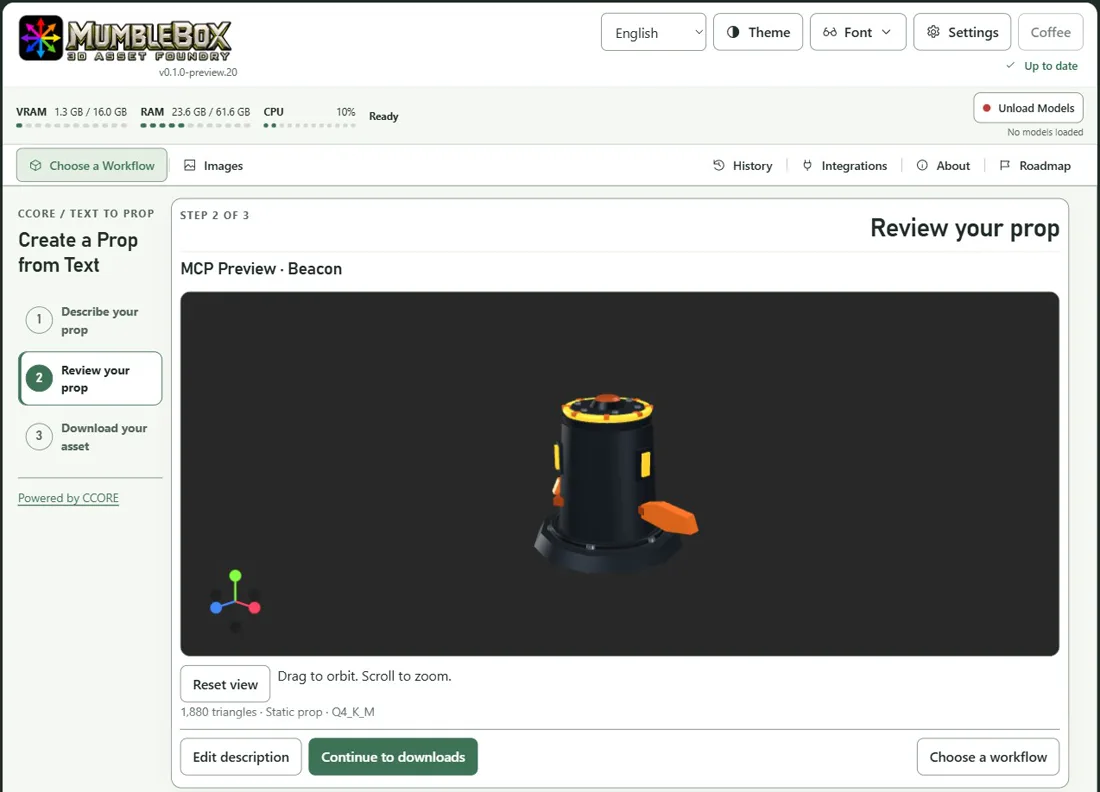
Oops from this morning’s CCORE release. I shipped it before GPU memory management was working properly. Preview.19 enables the checks in both CCORE wizards. If your settings won’t fit in available VRAM, Foundry checks smaller options and lets you choose one that fits when available. Your inputs carry over. I wanted to show the new Image + Text wizard with a real example. I started with a picture of an olive field radio with a black handle and asked for an orange one. It all runs locally, Pinokio handles setup, and you can follow the wizard without learning the ComfyUI node editor. 1. Open CCOR

Mumblebox 3D Asset Foundrymumblebox-gpt/mumblebox-foundry
#announcement#guide
@mumblebox·6d

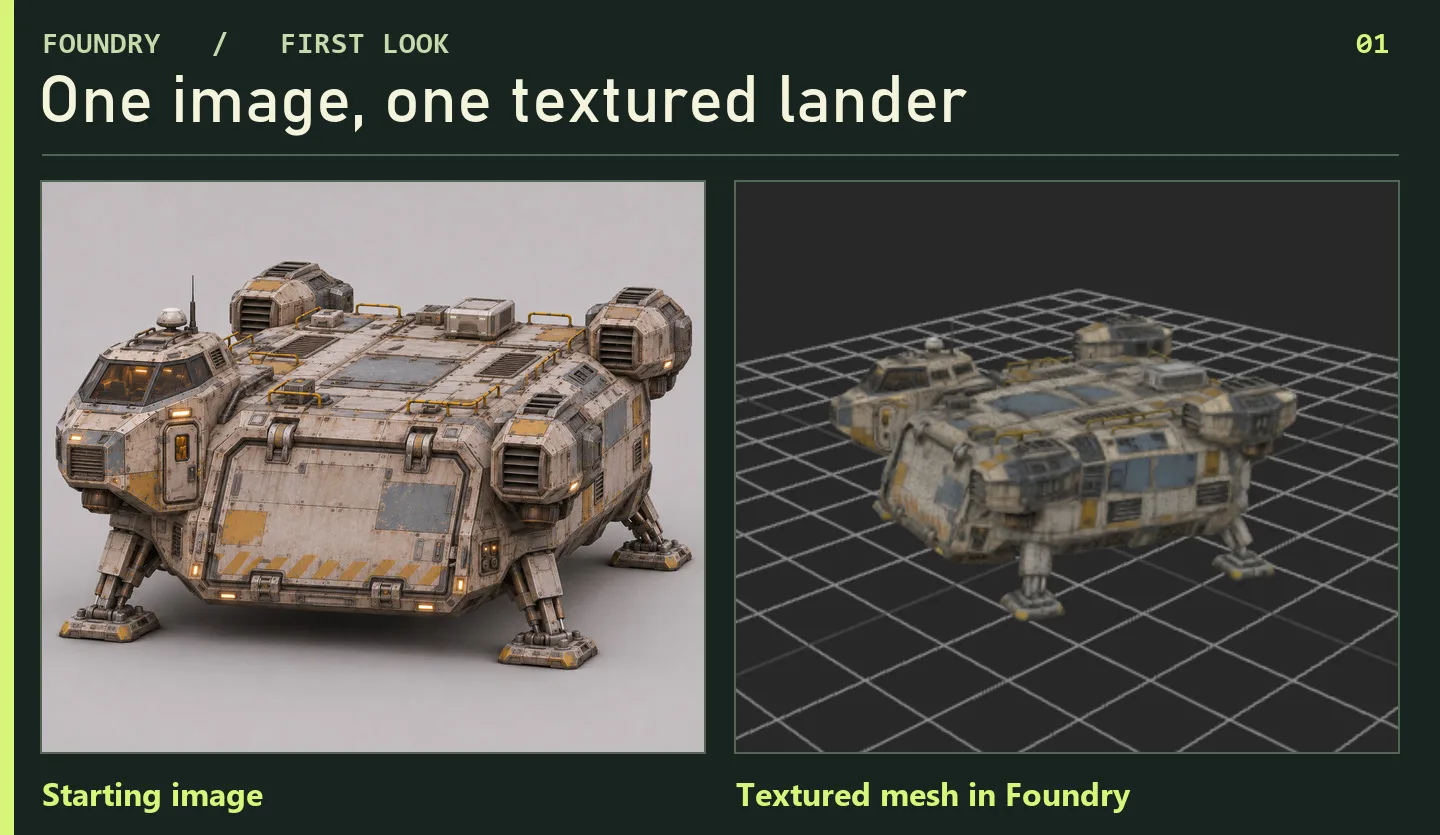
A first look at Foundry: From one image to a 3D asset

I wanted to show what it actually looks like to make something in Mumblebox 3D Asset Foundry. Here’s one cargo lander from start to finish, using a single reference image. Foundry runs locally, and Pinokio handles setup. You can follow the wizard without learning the ComfyUI node editor. 1. Pick a workflow and add an image In Choose a Workflow, open the Single Image wizard. Drop in a picture, pick one from Gallery, take a webcam photo, or use Create Image to make a reference from text. A clear three-quarter view is a good start for an object like this lander because it shows more of its shape.

Mumblebox 3D Asset Foundrymumblebox-gpt/mumblebox-foundry
#guide
@mumblebox·6d

Make 3D props from text and build rigged hair in Foundry

Hey everyone! I’ve been building Mumblebox 3D Asset Foundry into the kind of toolbox I wanted for my own projects. I take ComfyUI recipes I’ve tested, turn them into guided wizards, give them defaults I’d actually use, and keep improving them as I find better ways to make things. You can create 3D assets on your own machine without knowing ComfyUI. Pinokio handles the software setup, and the wizards show you the choices that matter along the way. CCORE turns a description into a 3D prop Need a battered cargo crate, a field radio, or a piece of furniture for a scene? Describe it and CCORE build

Mumblebox 3D Asset Foundrymumblebox-gpt/mumblebox-foundry
#announcement
@mumblebox·13d
Just added Image to 3d Rigged HAIR Workflow wizard for using HairDeck! HairDeck has its own grouped workflow and six-page wizard: supply a clear hairstyle image, generate sequential variations, inspect hair and predicted chains, adjust head alignment and materials, then export static GLB or a skinned VRM 0.x avatar. Optional outputs include a head-turn MP4, preprocessing images and editable card/chain data. Results use the shared History and catalog-driven README/ZIP services. These are stylized hair cards, not strand Groom or a complete character rigger.
Mumblebox 3D Asset Foundrymumblebox-gpt/mumblebox-foundry
@mumblebox·13d
For those of you brave enough to install... Thanks for trying it out. I am adding a bug report feature and fixing the workflows for objects/creatures/vehicles. I am also adding a coding agent driven headless Blender node. I will be looking to optimizes for low memory systems soon. There is alot to do on the Roadmap. Thanks for your interest.
Mumblebox 3D Asset Foundrymumblebox-gpt/mumblebox-foundry
#testers-wanted#update
@mumblebox·14d
Pinokio activity

New on Pinokio

Automatically discovered via GitHub

Mumblebox 3D Asset Foundrymumblebox-gpt/mumblebox-foundry
You’re all caught up.
Pinokio
PrivacyTerms
FeedAppsCreateRemote