
Hello, first post here. I will add some PotionUI screenshots so people can see what's there :)

Oroborus
@oroborus
I'm author of PotionUI - A self-hosted studio for generating images, video, and audio with diffusion models.
Joined
Posts · 9
Pinned

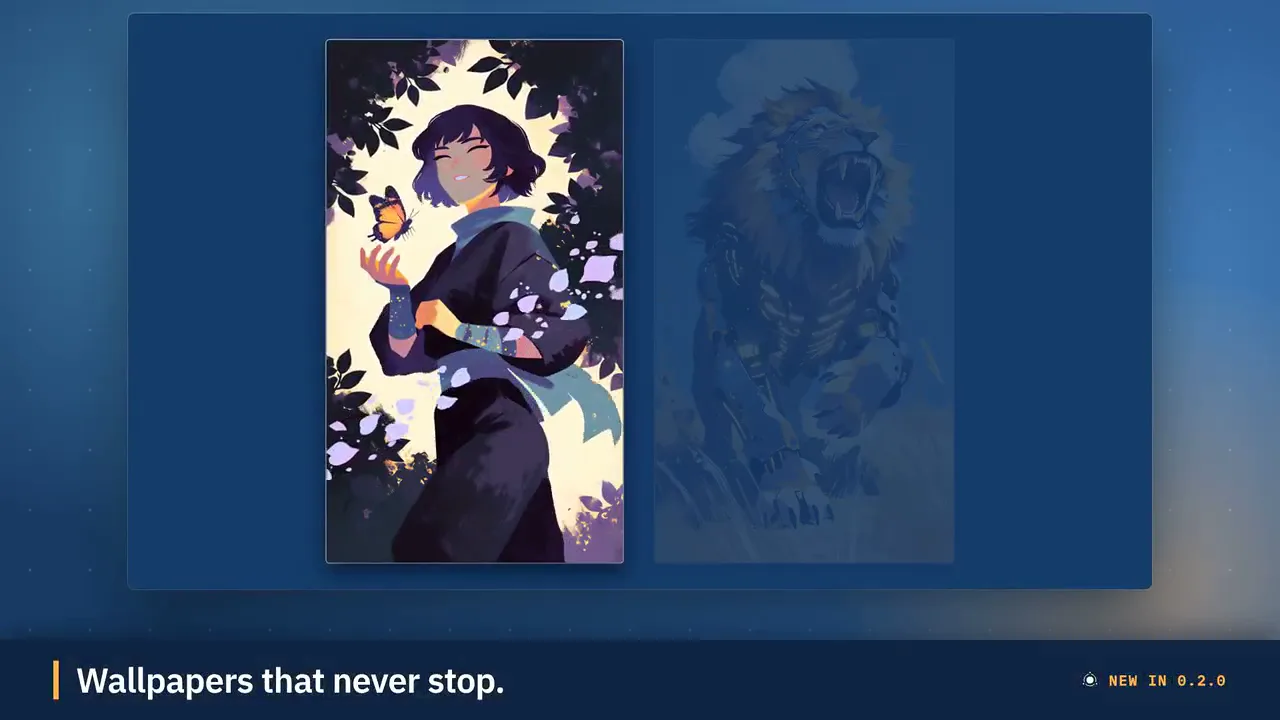
PotionUI 0.2.0: Kits, API keys, Perfect loop videos and a rebuilt details view
PotionUI 0.2.0 is out. Click Update in Pinokio to get it. The Update button now updates the launcher itself too. This release is about reusing what you already have and building on top of PotionUI. Kits keep sets of pictures, clips, audio and text together so you can drop them into any prompt (in other apps this is also called "Actors" or "Cast", but I didn't want to limit it to video only), and API keys let scripts and tools use your instance with exactly the access you choose. What's new Kits: make a named set of pictures, clips, audio and text in the Library and cite one item in a prompt as
Fixed a bug in the Pinokio startup script that caused a blank white screen until you manually refreshed. The UI should now load immediately on launch!
Let me know if you run into any issues—reach out here, on Discord, or on Reddit. I want to make sure this runs smoothly in Pinokio, so don't hesitate to ask for help! Cheers!
PotionUI has a new home — and I want your work on the front page
PotionUI now has a proper site: It shows what the app does — images, image editing, video, video editing, music — along with setup and the full docs. One section I don't want to fill by myself: Made with PotionUI, the wall of pictures and clips near the top. Right now everything on it is mine. I'd like it to be yours. How to get on the wall Reply here with: your picture or clip, as PotionUI saved it the nick you want shown with it (e.g. @yourname) the model you used and a one-line description How it works I pick what goes up. I'm choosing for quality and for what looks good together on the pag
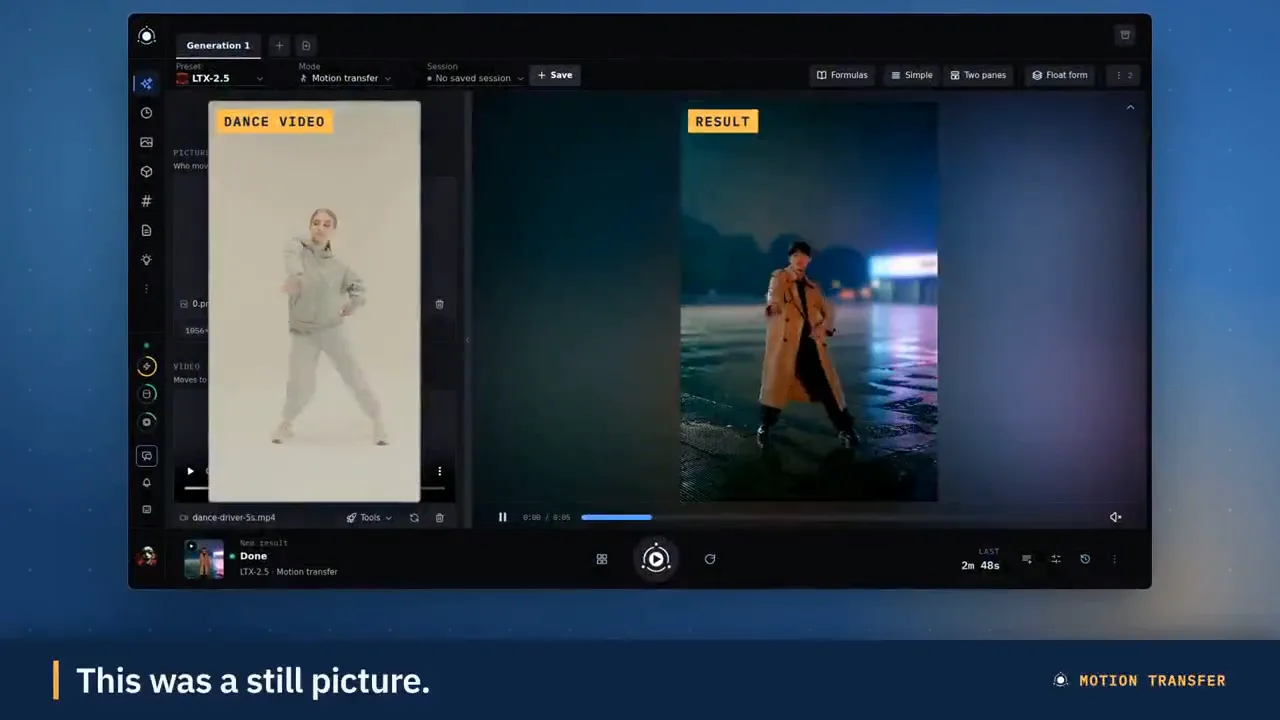
PotionUI - Make a picture move with Motion Transfer
One picture, one short video of a movement, and the person in the picture performs it. This is Motion transfer in PotionUI, running on your own graphics card. How it works Pick LTX-2.5 and the Motion transfer mode. Add a picture. It decides who moves, and where. Add a video of the movement. About the first 5 seconds are used. A prompt is optional. Press Generate and watch the live preview. It is not only for dancing In the video, a dancer's moves go to a man on a rainy plaza, and a martial artist's bow becomes an alchemist's greeting. PotionUI reads the pose from your video, and you can save t
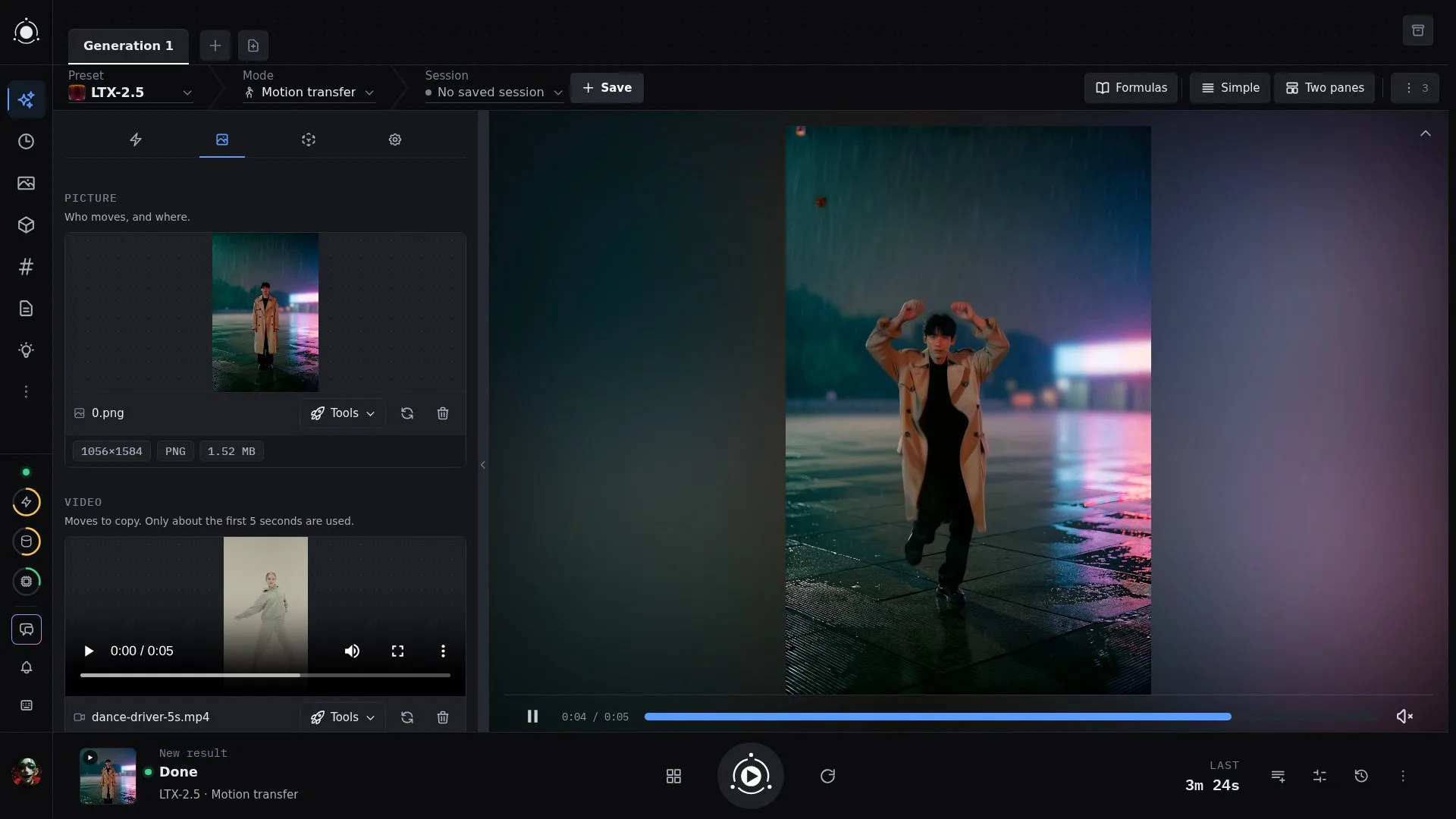
PotionUI 0.1.0 (beta) - LTX 2.5 Motion Transfer; MOSS-Image Inpaint; Exlirs and Editors in tabs
PotionUI 0.1.0 is out, and it's our first beta. Click Update in Pinokio to get it. !! Video on Reddit: This is the biggest update so far: pictures that dance, inpainting on three image models, editors that live in tabs, and Elixirs, a way to chain models together and run the whole chain again with one click. Make a picture move Motion transfer: give LTX-2.5, LTX-2 or MiniMax-H3 a picture and a dance video, and the person in the picture performs the moves. Follow motion copies a video's camera and layout onto a brand new scene. LTX-2.5 can make a transition between a first and a last picture, a
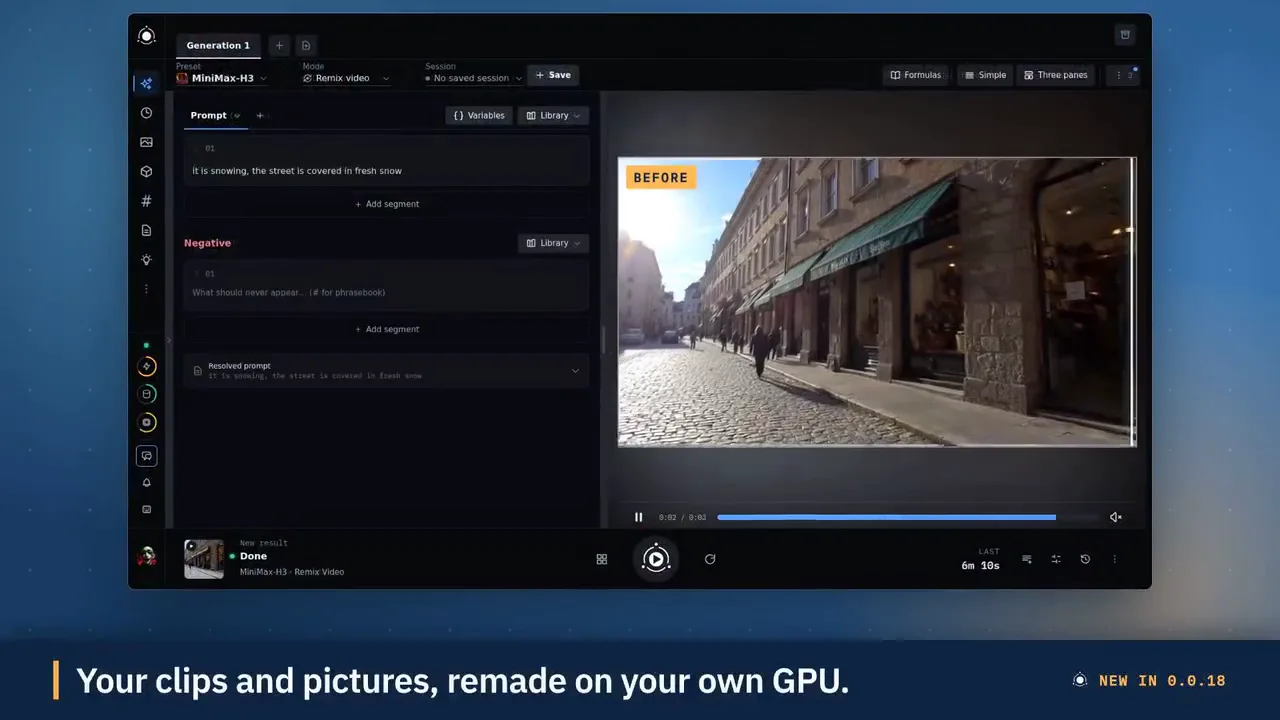
PotionUI 0.0.18: Qwen edits and restyles, LTX-2.5 effect modes, MiniMax-H3 Remix and Extend
PotionUI 0.0.18 is out Make more with the models you have, and get started faster. Click Update in Pinokio to get it. What's new Qwen-Image 2.1: Edit text, Restyle (style, background, lighting, colourise, restore) and Combine images LTX-2.5 effects: Restore, Colorize, Day to night, Add water, Remove object, Layout to render and Cinemagraph, all on the fast Distilled profile MiniMax-H3: Remix, Extend, Refine faces and Talking video, and Upscale now works Guided first run: checks your GPU, picks a starter model that fits and installs it. Skip it and resume any time Media tools: trim, crop, resiz
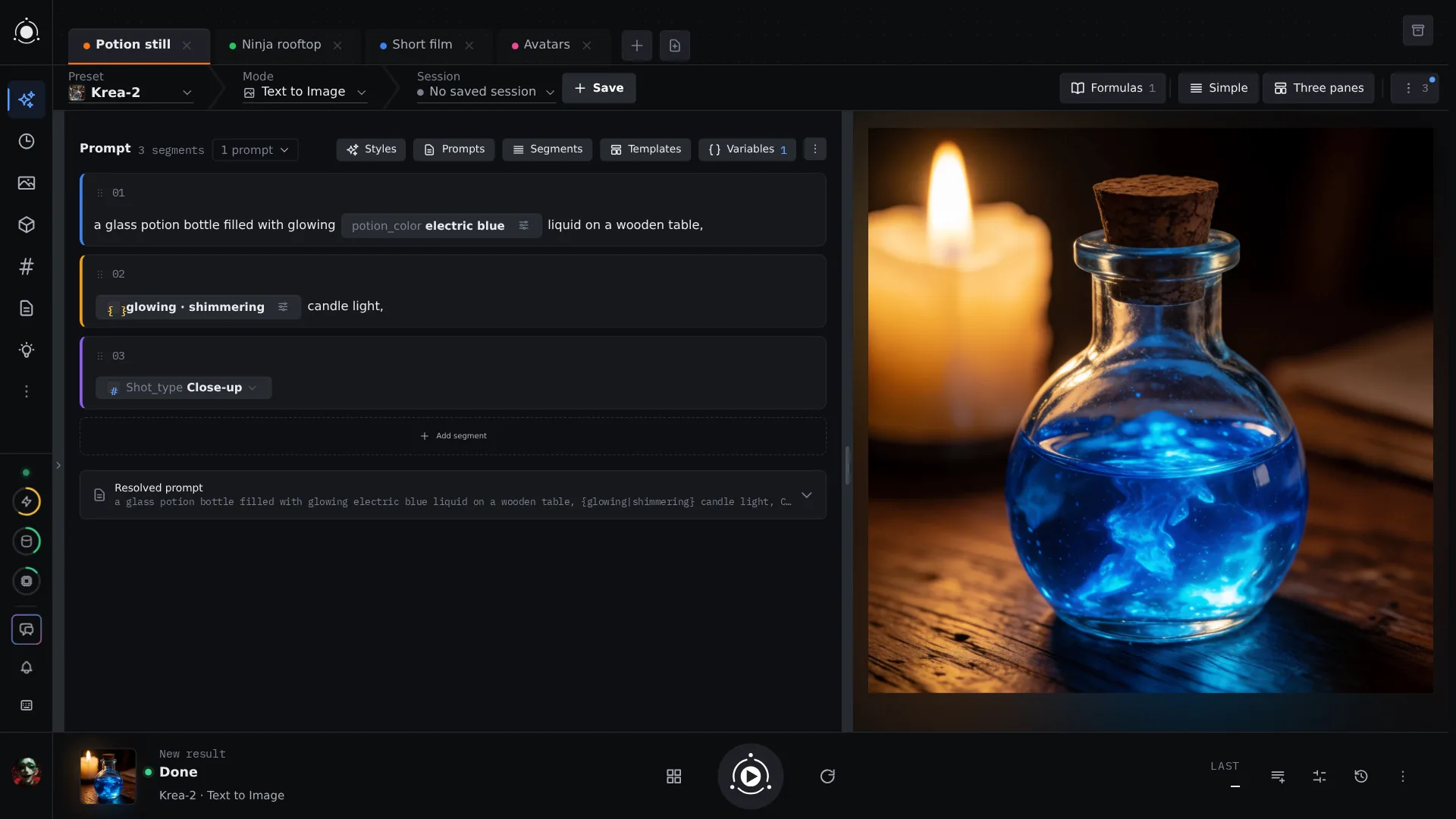
PotionUI 0.0.17 — instant model indexing, MOSS-Image, prompt conditions and a new Generate page
PotionUI is a self-hosted studio for AI images, video and audio. You pick a preset, write your prompt in colored segments with variables and phrasebook chips, and generate on your own NVIDIA GPU, or on a cloud model when you want one. Everything you make lands in a searchable History with the exact settings and model files behind it. What's new in 0.0.17 Models are ready at once. Point PotionUI at your existing model folder (a ComfyUI or A1111 one works) and every model is listed in seconds. Setup no longer reads your whole library first. Checking each file happens quietly in the background, a
Checked in to PotionUI.
You’re all caught up.