Pinokio
FeedAppsRemoteCreate
Download Pinokio
Sign inCreate accountJoin

Apps

Announcements

View all

Official updates.

Pinned announcement from Pinokio
pinokio
@cocktailpeanut•1d ago
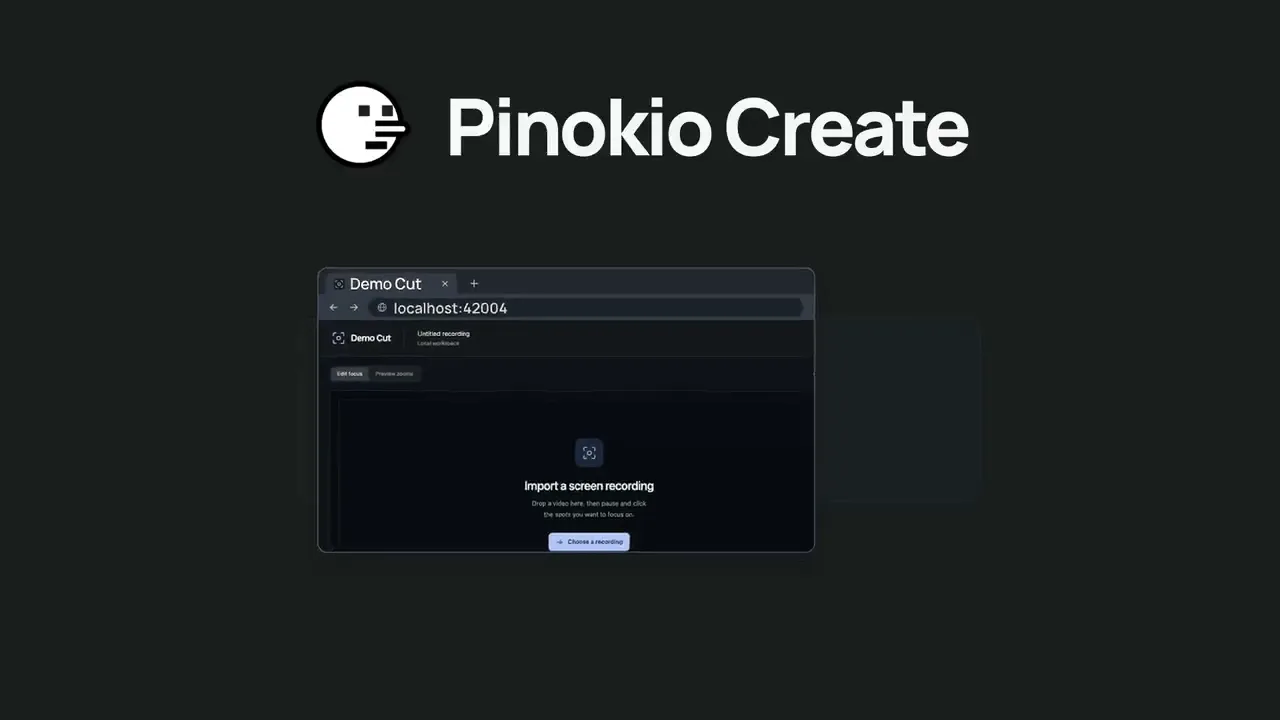
Pinokio Create: Turn Anything into a 1-Click Launcher, Automatically.Pinokio now talks to your AI agent to package anything into a 1-click launcher, publish to github, and list on pinokio, automatically. Just click the "Create" button at the top, select a template, enter what you want, and open in pinokio. Pinokio will hand off all the instructions needed to your own AI agent, and your agent will take it from there, taking care of everything automatically: Build a new app: Build a new app with 1-click launcher built-in, publish to github, and list to pinokio Publish your own app: Take your existing project, package it as a 1-click launcher, publish to github, and list to pinokio 1-Click Launcher for any existing project you want to try: Take any existing project you want to try out, package it as a 1-click launcher, publish to github and list on pinokio, all automatically.
God's Eye View
@bilawalsidhu•2h ago
Hey everyone, we've got an official website now: https://godseyeview.ai. You can check out all the features, setup instructions and watch reconstructions of real-world events. By popular demand, we also have a hosted version coming, so you can get on the waitlist there as well. We will be opening up for early access soon. We also have a substantial 0.4.0 update coming to the open source self-hosted project next week. Thanks for all the support! Tons more to come.
Mumblebox 3D Asset Foundry
@mumblebox•4h ago
Foundry Preview 35 · The retro ray gun, better MCP tools, and an update fixSorry about all the commits and updates today. We kept making the same circular mistake. Update restarted Foundry, and reopening Foundry could start Update again. Preview 35 removes that step and checks for a newer release before stopping Foundry. I’ve been working on making Foundry easier to try, easier to connect to your agent, and easier to help improve. I made a 1930s-style ray gun to show what that looks like. You can load the same reference in Foundry, export the textured model, and take it into Blender. The Foundry GLB rendered under Blender studio lights. What’s fixed. Clicking Next in Single Image or Text could stop with setText is not defined. Thanks to @rgdesign for flagging it here and to @SibioJak for reproducing it on GitHub. We also fixed a Windows ZIP verification error caused by inconsistent line endings. The Preview 35 update keeps Foundry running when you already have the newest release. What you can try. Open Single Image or Text and choose Use sample image. First-use files shows which files the workflow expects to need and calls out anything it can’t estimate. If you hit an error, Copy details gives you a short report you can paste into an issue. The interface and workflow tips are available in all nine supported languages. The original image you can load with Use sample image. The exported ray gun spinning in Blender. What changed under the hood I’ve been giving the MCP and the companion SKILL.md a lot of attention. The tool descriptions now explain what inputs the agent needs and which calls read information, change a draft, or start a job. An agent can check first-use files before it queues work, watch the same progress you see in the wizard, and pick up the ZIP when it’s ready. On the Red Comet run I stopped the texturing pass through MCP, then retried it. Foundry picked up from the saved geometry and refinement. The same workflow exported a GLB with two embedded 4K maps, which I imported into Blender and lit for the turntable. The updated skill walks agents through choosing the right workflow, checking the result, and bringing it into Blender. Walkthrough, source image, settings, and GLB For the Windows ZIP fix, I compared all 639 files in the release ZIP with what Git produces from the release tag under both Windows line-ending settings. The new build matched byte for byte. Preview 35 should be fine for tonight. I’m sure I’ll find more bugs tomorrow. Thanks for your patience and for trying Foundry, sending in bugs, and sharing your results. More workflows are coming, and I’ll keep refining the recipes and defaults as we see what works on real assets. If you make something you like, I’d love to see it and hear which settings helped. Preview 35 on GitHub · Foundry on Pinokio
Phosphene
@bizarro•1d ago
Phosphene 5.0.24 - now in ten languagesPhosphene 5.0.24 is out. The Studio now speaks your language. Everything here is free for everyone. https://phosphene.video/ Ten languages: English, Spanish, German, French, Italian, Portuguese, Russian, Japanese, Korean and Chinese (Simplified). Phosphene follows your Mac's language by itself; to pick another, open Settings and choose Language. Counts and times read naturally in every language, and labels that were written in pieces now read as whole sentences. The Pro window says what Pro does on this Mac, shows both plans with their prices, the 14-day refund and how your key arrives. Mac app 5.0.24: the app's own screens come in the same ten languages. The Studio in Spanish. Press Update, then restart Phosphene. The Studio picks your Mac's language on the next start. Release notes: https://github.com/mrbizarro/Phosphene/releases/tag/v5.0.24
MiniMax H3 Studio
@mvrdvk•2d ago
How to try it: Open Motion → Face Swap, add a source clip and a portrait of the replacement face, then describe exactly which person to swap. Preview a short shot first and check that the face follows the original head movement and expressions.
Haru
@cocktailpeanut•2d ago
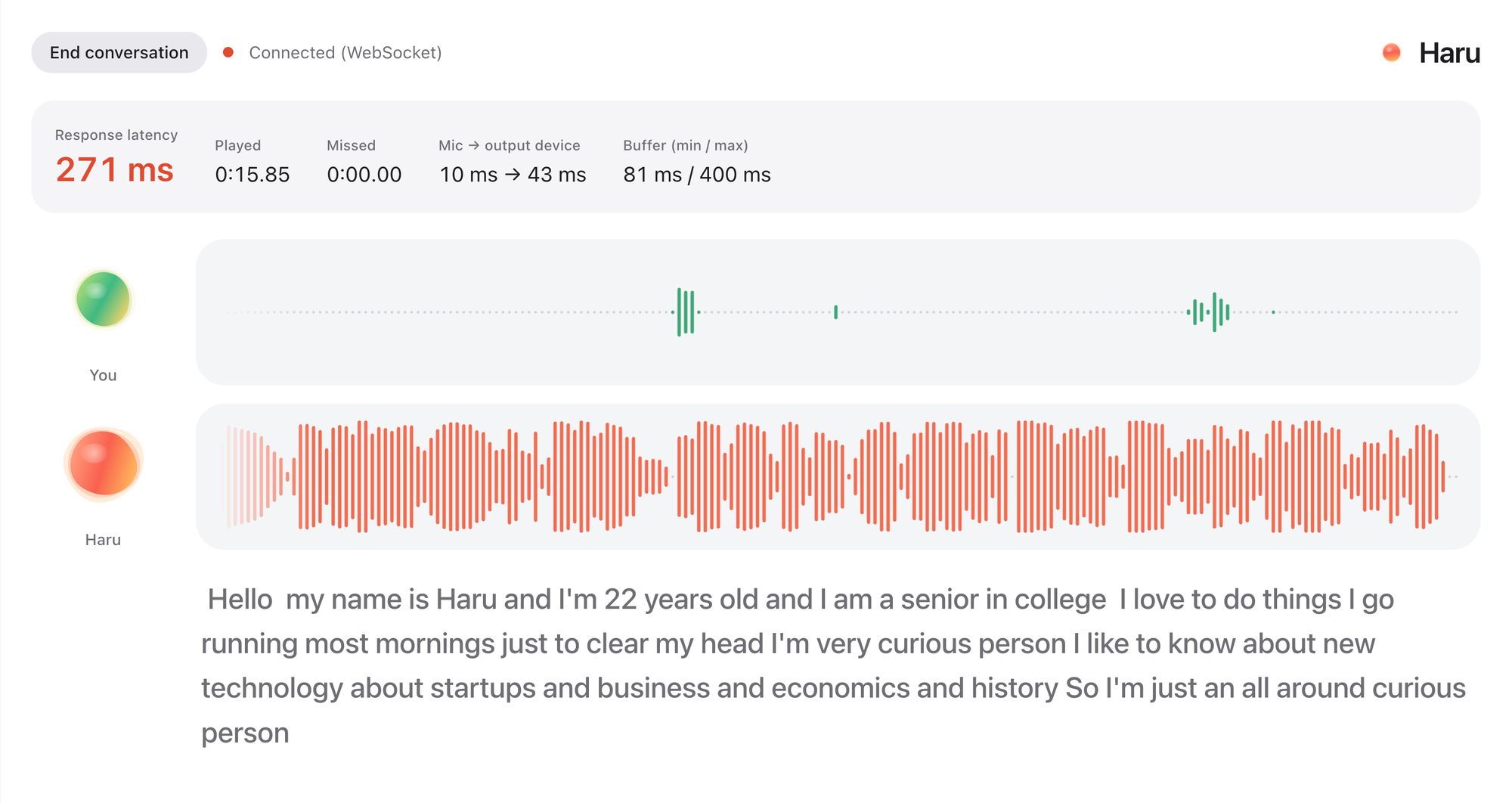
Haru: HER is here. Realtime voice chat with an AI friendRemember the movie HER? You talk to an AI like talking to a friend. It's not an assistant. It's your friend. You can just chat about anything, you can even interrupt while they're talking. Well, now you can actually experience the same thing with Haru. It's fully open source and open weight. It's completely free to use forever. More on X: https://x.com/cocktailpeanut/status/2121287442086994133 And here's what the UI looks like. When you start the chat (which can continue up to 60 minutes) and turn on the microphone, haru introduces himself/herself and you just start chatting. You can even interrupt while haru is speaking, just like chatting with a human. It is not perfect and has some quirks, but definitely worth trying out, really fascinating. System Requirements I've tested on NVIDIA GPU and Mac. Based on my experience you need: At least 12GB VRAM (but 16GB VRAM if you want actual smooth experience) NVIDIA GPU or a 12GB RAM Mac Supported Languages English Spanish Portuguese German French Chinese Japanese Russian Korean Examples Check out some examples: https://x.com/vinami/status/2121049617383231604?a=f1l6aAn7At7YIwYGWao&s=20 https://x.com/HigurashiAI/status/2121043937762889832?a=LxX12XkRp1HaexjZ_8Q&s=20
FeaturedAnnouncedPopularNewUpdated
This week
This weekThis monthAll time
Runs on:Any
System
AnymacOSWindowsLinux
GPU
AnyNVIDIAAMDApple
Show:All projects
LaunchersPluginsAll projects
#tts64#image-generation50#video-generation42#music35#utility35#video28#próba27#3d26
waypoint-osint
Free, open-source desktop app that estimates where a photo was taken. Self-contained, Windows, no paid APIs.
killameep/waypoint-osintupdated 1mo ago
0 check-insNVIDIAAMDApple
aaron-marketing-skills
120 marketing skills as an AI marketing staff — plugin, portable skills, or an 8-bot team across 7 disciplines (narrative, SEO/GEO, social, email, paid, influencer, launch) on one contract, with 8 auditor gates: TALE · CORE-EEAT · CITE · ECHO · SEND · ROAS · STAR · RAMP.
aaron-he-zhu/aaron-marketing-skillsupdated 16d ago
0 check-insNVIDIAAMDApple
stable-diffusion-webui-amdgpu-forge
Forge for stable-diffusion-webui-amdgpu (formerly stable-diffusion-webui-directml)
hmds3441/stable-diffusion-webui-amdgpu-forgeupdated 1y ago
0 check-insNVIDIAAMDApple
huihui-ai/QwQ-32B-Preview-abliterated · Hugging Face
Text Generation model with 33B parameters. Download, explore files and run it on Hugging Face.
huggingface.co/huihui-ai/qwq-32b-preview-abliterated
0 check-insNVIDIAAMDApple
web-design
A Claude Code SKILL for designing beautiful, consistent web pages — spec first, code second.
xiaopu-ai/web-designupdated 4mo ago
0 check-insNVIDIAAMDApple
EthicalHackingFromScratch
Welcome to my comprehensive course on python programming and ethical hacking. The course assumes you have NO prior knowledge in any of these topics, and by the end of it you'll be at a high intermediate level being able to combine both of these skills to write python programs to hack into computer systems exactly the same way that black hat hackers do. That's not all, you'll also be able to use the programming skills you learn to write any program even if it has nothing to do with hacking. This course is highly practical but it won't neglect the theory, we'll start with basics of ethical hacking and python programming and installing the needed software. Then we'll dive and start programming straight away. You'll learn everything by example, by writing useful hacking programs, no boring dry programming lectures. The course is divided into a number of sections, each aims to achieve a specific goal, the goal is usually to hack into a certain system! We'll start by learning how this system work and its weaknesses, then you'll lean how to write a python program to exploit these weaknesses and hack the system. As we write the program I will teach you python programming from scratch covering one topic at a time. By the end of the course you're going to have a number of ethical hacking programs written by yourself (see below) from backdoors, keyloggers, credential harvesters, network hacking tools, website hacking tools and the list goes on. You'll also have a deep understanding on how computer systems work, how to model problems, design an algorithm to solve problems and implement the solution using python. As mentioned in this course you will learn both ethical hacking and programming at the same time, here are some of the topics that will be covered in the course: Programming topics: Writing programs for python 2 and 3. Using modules and libraries. Variables, types ...etc. Handling user input. Reading and writing files. Functions. Loops. Data structures. Regex. Desiccation making. Recursion. Threading. Object oriented programming. Packet manipulation using scapy. Netfilterqueue. Socket programming. String manipulation. Exceptions. Serialisation. Compiling programs to binary executables. Sending & receiving HTTP requests. Parsing HTML. + more! Hacking topics: Basics of network hacking / penetration testing. Changing MAC address & bypassing filtering. Network mapping. ARP Spoofing - redirect the flow of packets in a network. DNS Spoofing - redirect requests from one website to another. Spying on any client connected to the network - see usernames, passwords, visited urls ....etc. Inject code in pages loaded by any computer connected to the same network. Replace files on the fly as they get downloaded by any computer on the same network. Detect ARP spoofing attacks. Bypass HTTPS. Create malware for Windows, OS X and Linux. Create trojans for Windows, OS X and Linux. Hack Windows, OS X and Linux using custom backdoor. Bypass Anti-Virus programs. Use fake login prompt to steal credentials. Display fake updates. Use own keylogger to spy on everything typed on a Windows & Linux. Learn the basics of website hacking / penetration testing. Discover subdomains. Discover hidden files and directories in a website. Run wordlist attacks to guess login information. Discover and exploit XSS vulnerabilities. Discover weaknesses in websites using own vulnerability scanner. Programs you'll build in this course: You'll learn all the above by implementing the following hacking programs mac_changer - changes MAC Address to anything we want. network_scanner - scans network and discovers the IP and MAC address of all connected clients. arp_spoofer - runs an arp spoofing attack to redirect the flow of packets in the network allowing us to intercept data. packet_sniffer - filters intercepted data and shows usernames, passwords, visited links ....etc dns_spoofer - redirects DNS requests, eg: redirects requests to from one domain to another. file_interceptor - replaces intercepted files with any file we want. code_injector - injects code in intercepted HTML pages. arpspoof_detector - detects ARP spoofing attacks. execute_command payload - executes a system command on the computer it gets executed on. execute_and_report payload - executes a system command and reports result via email. download_and_execute payload - downloads a file and executes it on target system. download_execute_and_report payload - downloads a file, executes it, and reports result by email. reverse_backdoor - gives remote control over the system it gets executed on, allows us to Access file system. Execute system commands. Download & upload files keylogger - records key-strikes and sends them to us by email. crawler - discovers hidden paths on a target website. discover_subdomains - discovers subdomains on target website. spider - maps the whole target website and discovers all files, directories and links. guess_login - runs a wordlist attack to guess login information. vulnerability_scanner - scans a target website for weaknesses and produces a report with all findings. As you build the above you'll learn: Setting up a penetration testing lab to practice hacking safely. Installing Kali Linux and Windows as virtual machines inside ANY operating system. Linux Basics. Linux terminal basics. How networks work. How clients communicate in a network. Address Resolution Protocol - ARP. Network layers. Domain Name System - DNS. Hypertext Transfer Protocol - HTTP. HTTPS. How anti-virus programs work. Sockets. Connecting devices over TCP. Transferring data over TCP. How website work. GET & POST requests. And more! By the end of the course you're going to have programming skills to write any program even if it has nothing to do with hacking, but you'll learn programming by programming hacking tools! With this course you'll get 24/7 support, so if you have any questions you can post them in the Q&A section and we'll respond to you within 15 hours. Notes: This course is created for educational purposes only and all the attacks are launched in my own lab or against devices that I have permission to test. This course is totally a product of Zaid Sabih & zSecurity, no other organisation is associated with it or a certification exam. Although, you will receive a Course Completion Certification from Udemy, apart from that NO OTHER ORGANISATION IS INVOLVED. What you’ll learn 170+ videos on Python programming & ethical hacking Install hacking lab & needed software (on Windows, OS X and Linux) Learn 2 topics at the same time - Python programming & Ethical Hacking Start from 0 up to a high-intermediate level Write over 20 ethical hacking and security programs Learn by example, by writing exciting programs Model problems, design solutions & implement them using Python Write programs in Python 2 and 3 Write cross platform programs that work on Windows, OS X & Linux Have a deep understanding on how computer systems work Have a strong base & use the skills learned to write any program even if its not related to hacking Understand what is Hacking, what is Programming, and why are they related Design a testing lab to practice hacking & programming safely Interact & use Linux terminal Understand what MAC address is & how to change it Write a python program to change MAC address Use Python modules and libraries Understand Object Oriented Programming Write object oriented programs Model & design extendable programs Write a program to discover devices connected to the same network Read, analyse & manipulate network packets Understand & interact with different network layers such as ARP, DNS, HTTP ....etc Write a program to redirect the flow of packets in a network (arp spoofer) Write a packet sniffer to filter interesting data such as usernames and passwords Write a program to redirect DNS requests (DNS Spoofer) Intercept and modify network packets on the fly Write a program to replace downloads requested by any computer on the network Analyse & modify HTTP requests and responses Inject code in HTML pages loaded by any computer on the same network Downgrade HTTPS to HTTP Write a program to detect ARP Spoofing attacks Write payloads to download a file, execute command, download & execute, download execute & report .....etc Use sockets to send data over TCP Send data reliably over TCP Write client-server programs Write a backdoor that works on Windows, OS X and Linux Implement cool features in the backdoor such as file system access, upload and download files and persistence Write a remote keylogger that can register all keystrikes and send them by Email Interact with files using python (read, write & modify) Convert python programs to binary executables that work on Windows, OS X and Linux Convert malware to torjans that work and function like other file types like an image or a PDF Bypass Anti-Virus Programs Understand how websites work, the technologies used and how to test them for weaknesses Send requests towebsites and analyse responses Write a program that can discover hidden paths in a website Write a program that can map a website and discover all links, subdomains, files and directories Extract and submit forms from python Run dictionary attacks and guess login information on login pages Analyse HTML using Python Interact with websites using Python Write a program that can discover vulnerabilities in websites Are there any course requirements or prerequisites? Basic IT knowledge No Linux, programming or hacking knowledge required. Computer with a minimum of 4GB ram/memory Operating System: Windows / OS X / Linux Who this course is for: Anybody interested in learning Python programming Anybody interested in learning ethical hacking / penetration testing Instructor User photo Zaid Sabih Ethical Hacker, Computer Scientist & CEO of zSecurity My name is Zaid Al-Quraishi, I am an ethical hacker, a computer scientist, and the founder and CEO of zSecurity. I just love hacking and breaking the rules, but don’t get me wrong as I said I am an ethical hacker. I have tremendous experience in ethical hacking, I started making video tutorials back in 2009 in an ethical hacking community (iSecuri1ty), I also worked as a pentester for the same company. In 2013 I started teaching my first course live and online, this course received amazing feedback which motivated me to publish it on Udemy. This course became the most popular and the top paid course in Udemy for almost a year, this motivated me to make more courses, now I have a number of ethical hacking courses, each focusing on a specific field, dominating the ethical hacking topic on Udemy. Now I have more than 350,000 students on Udemy and other teaching platforms such as StackSocial, StackSkills and zSecurity. Instructor User photo z Security Leading provider of ethical hacking and cyber security training, zSecurity is a leading provider of ethical hacking and cyber security training, we teach hacking and security to help people become ethical hackers so they can test and secure systems from black-hat hackers. Becoming an ethical hacker is simple but not easy, there are many resources online but lots of them are wrong and outdated, not only that but it is hard to stay up to date even if you already have a background in cyber security. Our goal is to educate people and increase awareness by exposing methods used by real black-hat hackers and show how to secure systems from these hackers. Video course
bookworm52/ethicalhackingfromscratchupdated 5y ago
0 check-insNVIDIAAMDApple
ipfinder
IP Finder tool, ipfinder collects IP addresses from Shodan search queries.
rix4uni/ipfinderupdated 11mo ago
0 check-insNVIDIAAMDApple
God's Eye View
A live 3D intelligence console for planet Earth.
nsdBRoficial/godeyev3.6updated 16d ago
0 check-insNVIDIAAMDApple
bankscraper
Scrape data from bank and credit card sites with Watir.
timfreund/bankscraperupdated 16y ago
0 check-insNVIDIAAMDApple
MagicClothing-Colab
Change clothes AI
laichaoyi/magicclothing-colabupdated 2y ago
0 check-insNVIDIAAMDApple
GitHubSkills-introduction-to-github
Based on https://github.com/orgs/skills/repositories?type=all
joe-code/githubskills-introduction-to-githubupdated 4y ago
0 check-insNVIDIAAMDApple
freefield
Contribute to neuregex/freefield development by creating an account on GitHub.
neuregex/freefieldupdated 19d ago
0 check-insNVIDIAAMDApple
Instagram-Profile-Downloader
An advanced, automated **Instagram profile media downloader** available as both a **Stunning Interactive Web Dashboard** and a **Command-Line Interface (CLI)**.
poofbyte/instagram-profile-downloaderupdated 1mo ago
0 check-insNVIDIAAMDApple
God's Eye View
A live 3D intelligence console for planet Earth.
navneeth2017-create/godseyev3.6updated 16d ago
0 check-insNVIDIAAMDApple
faces2cats
Fork of https://gitlab.com/t__o/faces2cats
Magicking/faces2catsupdated 1y ago
0 check-insNVIDIAAMDApple
WLED-Visualizer
A browser based WLED simulator for mapping displays similar to more advanced apps like xLights/Vixen
ctkjedi/wled-visualizerupdated 3mo ago
0 check-insNVIDIAAMDApple
Handy
A free, open source, and extensible speech-to-text application that works completely offline.
cjpais/handyupdated 20d ago
0 check-insNVIDIAAMDApple
EgoCraft
Egocentric network analysis: import ego, alter and tie files from CSV, Excel, Stata, SPSS or R, check the IDs, draw sociograms, compute size, density, brokerage, composition, diversity and homophily measures for any subgroup, and save one row per person with a Stata do-file and R script. Runs on your computer; your data stays there.
nu-stats/egocraftv7.0updated 3d ago
0 check-insNVIDIAAMDApple
BiRefNet Demo - a Hugging Face Space by ZhengPeng7
Upload a photo (or provide its URL) and choose the desired resolution and model. The app separates the main subject from the background and returns the image with a transparent background. You can ...

huggingface.co/spaces/zhengpeng7/birefnet_demo
0 check-insNVIDIAAMDApple
label-studio
Label Studio is a multi-type data labeling and annotation tool with standardized output format
humansignal/label-studioupdated 17d ago
0 check-insNVIDIAAMDApple
Previous
1...414243...306
NextPage 42 of 306

Get project updates

Pulse

View all

The latest posts from across Pinokio.

Checked in to Video Indirici.
@hakan71 · Community
Hey everyone, we've got an official website now: https://godseyeview.ai. You can check out all the fe...

@bilawalsidhu · God's Eye View
Foundry Preview 35 · The retro ray gun, better MCP tools, and an update fix
@mumblebox · Mumblebox 3D Asset Foundry1
Sorry about all the commits and updates today. We kept making the same circular mistake. Update resta...

is it free?
@preneshkl · MiniMax H3 Studio
Checked in to Maestro.

@gjphilander · Community

Radar

View all

Projects getting attention.

Followed·3 min
Wan2GP
1-click WanGP Launcher. Super Optimized Gradio UI for AI video creation for GPU poor machines (6GB+ VRAM). Supports Wan 2.1/2.2, Qwen, Hunyuan Video, LTX Video and Flux. https://github.com/deepbeepmeep/Wan2GP
Installable
Followed·6 min
MiniMax H3 ComfyUI
MiniMax H3 omni-modal video generation in ComfyUI. Text/image/video/audio in, video with native 32kHz stereo audio out (768p default, 1080p+ supported). Disk-optimized: pruned INT8 + NVFP4 weights (~63GB instead of ~290GB). NVIDIA only.
Installable
Followed·7 min
PotionUI
PotionUI: self-hosted AI image and video generation with a preset-driven interface, a native diffusers engine and ComfyUI support. Requires Windows or Linux with an NVIDIA GPU (driver 580 or newer, 8 GB VRAM and 16 GB RAM minimum). Other machines get a remote-only install.
Installable
Followed·7 min
ai-video-composer
The ultimate video editor powered by natural language and FFMPEG https://huggingface.co/spaces/huggingface-projects/ai-video-composer
Installable
Followed·8 min
God's Eye View
A live 3D intelligence console for planet Earth.
Installable
Pinokio
PrivacyTerms
FeedAppsCreateRemote

Explore the community

#showcase
Minimax H3 Singularity 4 Step Generation Prompt: Use the provided image as the starting frame. Preserve the exact minimalist black-and-white Wojak meme drawing style, characters, and party setting. Static camera, no cuts, no zooms, no dialogue, no text. 0–3s: The man leans casually against the wall in the corner, legs crossed, one hand in his pocket, holding his drink. He has a faint, peaceful smile. Across the room, three extremely attractive adult women dancing at the party notice him. They exchange excited glances. 3–7s: The first woman confidently approaches him, flips her hair, gives h...
@cocktailpeanut·17d ago
#cool-project
Preview of my next project!
@theawakenone·4d ago
#guide
Pinokio Create: Turn Anything into a 1-Click Launcher, Automatically.
@cocktailpeanut·1d ago
#testers-wanted
For those of you brave enough to install... Thanks for trying it out. I am adding a bug report feature and fixing the workflows for objects/creatures/vehicles. I am also adding a coding agent driven headless Blender node. I will be looking to optimizes for low memory systems soon. There is alot to do on the Roadmap. Thanks for your interest.
@mumblebox·13d ago