Minimax H3 Comfyui got an update
- Additionally to the Turbo Lora the new FastVideo model was added which doesn't give a speed boost but improves the quality of the output.
- A new Lipsync workflow was added
- Now Minimax H3 Comfyui should also work on smaller GPUs thanks the the H3 Optimization nodes that will limit the memory consumption on smaller systems to only 8GB VRAM.
- Example images were added so the default workflows work out of the box and can be used right away. No more red frames because of missing images.
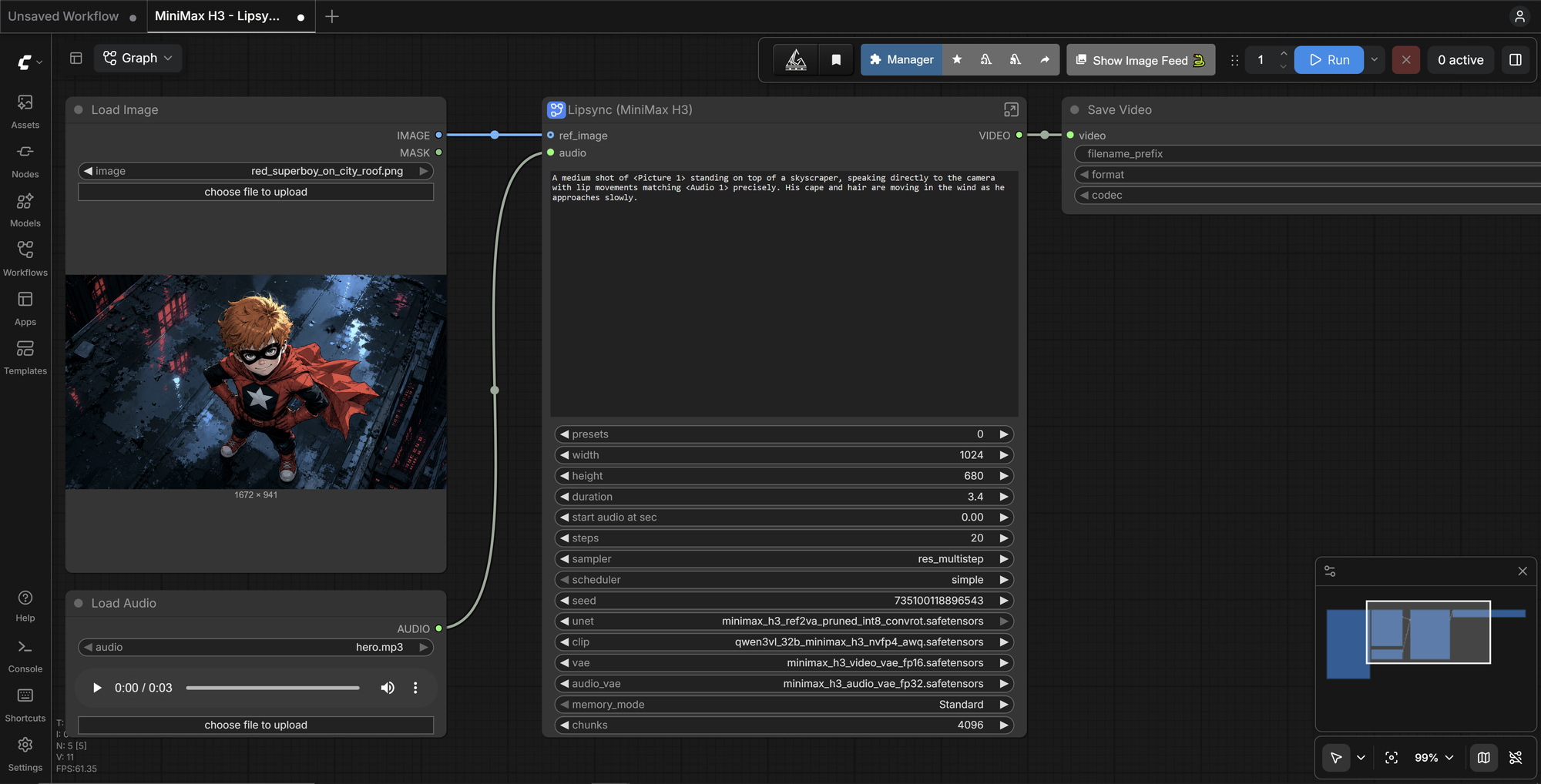
Speaking of Red Frames: By default, comfyui starts with an example workflow. This workflow is NOT part of Minimax H3 Comfyui. Therefore it HAS red frames. Just open a minimax workflow on the left side menu. This workflow will work.
Like always te design stays as simple as it was.

 AboutMiniMax H3 ComfyUIThomasEricB/minimax-h3-pinokio
Minimax H3 Comfyui got an update
Speaking of Red Frames: By default, comfyui starts with an example workflow. This workflow is NOT part of Minimax H3 Comfyui. Therefore it HAS red frames. Just open a minimax workflow on the left side menu. This workflow will work.
Like always te design stays as simple as it was.