YUE2 // GROOVE 1.0.2 released — GGUF engine: full songs on 8–16 GB cards, and on Windows
Until now Groove needed a 16 GB NVIDIA card (or a 32 GB Mac) for a full-length song, and song
generation on Windows did not really work. 1.0.x adds a second engine that changes both.
What's new
- A second engine for smaller cards. The same YuE2 model in a compact 8-bit form (GGUF),
made on your machine from the same weights you already downloaded. A full-length song peaks at
about 8 GB of graphics memory instead of 11; an 8 GB card gets songs up to ~5 minutes.
The composing stage is 2–6× faster.
- Chosen for you. On an NVIDIA card under 16 GB the app switches to it by itself. Cards with
16 GB or more, and every Mac, keep the original engine. You can switch by hand in
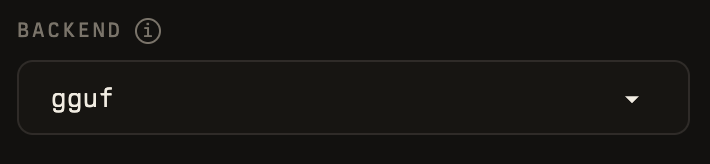
STUDIO → Settings → BACKEND.
- Windows works now. Song generation on Windows runs through this engine (the original one
is slow there). Verified with a full song on an RTX 2070 8 GB.
- One thing to know: on the new engine the same seed makes a different song than on the
original one. That is expected, not a fault. Every song records which engine made it.
Supported from 1.0.2
Model: YuE2-3B + YuE2-Vae (the official weights, unchanged) — the original engine runs them
as published; the GGUF engine runs an 8-bit copy made from them on your machine. Cover: SheetSage2 + MERT.
| Machine |
Graphics memory |
Engine you get |
Status |
| Mac, Apple Silicon |
32 GB or more |
Original |
Tested. |
| Mac, Apple Silicon |
24 GB |
Original |
Should fit: the original engine needs about 11 GB of the memory macOS lets the GPU use. Not tested on a 24 GB Mac — please tell us. If it runs out of memory: STUDIO → Settings → BACKEND → gguf |
| Mac, Apple Silicon |
16 GB |
GGUF — switch it on yourself: STUDIO → Settings → BACKEND → gguf |
The original engine does not fit. The GGUF engine needs about 8 GB and should fit. Not tested on a 16 GB Mac — please tell us |
| Mac, Apple Silicon |
8 GB |
— |
Not supported |
| Linux + NVIDIA |
16 GB or more (24 GB recommended) |
Original |
Tested. |
| Linux + NVIDIA |
8 – 15 GB |
GGUF, automatically |
Tested on an 8 GB card and a 16 GB card; 12 GB not on a physical card yet |
| Windows + NVIDIA |
8 – 15 GB |
GGUF, automatically |
Tested: a full song on an RTX 2070 8 GB |
| Windows + NVIDIA |
16 GB or more |
Original (slower on Windows than on Linux) |
Not tested |
| NVIDIA under 8 GB · Intel Mac · AMD or Intel GPU · no GPU |
— |
— |
Not supported |
Updating in Pinokio
Everyone: open YUE2 // GROOVE → Update → Start. The page footer shows 1.0.2.
If it still shows the old version, or the first song stops with No module named 'gguf':
quit Pinokio completely, open it again, Update once more.
macOS — nothing changes by default; you keep the original engine. Optional: BACKEND → gguf
composes much faster (a different take for the same seed).
Linux — 16 GB or more: nothing changes. Under 16 GB: the GGUF engine is picked by itself.
The first song after the update takes about a minute longer (the model is converted once,
+4.3 GB on disk).
Windows — the GGUF engine is picked by itself on a card under 16 GB. The very first song on a
machine also downloads the weights (7.3 GB; STATUS says so, progress is in the terminal), and on
RTX 20-series cards the first song pauses for about a minute while the driver prepares the
engine — once. If you already generated with 1.0.1: one more conversion, then the old file
app\models\gguf\YuE2-3B-Q8_0-4c1e36b64d88.gguf (3.8 GB) can be deleted.
Read more
Update 22 Sep — first 12 GB reports. @dauthiatull ran 1.0.2 on an RTX 3080 12 GB (Windows):
- Default settings (CFG 1.0), full 6-minute songs, ODE 64: about 7 GB of graphics memory in Task Manager (the engine ~5.9 GB), ~4 minutes per song.
- CFG 1.5, full song: 225 s, ~8 GB for the engine, 9.6 GB with the desktop — within 0.2 GB and a few seconds of the same song on a 16 GB card.
- The original engine on the same card (BACKEND → torch, MEMORY BUDGET 12, CFG 1.5): out of memory at ~10 GB, exactly as in our 12 GB Linux tests — which is why the app picks the GGUF engine on a 12 GB card by itself.
That fills the "12 GB not on a physical card yet" gap in the table above.



YUE2 // GROOVE 1.0.2 released — GGUF engine: full songs on 8–16 GB cards, and on Windows
Until now Groove needed a 16 GB NVIDIA card (or a 32 GB Mac) for a full-length song, and song

generation on Windows did not really work. 1.0.x adds a second engine that changes both.
What's new
made on your machine from the same weights you already downloaded. A full-length song peaks at
about 8 GB of graphics memory instead of 11; an 8 GB card gets songs up to ~5 minutes.
The composing stage is 2–6× faster.
16 GB or more, and every Mac, keep the original engine. You can switch by hand in
STUDIO → Settings → BACKEND.
is slow there). Verified with a full song on an RTX 2070 8 GB.
original one. That is expected, not a fault. Every song records which engine made it.
Supported from 1.0.2
Model: YuE2-3B + YuE2-Vae (the official weights, unchanged) — the original engine runs them
as published; the GGUF engine runs an 8-bit copy made from them on your machine. Cover: SheetSage2 + MERT.
Updating in Pinokio
Everyone: open YUE2 // GROOVE → Update → Start. The page footer shows 1.0.2.
If it still shows the old version, or the first song stops with
No module named 'gguf':quit Pinokio completely, open it again, Update once more.
macOS — nothing changes by default; you keep the original engine. Optional: BACKEND → gguf
composes much faster (a different take for the same seed).
Linux — 16 GB or more: nothing changes. Under 16 GB: the GGUF engine is picked by itself.
The first song after the update takes about a minute longer (the model is converted once,
+4.3 GB on disk).
Windows — the GGUF engine is picked by itself on a card under 16 GB. The very first song on a
machine also downloads the weights (7.3 GB; STATUS says so, progress is in the terminal), and on
RTX 20-series cards the first song pauses for about a minute while the driver prepares the
engine — once. If you already generated with 1.0.1: one more conversion, then the old file
app\models\gguf\YuE2-3B-Q8_0-4c1e36b64d88.gguf(3.8 GB) can be deleted.Read more
Update 22 Sep — first 12 GB reports. @dauthiatull ran 1.0.2 on an RTX 3080 12 GB (Windows):
That fills the "12 GB not on a physical card yet" gap in the table above.