Pinokio started as a single-player experience: discover local AI apps and models, and run them on your own computer.
But it has been a lonely experience. You had to pretty much figure out how to use the apps and what you can do with the apps, all on your own.
Meet multiplayer mode. Now you can discover what other people are making with those tools, and learn how they did it. Share experiments, ask questions, and follow people and projects. Find a workflow you hadn't thought of, get help when you’re stuck, or share a discovery that helps someone else get started.
Share this post on X:
https://x.com/cocktailpeanut/status/2112569612055298209?s=20
Feed
The core of the multiplayer mode is the feed. You can follow anything on Pinokio and they will show up on your personal feed.
- Follow projects: get updates from the project maintainer + get updates from other users
- Follow people: get updates from anyone
App Community Feed
When you follow an app, two things happen:
- Announcement posts: All announcement posts from the app maintainer show up on your main feed.
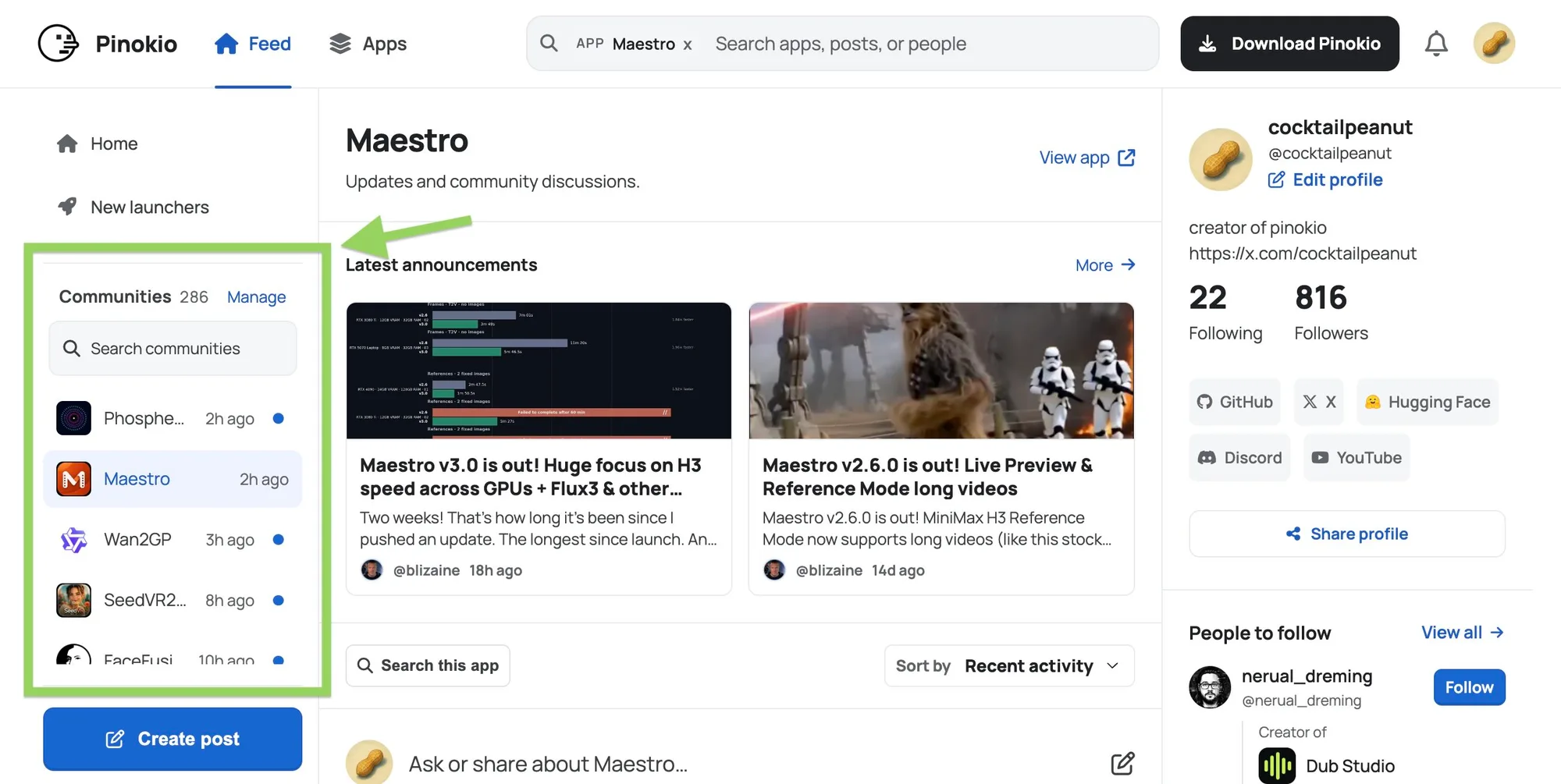
- Community posts: Whenever someone posts on the app community, you get a notification on the "Communities" sidebar. The updated app bounces up to the top, letting you know there's a new message. Meet other users who use the same app, learn from and help each other.
Here's an example. Communities with new posts get bumped up to the top, and the blue dot indicates unread posts:
Topical Feed
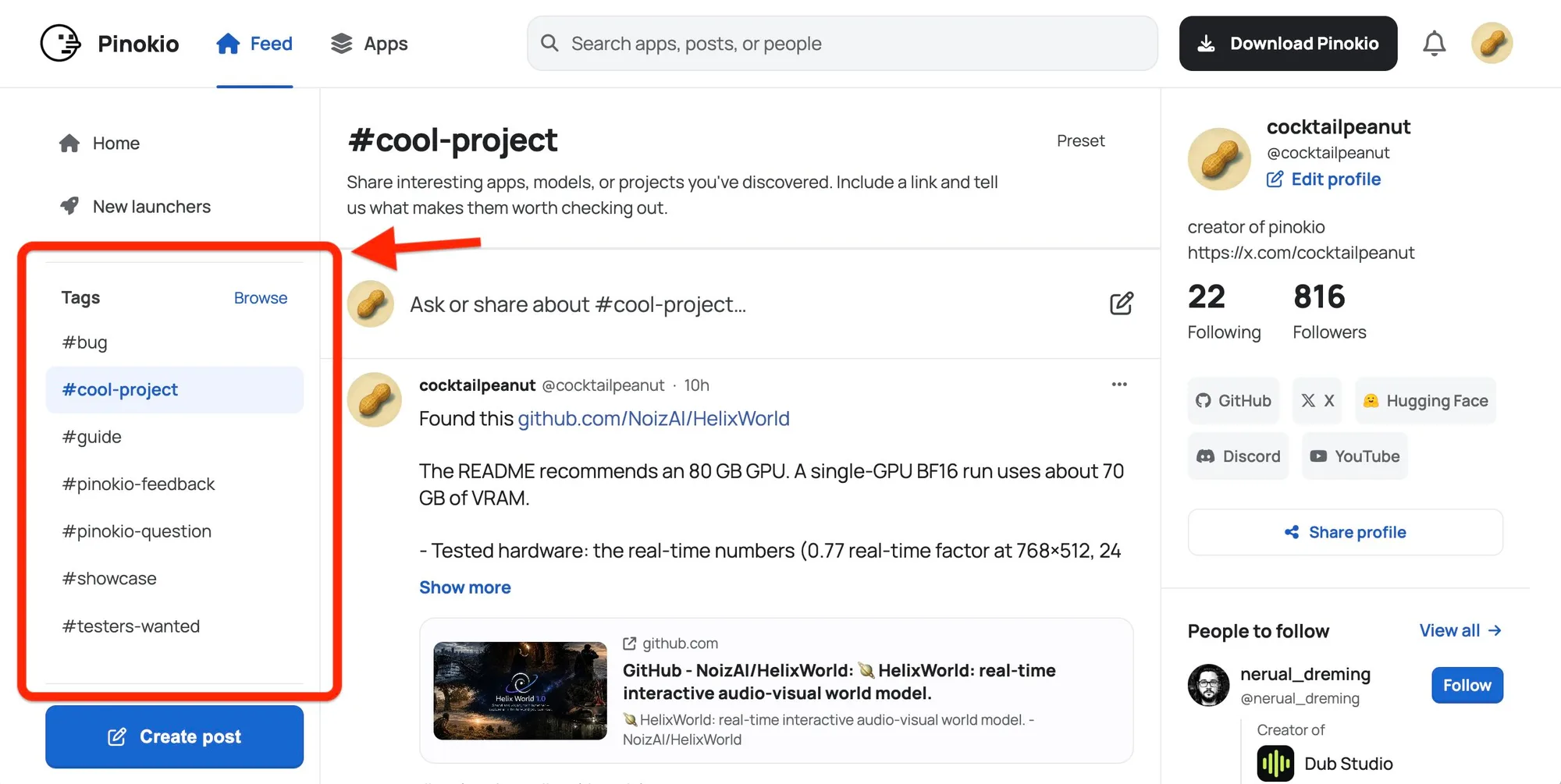
You can also participate in tag communities, simply by posting to tags. When you post to a tag, everyone following the tag will get notifications on the Tags sidebar.
Examples:
- #showcase: Share what you made with Pinokio apps: images, videos, music, experiments, prompts, workflows, and more. https://pinokio.co/feed/tags/showcase
- #cool-project: Share interesting apps, models, or projects you've discovered. Include a link and tell us what makes them worth checking out. https://pinokio.co/feed/tags/cool-project
- #pinokio-feedback: Suggest features and improvements for Pinokio. Tell us what could work better, what feels confusing, or what you would like to see added. https://pinokio.co/feed/tags/pinokio-feedback
- #testers-wanted: If you're a builder, post here to ask people to help beta test your app before making a public announcement https://pinokio.co/feed/tags/testers-wanted
- and many more!
Share guides and experiments
If you've made a tutorial or a video, found a useful setup, or come up with an interesting workflow or prompt, share it. Include the tools you used and a few details about how you did it. Someone else can try your approach, ask a question, or share a different way of doing it. Examples:
- "I generated this video with Phosphene, it took 5 minutes to generate, check it out!"
- "I used this prompt to generate this video: ..."
Ask general questions
One thing to remember: You can post anything. Your posts do not have to be tied to existing apps. Now you can also ask questions like:
- "What's a good TTS app with Japanese support?"
- "Which app should I try if I’m on a Mac and want to generate videos?"
Multiplayer is Optional
Multiplayer is entirely optional. Pinokio remains local-first, and you will never need an account to discover or run apps. This is an optional feature you can use to get more value.
Anyway, that’s the idea behind the multiplayer mode: making what each person figures out useful to other people.
Try it at pinokio.co.



Pinokio started as a single-player experience: discover local AI apps and models, and run them on your own computer.
But it has been a lonely experience. You had to pretty much figure out how to use the apps and what you can do with the apps, all on your own.
Meet multiplayer mode. Now you can discover what other people are making with those tools, and learn how they did it. Share experiments, ask questions, and follow people and projects. Find a workflow you hadn't thought of, get help when you’re stuck, or share a discovery that helps someone else get started.
Feed
The core of the multiplayer mode is the feed. You can follow anything on Pinokio and they will show up on your personal feed.
App Community Feed
When you follow an app, two things happen:
Here's an example. Communities with new posts get bumped up to the top, and the blue dot indicates unread posts:
Topical Feed
You can also participate in tag communities, simply by posting to tags. When you post to a tag, everyone following the tag will get notifications on the Tags sidebar.
Examples:
Share guides and experiments
If you've made a tutorial or a video, found a useful setup, or come up with an interesting workflow or prompt, share it. Include the tools you used and a few details about how you did it. Someone else can try your approach, ask a question, or share a different way of doing it. Examples:
Ask general questions
One thing to remember: You can post anything. Your posts do not have to be tied to existing apps. Now you can also ask questions like:
Multiplayer is Optional
Multiplayer is entirely optional. Pinokio remains local-first, and you will never need an account to discover or run apps. This is an optional feature you can use to get more value.
Anyway, that’s the idea behind the multiplayer mode: making what each person figures out useful to other people.
Try it at pinokio.co.