- qwen_sketch_to_video.mp4`: Paint drawing dissolves into the H3 video (6.8 s, with sound)
- qwen_sketch_before_after.png`: Paint drawing → Qwen-Image frame → H3 video
- motionbricks_to_video.mp4`: raw MotionBricks robot and the H3 Motion Transfer result side by side (11.8 s, with sound)
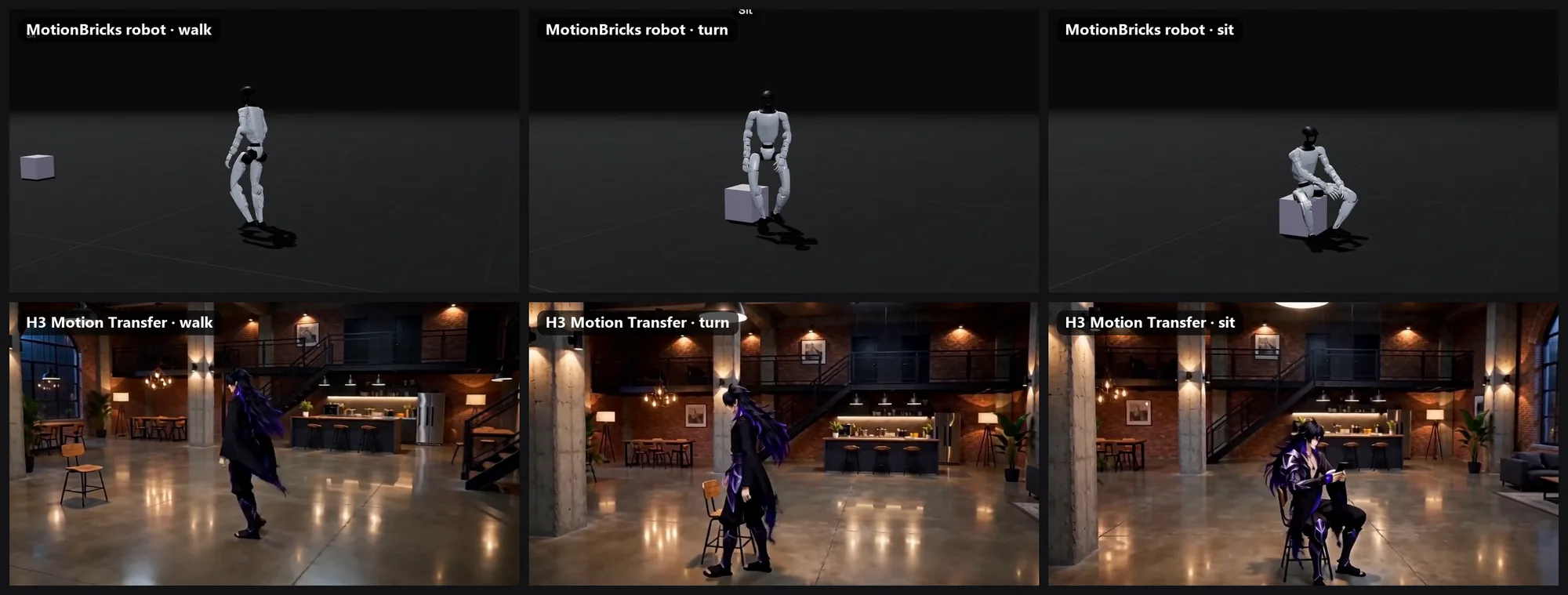
- motionbricks_before_after.png`: robot vs. result: walk, turn, sit
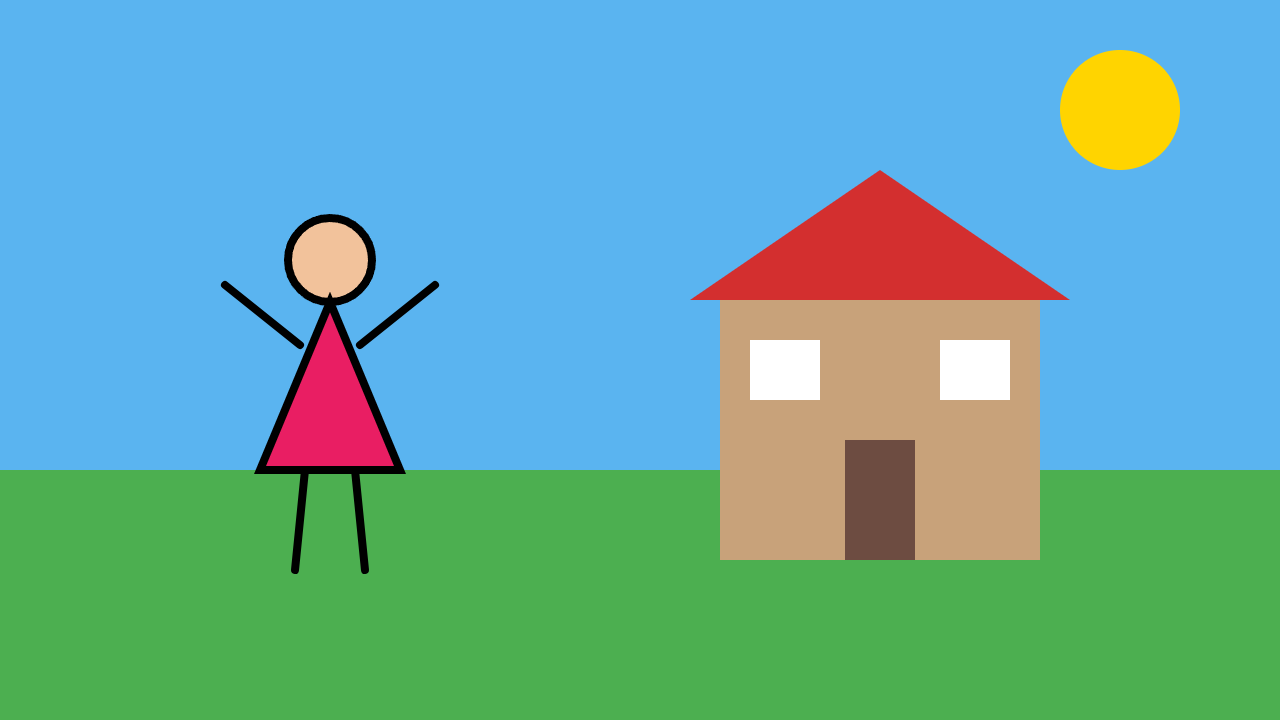
- paint_drawing_original.png`: the original Paint drawing (optional)
- qwen_frame_full.png`: the full-size Qwen frame (optional)
---
**H3 Studio: new Motion tab. Animate from a video, a robot, or a doodle**
H3 Studio now has a third workspace next to Scene and Director: **Motion**. It's a single place to drive movement in your MiniMax H3 videos, with three sources:

 1 H3 Video: motion transfer from any clip**
Drop in a 4–30 s reference video and a character, product or outfit image.
- **Motion transfer:** H3 takes only the movement, choreography, timing and camera from the video, and the look from your image.
- **Objects swap:** keeps the original scene and camera, and replaces the person or object you name with the one in your image.
Long clips are rendered in 5 s chunks and stitched into one video of the same length.
2 MotionBricks: direct a robot, use the take as your reference**
No reference video? Make one. NVIDIA's MotionBricks runs right inside the player.
- Click the floor to walk, double-click to run, steer with WASD, press E to interact.
- It sits when it reaches the chair and jumps or ducks at obstacles.
- Record a 5–30 s take at 24 fps. It automatically becomes the motion reference, then you add your character image and hit Generate.
*Direct a robot in the browser — walk it to a chair and it sits. Record the take, and H3 transfers that exact motion to your character, frame by frame.* (video 3 / image 4)
The model (~369 MB) downloads once on first open and is cached in your browser. Licenses: NVIDIA Open Model Agreement, townbox (Apache-2.0), Unitree robot (BSD-3).
3 Qwen Sketch: from a stick figure to a video**
Draw on the built-in board or paste or drag in a drawing from Paint. Say in the prompt what you drew and what should happen.
- Qwen-Image 2512 turns the drawing into a finished frame in the visual style you picked (realistic, Disney-like 3D, anime, game, clay…).
- H3 then animates that frame.
- Objects stay where you drew them. Paint the sky and grass too if you want a background.
- A fidelity switch (Faithful / Balanced / Free) controls how literally the drawing is followed.
*Drew this in MS Paint in a minute → Qwen-Image 2512 turned it into a frame, keeping every object exactly where I drew it → H3 animated it, with sound.* (video 1 / image 2)
It takes about 4 minutes for the frame, then the usual video time.
All three run locally on your own GPU and queue in their own Motion lane, so they don't block your Scene or Director renders.
Update H3 Studio in Pinokio and open the **Motion** tab.
Feedback and bugs: https://github.com/erdinoral/minimax-h3-studio/issues
☕ Want more updates like this? Don't forget to support the project on Buy Me a Coffee: it gives me more time to keep building H3 Studio, fixing bugs and shipping new features.
 https://buymeacoffee.com/erdindev


---
**H3 Studio: new Motion tab. Animate from a video, a robot, or a doodle**
H3 Studio now has a third workspace next to Scene and Director: **Motion**. It's a single place to drive movement in your MiniMax H3 videos, with three sources:
Drop in a 4–30 s reference video and a character, product or outfit image.
- **Motion transfer:** H3 takes only the movement, choreography, timing and camera from the video, and the look from your image.
- **Objects swap:** keeps the original scene and camera, and replaces the person or object you name with the one in your image.
Long clips are rendered in 5 s chunks and stitched into one video of the same length.
2 MotionBricks: direct a robot, use the take as your reference**
No reference video? Make one. NVIDIA's MotionBricks runs right inside the player.
- Click the floor to walk, double-click to run, steer with WASD, press E to interact.
- It sits when it reaches the chair and jumps or ducks at obstacles.
- Record a 5–30 s take at 24 fps. It automatically becomes the motion reference, then you add your character image and hit Generate.
*Direct a robot in the browser — walk it to a chair and it sits. Record the take, and H3 transfers that exact motion to your character, frame by frame.* (video 3 / image 4)
The model (~369 MB) downloads once on first open and is cached in your browser. Licenses: NVIDIA Open Model Agreement, townbox (Apache-2.0), Unitree robot (BSD-3).
3 Qwen Sketch: from a stick figure to a video**
Draw on the built-in board or paste or drag in a drawing from Paint. Say in the prompt what you drew and what should happen.
- Qwen-Image 2512 turns the drawing into a finished frame in the visual style you picked (realistic, Disney-like 3D, anime, game, clay…).
- H3 then animates that frame.
- Objects stay where you drew them. Paint the sky and grass too if you want a background.
- A fidelity switch (Faithful / Balanced / Free) controls how literally the drawing is followed.
*Drew this in MS Paint in a minute → Qwen-Image 2512 turned it into a frame, keeping every object exactly where I drew it → H3 animated it, with sound.* (video 1 / image 2)
It takes about 4 minutes for the frame, then the usual video time.
All three run locally on your own GPU and queue in their own Motion lane, so they don't block your Scene or Director renders.
Update H3 Studio in Pinokio and open the **Motion** tab.
Feedback and bugs: https://github.com/erdinoral/minimax-h3-studio/issues
☕ Want more updates like this? Don't forget to support the project on Buy Me a Coffee: it gives me more time to keep building H3 Studio, fixing bugs and shipping new features.
 https://buymeacoffee.com/erdindev