Hey Pinokio community,
I just added a dedicated Fast Upscale workflow to Vibe Player. It runs 100% offline on your GPU using proven open-source models, so you don't have to hunt for weights or tweak endless settings.
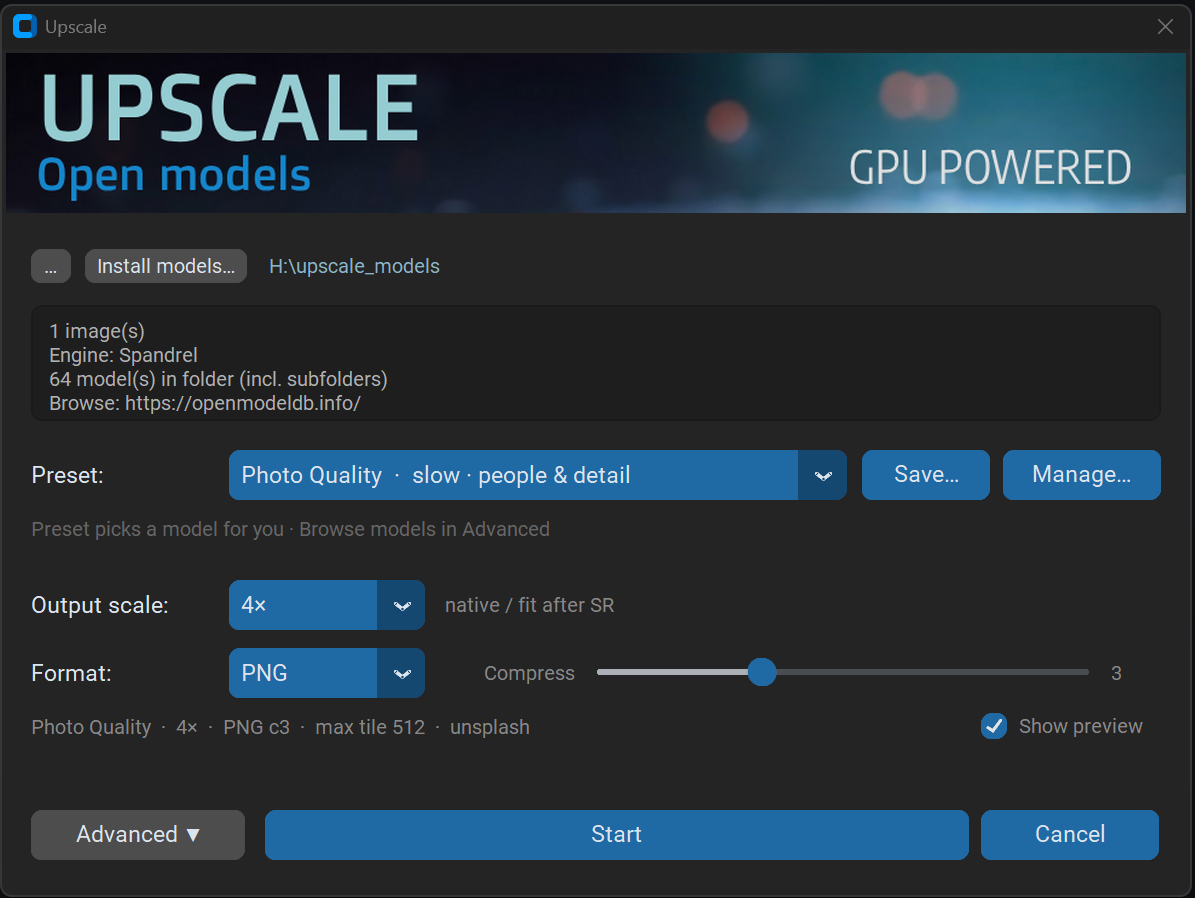 One-click Photo Quality preset (
4xNomos8kHAT-L) — no manual model hunting or tweaking required
The Photo Quality preset uses 4xNomos8kHAT-L. In side-by-side tests against Topaz Photo AI, it holds up in the exact same league on real-world photos — without needing a license.
Key Features:
- Ready-made presets: Photo Quality, Web Photo Fast, Clean Fast, and Illustration & Anime. Pick one and run — maximum detail when you need it, near-instant when you don't.
- Fine detail preservation:
4xNomos8kHAT-L keeps natural textures, faces, and sharp edges without over-smoothing.
- Live crop preview: Split-screen compare against the original, or A|B test two models before committing a full batch.
- One-click favorites: Save your own custom presets and launch them straight from the Upscale menu (built-in presets stay untouched).
- Batch Convert integration: Upscale entire folders in a single pass during batch conversion — using Fast Upscale, SeedVR 2, or Photo AI.
- True cancel & VRAM cleanup: Jobs run in an isolated process, so hitting Cancel immediately stops GPU load and frees your VRAM.
If you already have Topaz Photo AI installed, that integration is still right where you left it. For everyone else, Fast Upscale is now the effortless default.
Under the hood, it's powered by a single-pass Spandrel runner, meaning you can drop in extra .pth or .safetensors models from OpenModelDB the exact same way.
How to get it: Pull the latest updates in your Pinokio dashboard, or install fresh via the Vibe Player launcher. Go to Upscale → Fast Upscale…, pick Photo Quality, and you're good to go.
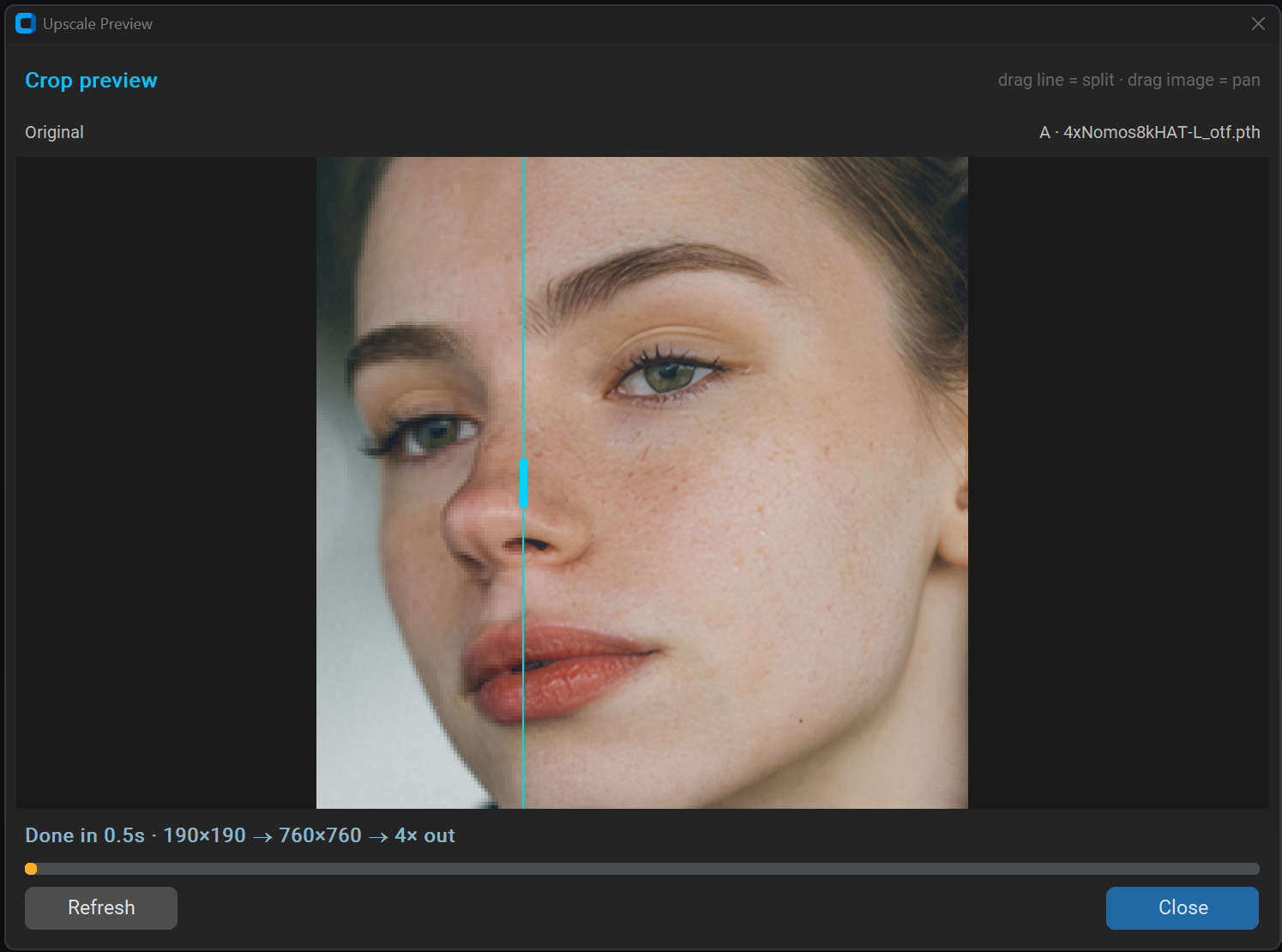
Live 1:1 crop preview (190×190 → 760×760 in 0.5s): original on the left vs. 4xNomos8kHAT-L on the right — natural skin texture and freckles preserved without over-smoothing
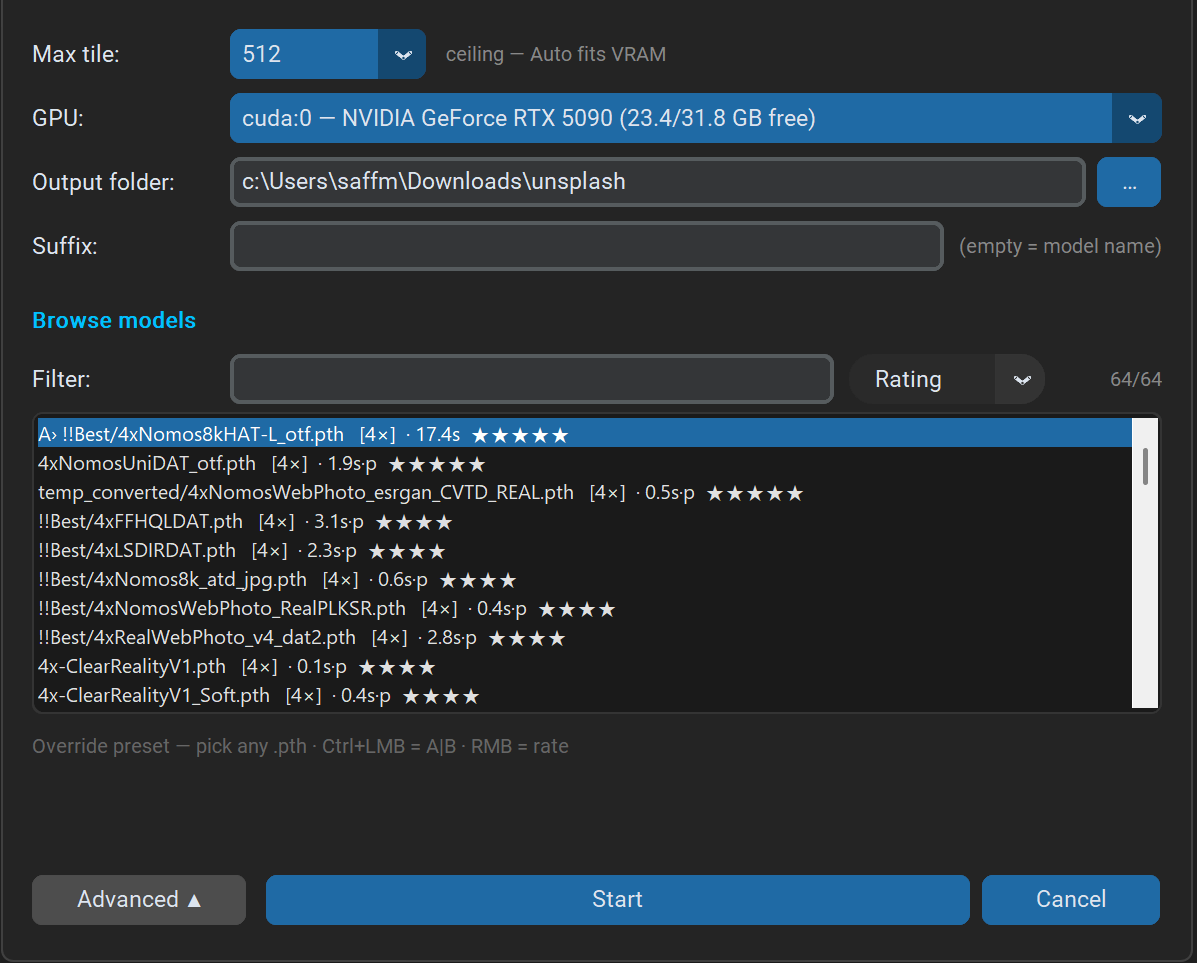
Advanced view: Use your own custom .pth / .safetensors upscale models (including subfolders), rate them by quality (1–5 stars via right-click), sort by rating, check benchmark speeds, and send any two straight to A|B comparison (Ctrl+click).
Tip: Looking for something specialized (like heavy compression cleanup, old photo restoration, or specific anime styles)? You can browse and download hundreds of free upscale models at https://openmodeldb.info/ and drop them straight into your models folder.
Vibe Player also still supports SeedVR2 upscaling — in certain scenarios it can outperform standard single-pass upscalers, though it's much heavier on hardware and memory.
Test results and feedback are welcome below!


Hey Pinokio community,
I just added a dedicated Fast Upscale workflow to Vibe Player. It runs 100% offline on your GPU using proven open-source models, so you don't have to hunt for weights or tweak endless settings.
4xNomos8kHAT-L) — no manual model hunting or tweaking requiredThe Photo Quality preset uses
4xNomos8kHAT-L. In side-by-side tests against Topaz Photo AI, it holds up in the exact same league on real-world photos — without needing a license.Key Features:
4xNomos8kHAT-Lkeeps natural textures, faces, and sharp edges without over-smoothing.If you already have Topaz Photo AI installed, that integration is still right where you left it. For everyone else, Fast Upscale is now the effortless default.
Under the hood, it's powered by a single-pass Spandrel runner, meaning you can drop in extra
.pthor.safetensorsmodels from OpenModelDB the exact same way.How to get it: Pull the latest updates in your Pinokio dashboard, or install fresh via the Vibe Player launcher. Go to Upscale → Fast Upscale…, pick Photo Quality, and you're good to go.
Live 1:1 crop preview (
190×190 → 760×760in 0.5s): original on the left vs.4xNomos8kHAT-Lon the right — natural skin texture and freckles preserved without over-smoothingAdvanced view: Use your own custom
.pth/.safetensorsupscale models (including subfolders), rate them by quality (1–5 stars via right-click), sort by rating, check benchmark speeds, and send any two straight to A|B comparison (Ctrl+click).Tip: Looking for something specialized (like heavy compression cleanup, old photo restoration, or specific anime styles)? You can browse and download hundreds of free upscale models at https://openmodeldb.info/ and drop them straight into your models folder.
Vibe Player also still supports SeedVR2 upscaling — in certain scenarios it can outperform standard single-pass upscalers, though it's much heavier on hardware and memory.
Test results and feedback are welcome below!