New models and modes available now in FooocusPlus v 1.1.8
Krea2 base and Krea2 Turbo can be selected now in the preset list. Additionally there are several GGUF versions of Krea2 you can pick from. No matter which GPU you have, you will find a version that suits it.
There are also new GGUF models for Anima Pencil, Cheyenne, Juggernaut, and Pony to name just a few.
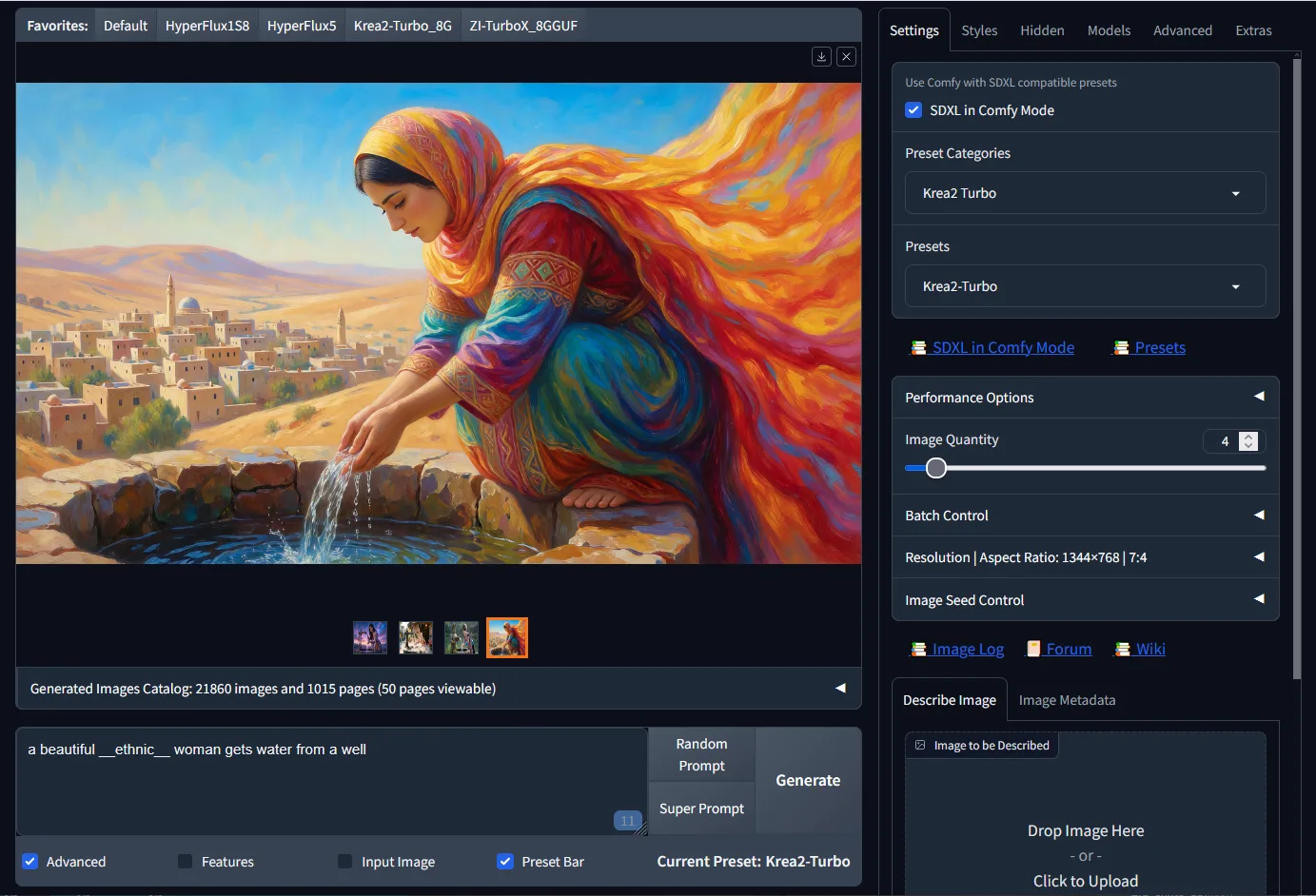
Full list of new models
- Krea2-Turbo
- Krea2-Turbo_4G
- Krea2-Turbo_5G
- Krea2-Turbo_8G
- 2GB_AniPencil_8G
- 2GB_Cheyenne_8G
- 2GB_CheynAlt_8G
- 2GB_Elsewhere_8G
- 2GB_Jugg8_8G
- 2GB_Jugg9_8G
- 2GB_Magick_8G
- 2GB_Pony_8G
- 2GB_Pony_Turbo_8G
- 2GB_RealVisXL_8G
- 2GB_SDXL_8G
- 2GB_SDXL_Turbo_8G
New mode for faster generation and auto upscaling
In presets you can check SDXL in Comfy Mode to speed up your generation.
When SDXL in Comfy Mode is enabled and you check Input image and enable Auto-Upscale, FooocusPlus automatically upscales the generated image (latent upscale). By enabling Fast Upscale, the generated image will be upscaled with the UltraSharp upscaler for crisper images.
The Comfy Upscale canvas also allows you to upload and upscale images.
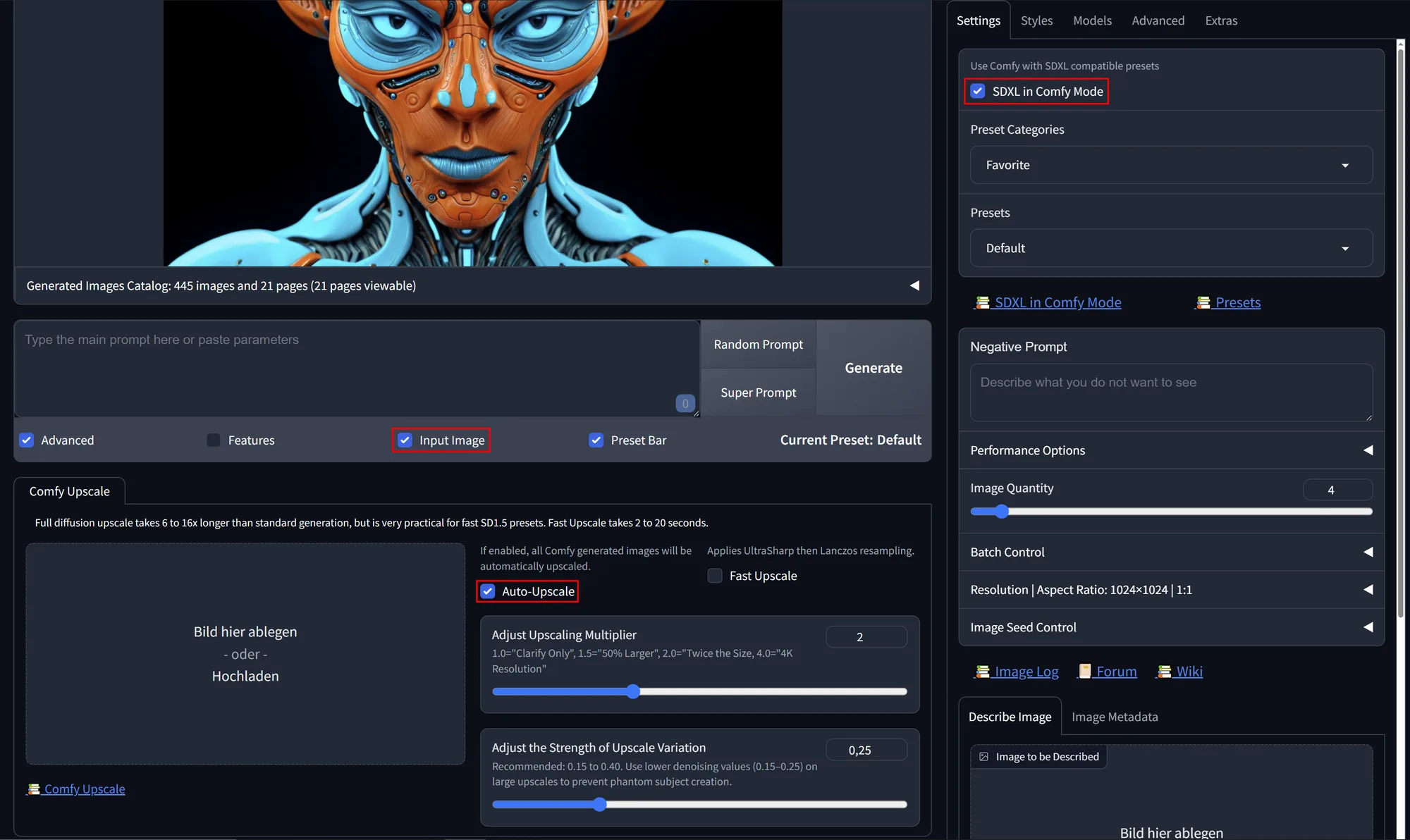
The input image section still behaves like before for SDXL models when SDXL in Comfy Mode is not checked.
New VAEs for more variety
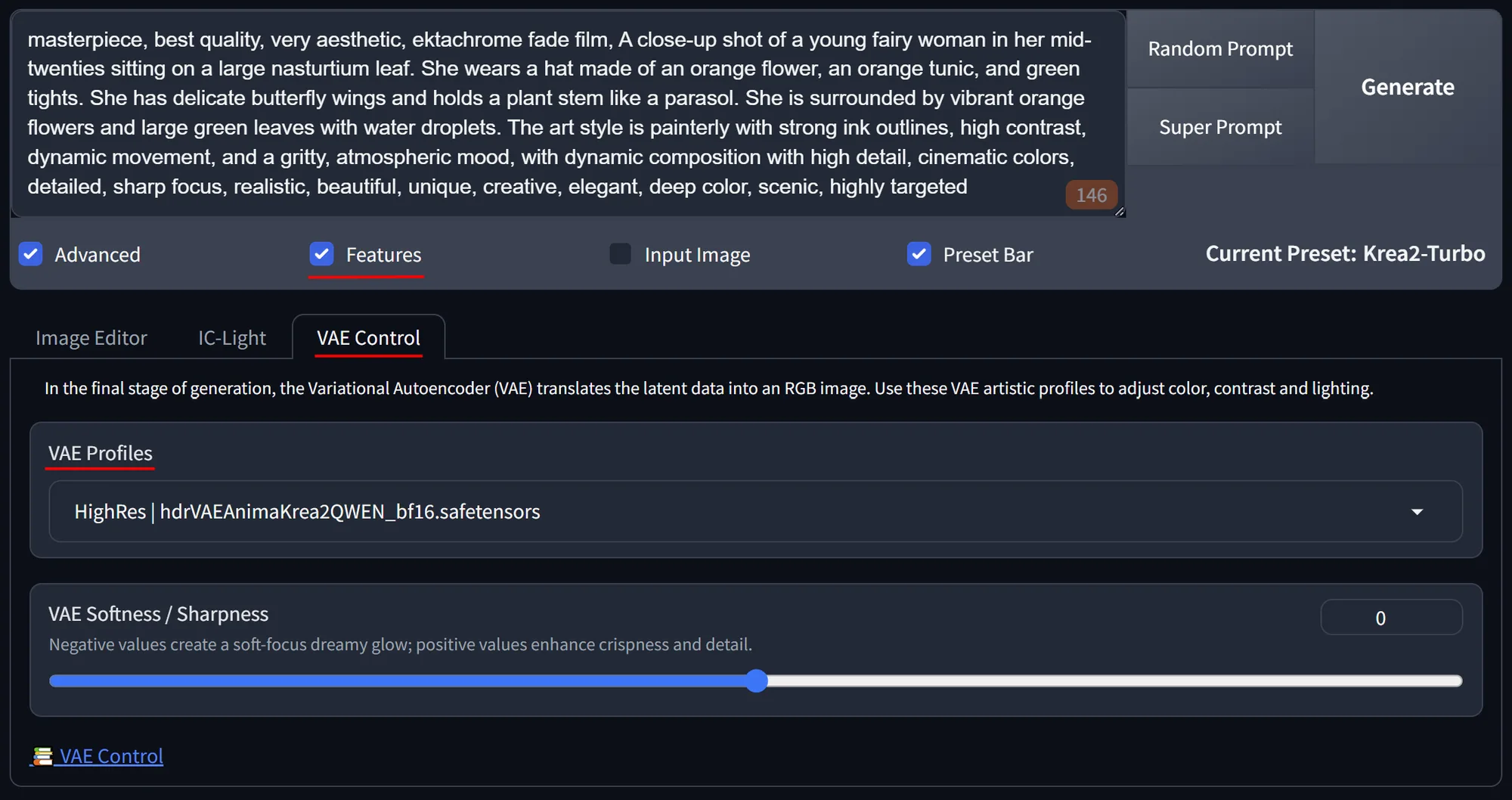
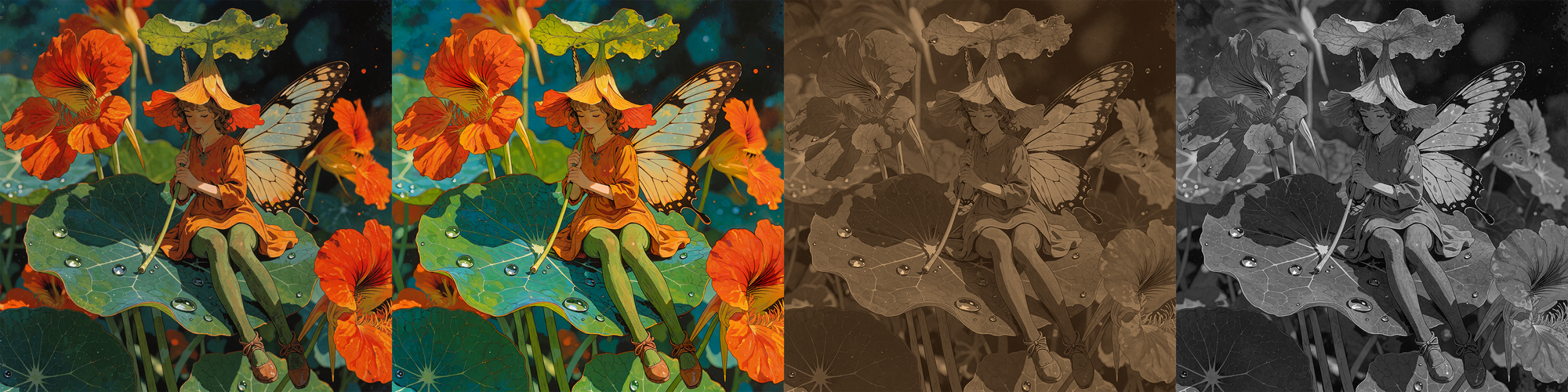
Along with Krea2 three new Krea2 VAEs dropped in FoocusPlus that can be found under Features - VAE Control if a Krea2 preset is selected. Besides the Standard VAE, HighRes, Sepia and Greyscale are now avaliable.


New models and modes available now in FooocusPlus v 1.1.8
Krea2 base and Krea2 Turbo can be selected now in the preset list. Additionally there are several GGUF versions of Krea2 you can pick from. No matter which GPU you have, you will find a version that suits it.
There are also new GGUF models for Anima Pencil, Cheyenne, Juggernaut, and Pony to name just a few.
Full list of new models
New mode for faster generation and auto upscaling
In presets you can check SDXL in Comfy Mode to speed up your generation.
When SDXL in Comfy Mode is enabled and you check Input image and enable Auto-Upscale, FooocusPlus automatically upscales the generated image (latent upscale). By enabling Fast Upscale, the generated image will be upscaled with the UltraSharp upscaler for crisper images.
The Comfy Upscale canvas also allows you to upload and upscale images.
The input image section still behaves like before for SDXL models when SDXL in Comfy Mode is not checked.
New VAEs for more variety
Along with Krea2 three new Krea2 VAEs dropped in FoocusPlus that can be found under Features - VAE Control if a Krea2 preset is selected. Besides the Standard VAE, HighRes, Sepia and Greyscale are now avaliable.