The new version of Wan2GP launcher now supports all the new dependencies required by WanGP to run with high performance.
Previously it was using cu128 but now it uses cu130 (You may need to upgrade your GPU driver if you are still using lower CUDA driver, but it's definitely worth it!)
Anyway, taking advantage of this speed boost was not 100% straight forward to me so let me share my experience.
How fast?
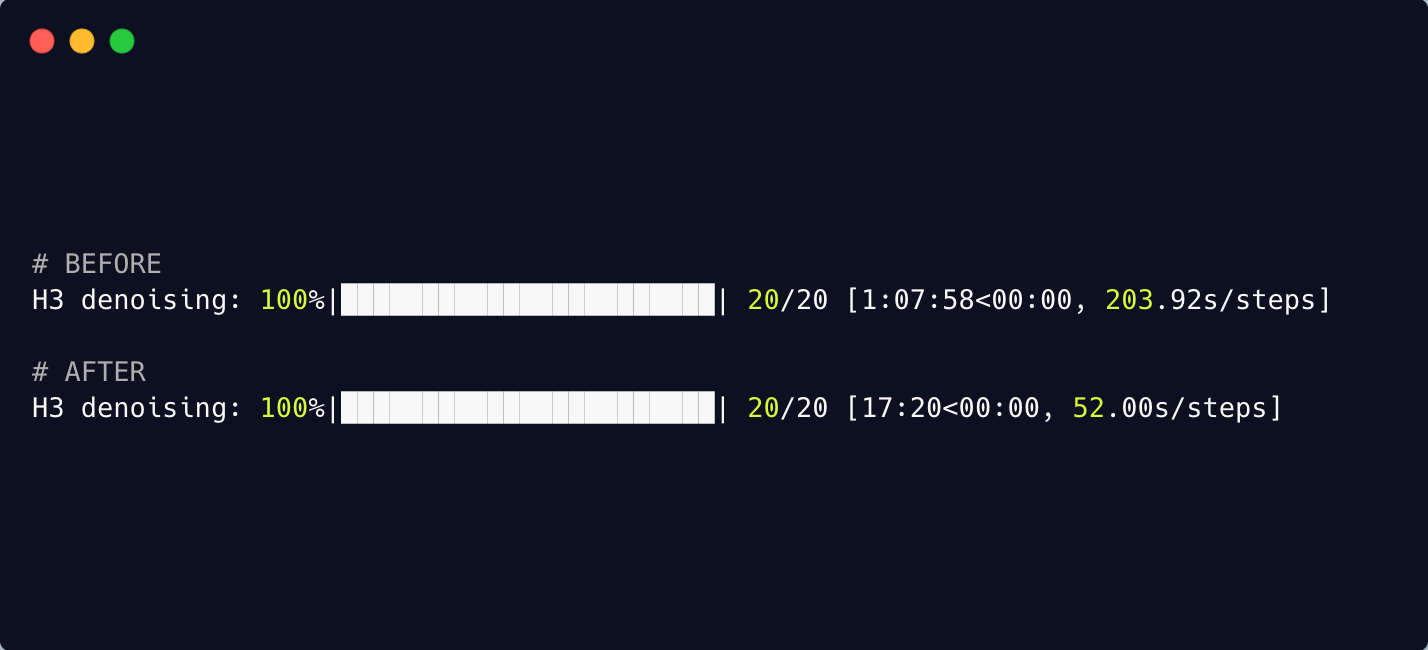
First of all, how fast? Maybe it's just me but I personally got HUGE speed-up in generation. Generating a 15sec clip:
- Before: 67 minutes (204sec/step)
- After: 17 minutes (52sec/step)
This is a big deal. I wasn't expecting this much but pleasantly surprised.
What optimizations?
The latest update of WanGP includes sol attention (which is automatically included when you update, no need to turn on anything) and first block cache.
How?
First, make sure you've updated to the LATEST version of this launcher. This should pull in the sol-attention and the rest of the optimizations.
The only thing you need to manually turn on is the "first block cache".
Turning on first block cache
You will notice that the latest WanGP launcher by default launches in advanced mode now, so you should see the advanced section if you scroll down.
From there, select the "Steps skipping" tab, click the "skip steps cache type" dropdown and select "First Block Cache".
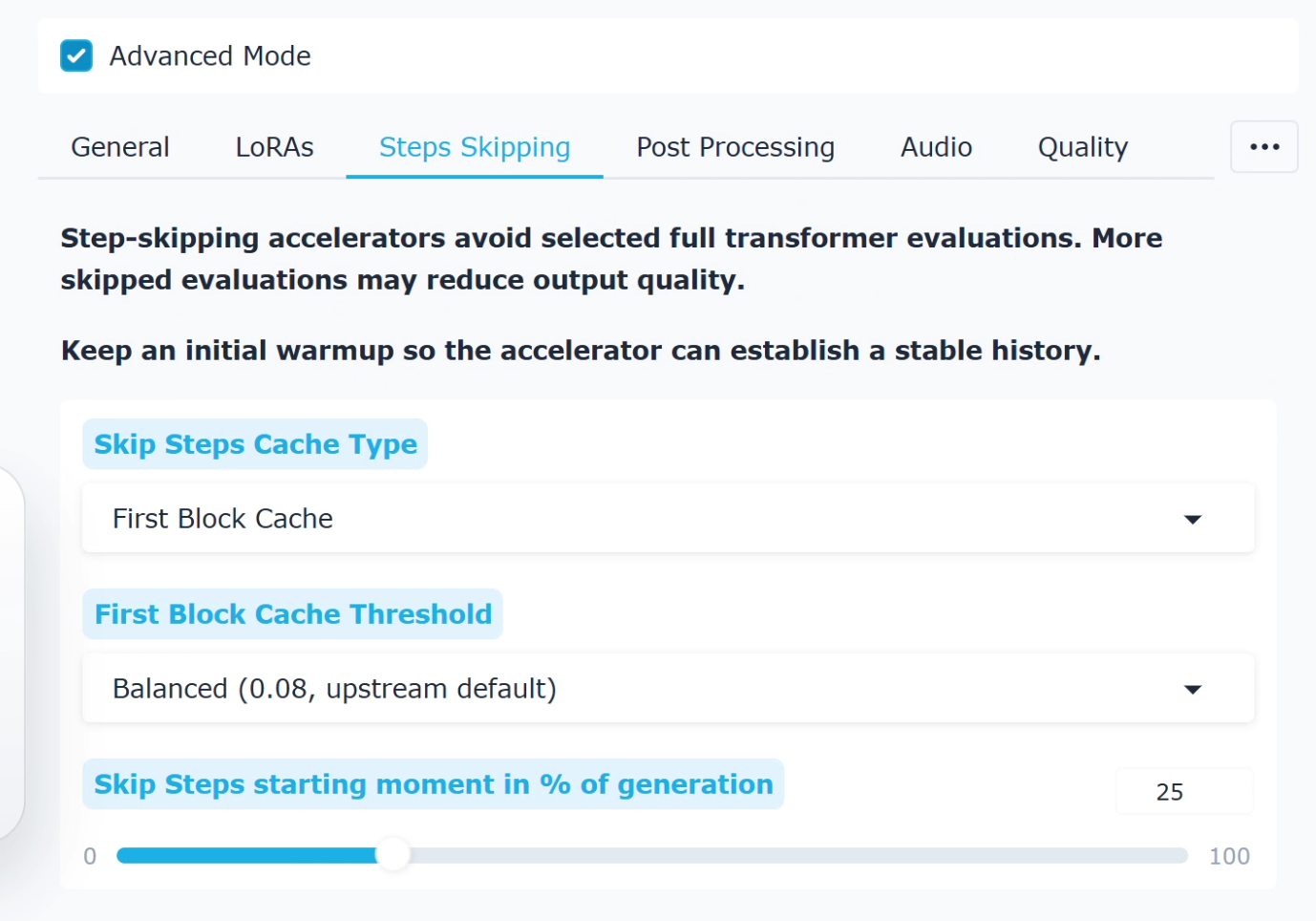
The rest of the fields should be filled with default values, which should be fine so don't touch them.
Now just generate, and you should immediately see the speed gain!



The new version of Wan2GP launcher now supports all the new dependencies required by WanGP to run with high performance.
Previously it was using cu128 but now it uses cu130 (You may need to upgrade your GPU driver if you are still using lower CUDA driver, but it's definitely worth it!)
Anyway, taking advantage of this speed boost was not 100% straight forward to me so let me share my experience.
How fast?
First of all, how fast? Maybe it's just me but I personally got HUGE speed-up in generation. Generating a 15sec clip:
This is a big deal. I wasn't expecting this much but pleasantly surprised.
What optimizations?
The latest update of WanGP includes sol attention (which is automatically included when you update, no need to turn on anything) and first block cache.
How?
First, make sure you've updated to the LATEST version of this launcher. This should pull in the sol-attention and the rest of the optimizations.
The only thing you need to manually turn on is the "first block cache".
Turning on first block cache
You will notice that the latest WanGP launcher by default launches in advanced mode now, so you should see the advanced section if you scroll down.
From there, select the "Steps skipping" tab, click the "skip steps cache type" dropdown and select "First Block Cache".
The rest of the fields should be filled with default values, which should be fine so don't touch them.
Now just generate, and you should immediately see the speed gain!