Freebuff is a plugin you can use in pinokio. Unlike other plugins like Codex, Claude Code or Antigravity, you can use it for free.
No payed subscription needed.
Freebuff also has no token limit. Instead it has a time limit.
How does it work?
Depending on your country you have a limited amount of Freebucks. It gets refilled every day.
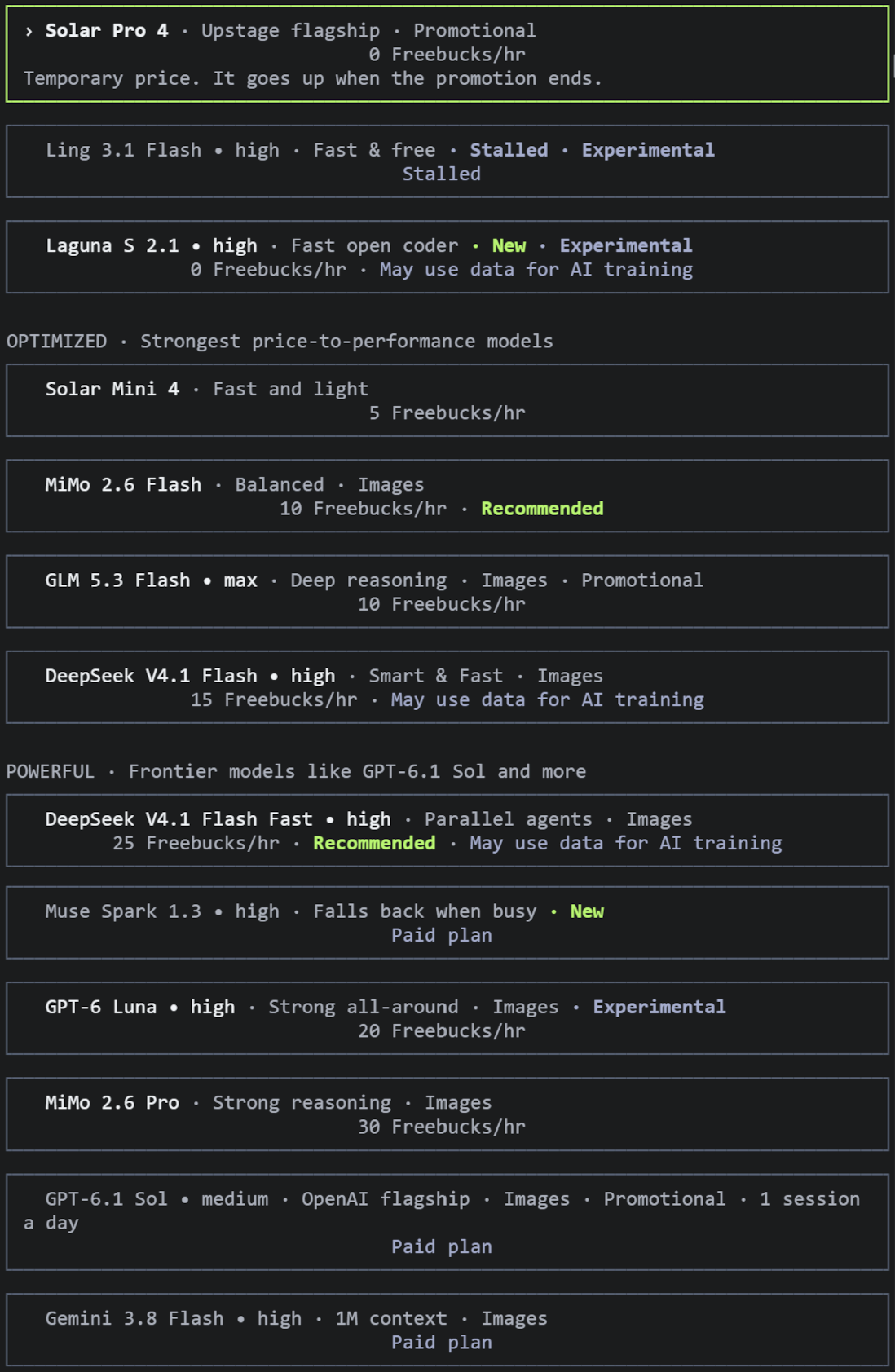
Each model uses a certain amount of Freebucks / hour.
If you used all your Freebucks, you have to wait until the next day.
You can switch the model anytime during your session.
These "prices" will vary from time to time. Some models can be used without any limit!
Current list of Models with their Freebucks / hour consumption.
How to install
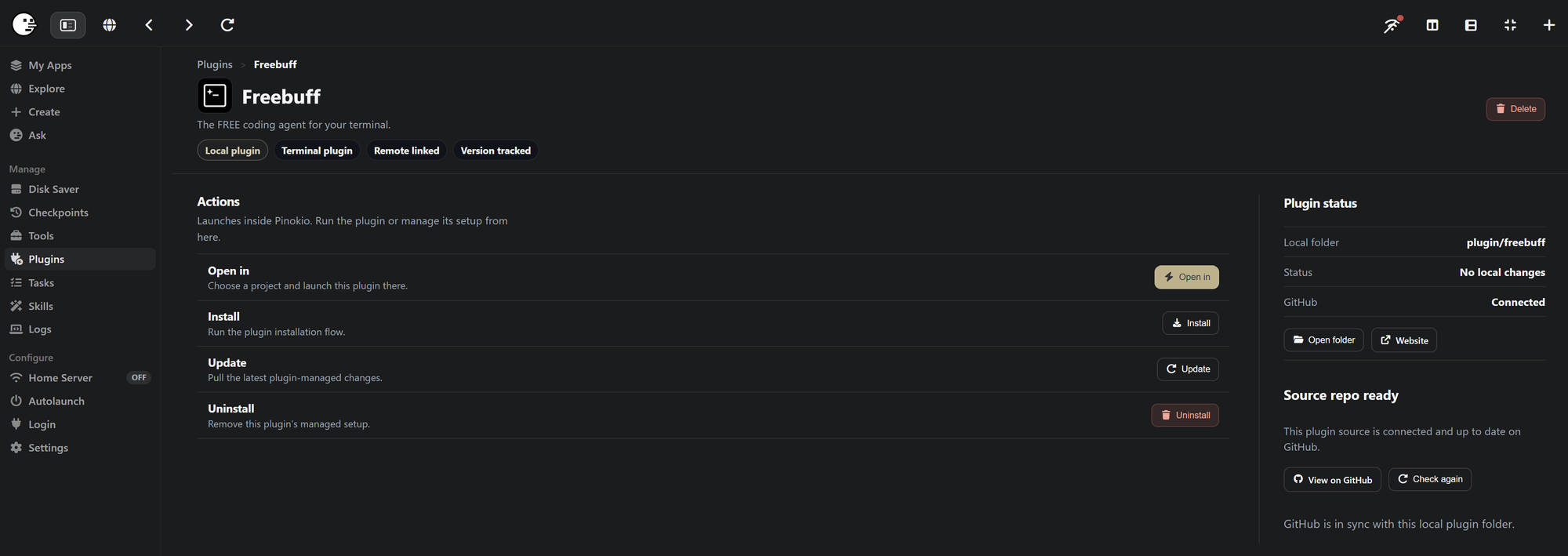
Plugins can be installed like any other app in pinokio. Just click on Freebuff in this post, click the Install button on the left side and install the latest version.
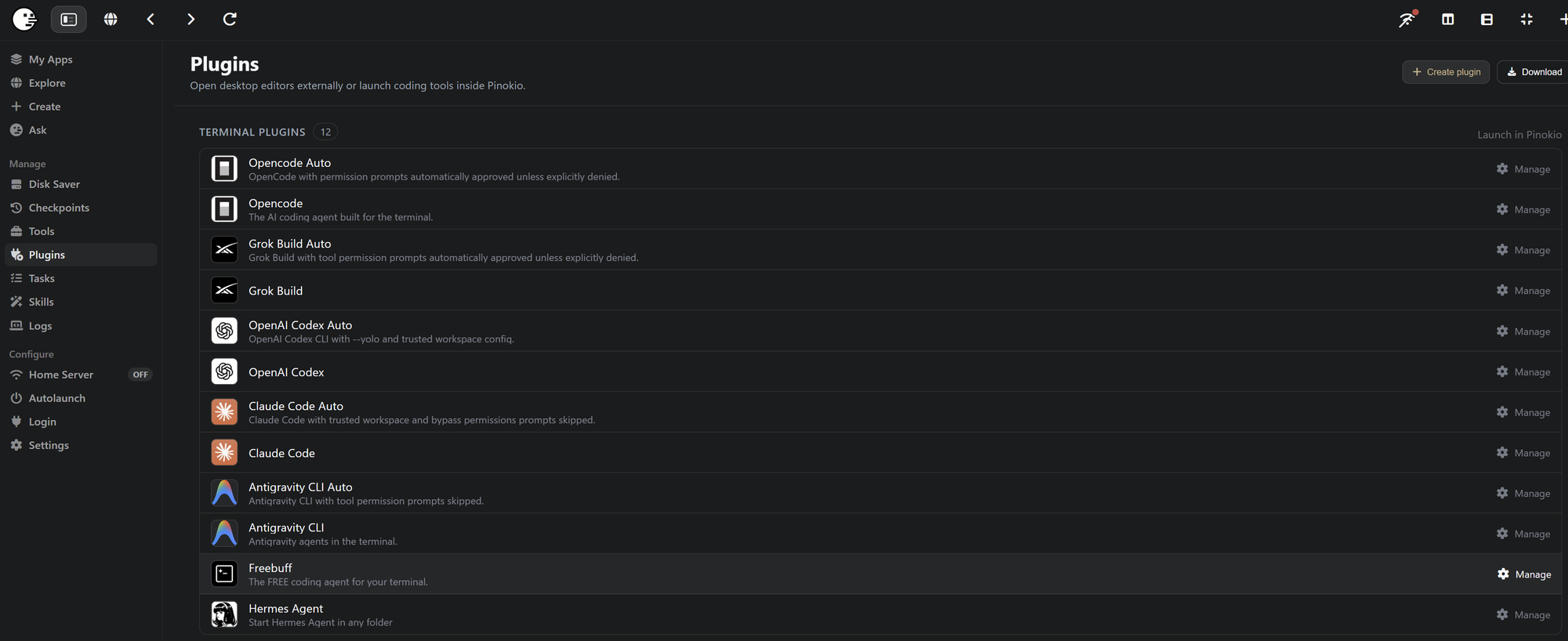
Other than apps, Plugins will not appear on your main screen of pinokio but on the Plugin page you can access on the left side menu of pionkio.
How to use
- Click Plugin on the left side menu
- Select Freebuff in the list of plugins.
- On the following page you need to Install Freebuff the first time.
- After the installation you can Open it in any project folder
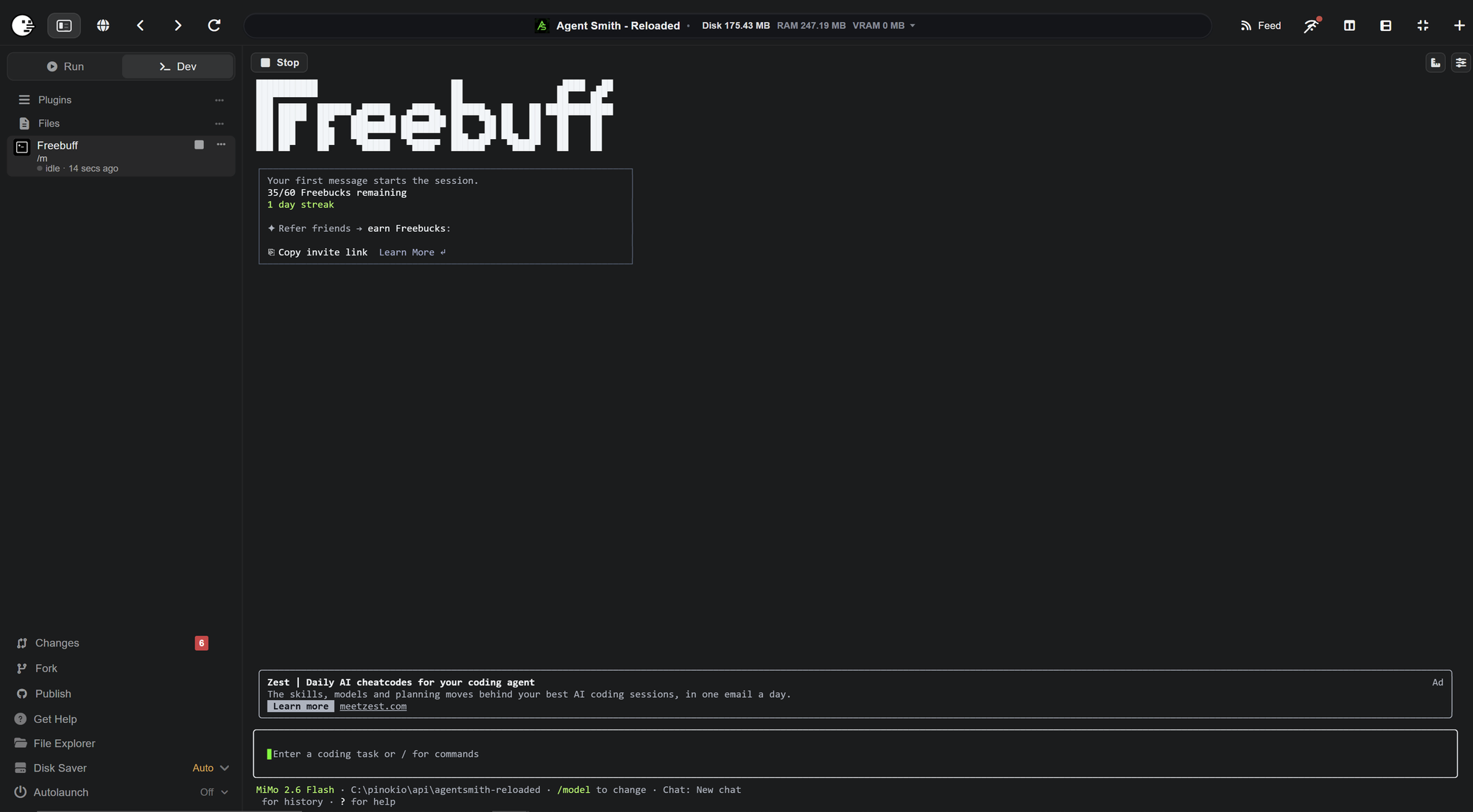
- The first time you use Freebuff you are requested to create an account for free and connect it with the cli
After that you can start troubleshooting, asking, creating new features for the project you opened Freebuff in.
If you want to build new apps, you can use the Create button in the left side menu on the main page of pinokio.
Click Create app, select Freebuff, enter a folder name for your project and start building a new app from scratch.



Freebuff is a plugin you can use in pinokio. Unlike other plugins like Codex, Claude Code or Antigravity, you can use it for free.
No payed subscription needed.
Freebuff also has no token limit. Instead it has a time limit.
How does it work?
Depending on your country you have a limited amount of Freebucks. It gets refilled every day.
Each model uses a certain amount of Freebucks / hour.
If you used all your Freebucks, you have to wait until the next day.
You can switch the model anytime during your session.
These "prices" will vary from time to time. Some models can be used without any limit!
Current list of Models with their Freebucks / hour consumption.
How to install
Plugins can be installed like any other app in pinokio. Just click on Freebuff in this post, click the Install button on the left side and install the latest version.
Other than apps, Plugins will not appear on your main screen of pinokio but on the Plugin page you can access on the left side menu of pionkio.
How to use
After that you can start troubleshooting, asking, creating new features for the project you opened Freebuff in.
If you want to build new apps, you can use the Create button in the left side menu on the main page of pinokio.
Click Create app, select Freebuff, enter a folder name for your project and start building a new app from scratch.