LightOnOCR 3 is now available on Pinokio. It's a sequel to the LightOnOcr 2 model, which you can try here (thanks to @theawakenone )
https://pinokio.co/apps/github-com-theawaken1-lightonocr-2-1b-pinokio
This LightOnOCR 3 launcher implements the backend using huggingface transformers and lets you run 3 variations of the model:
The launcher includes LightOn’s original web interface, available at:
https://github.com/lightonai/LightOnOCR
Demo
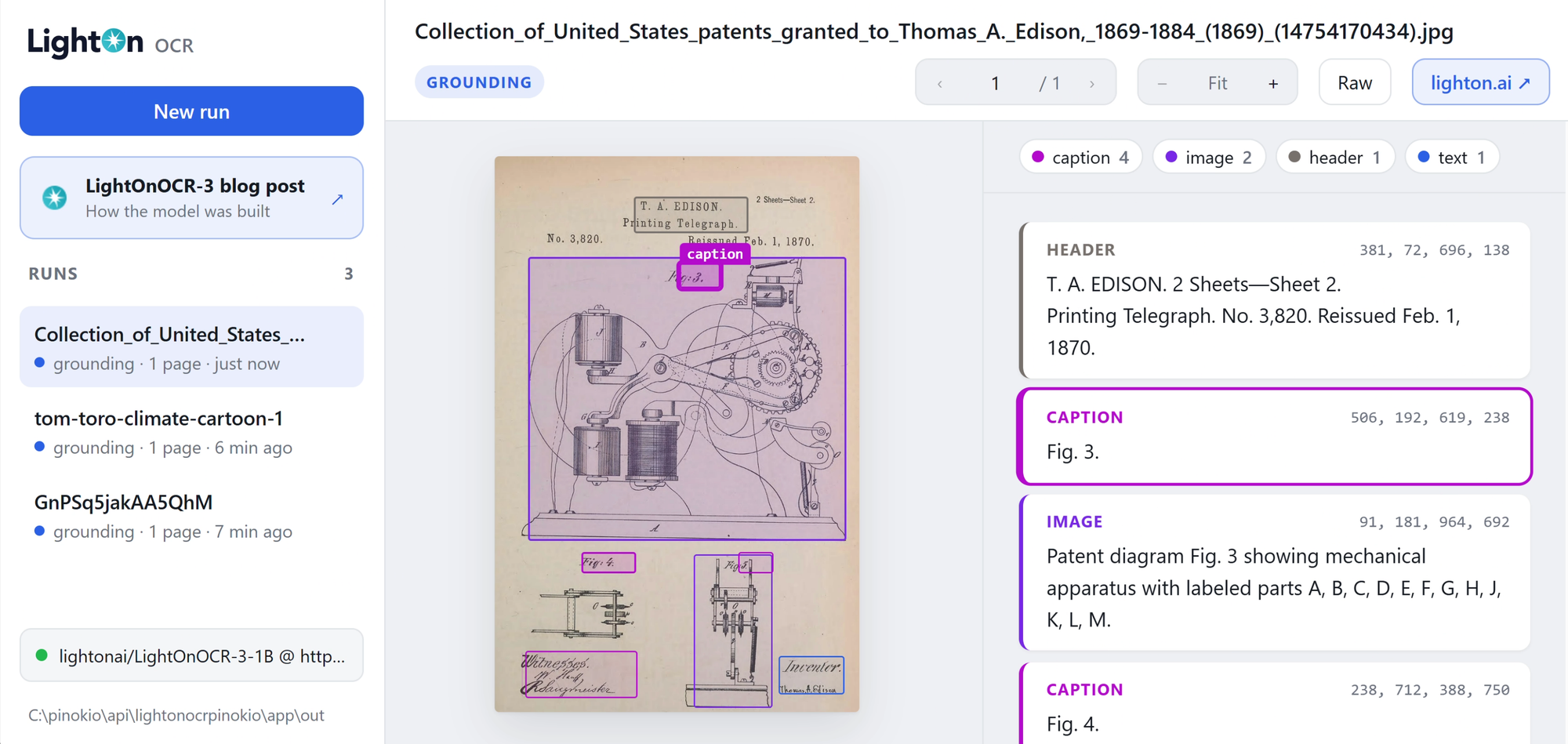
Here's how it works. You just launch the app and open any PDF or image file:
Features
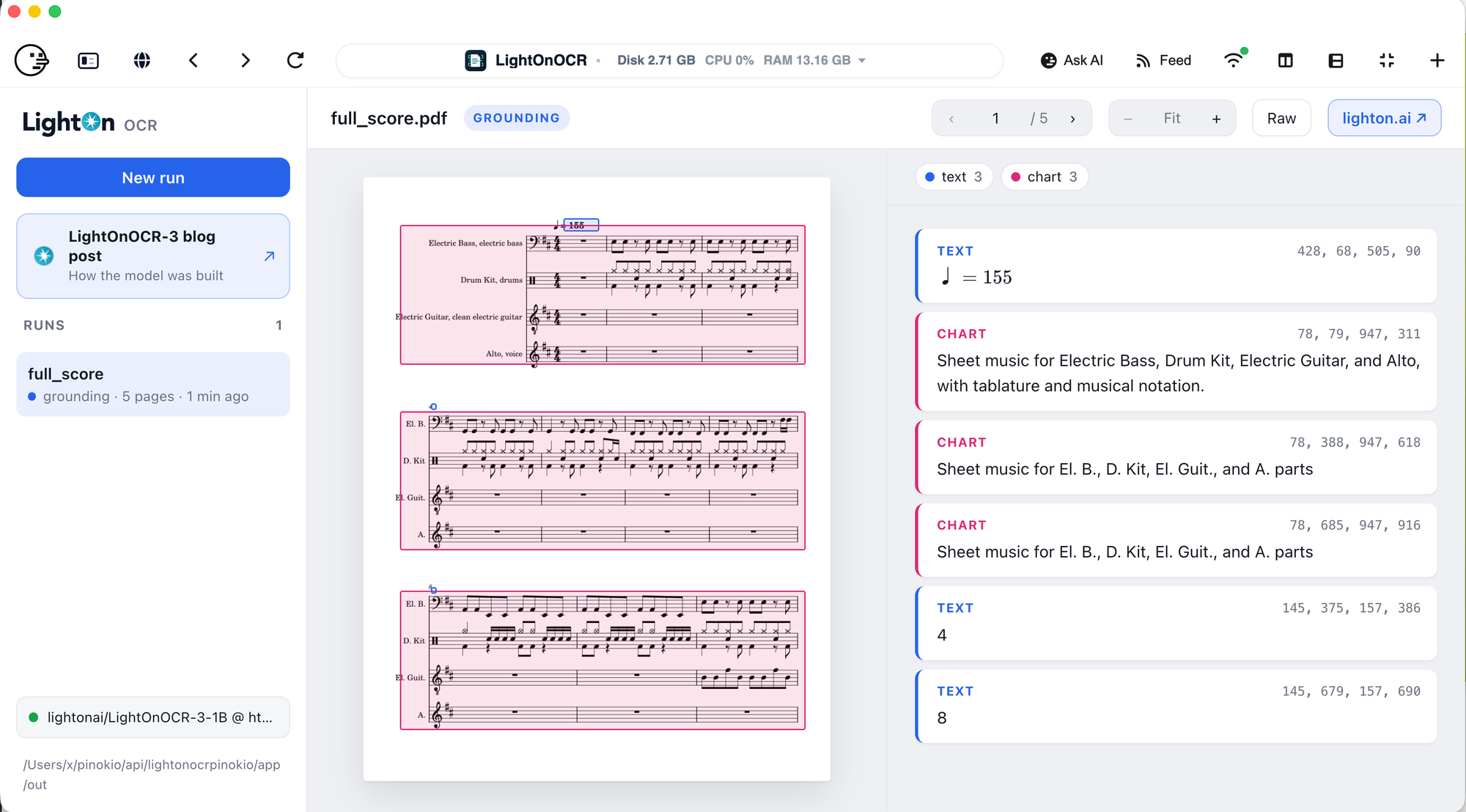
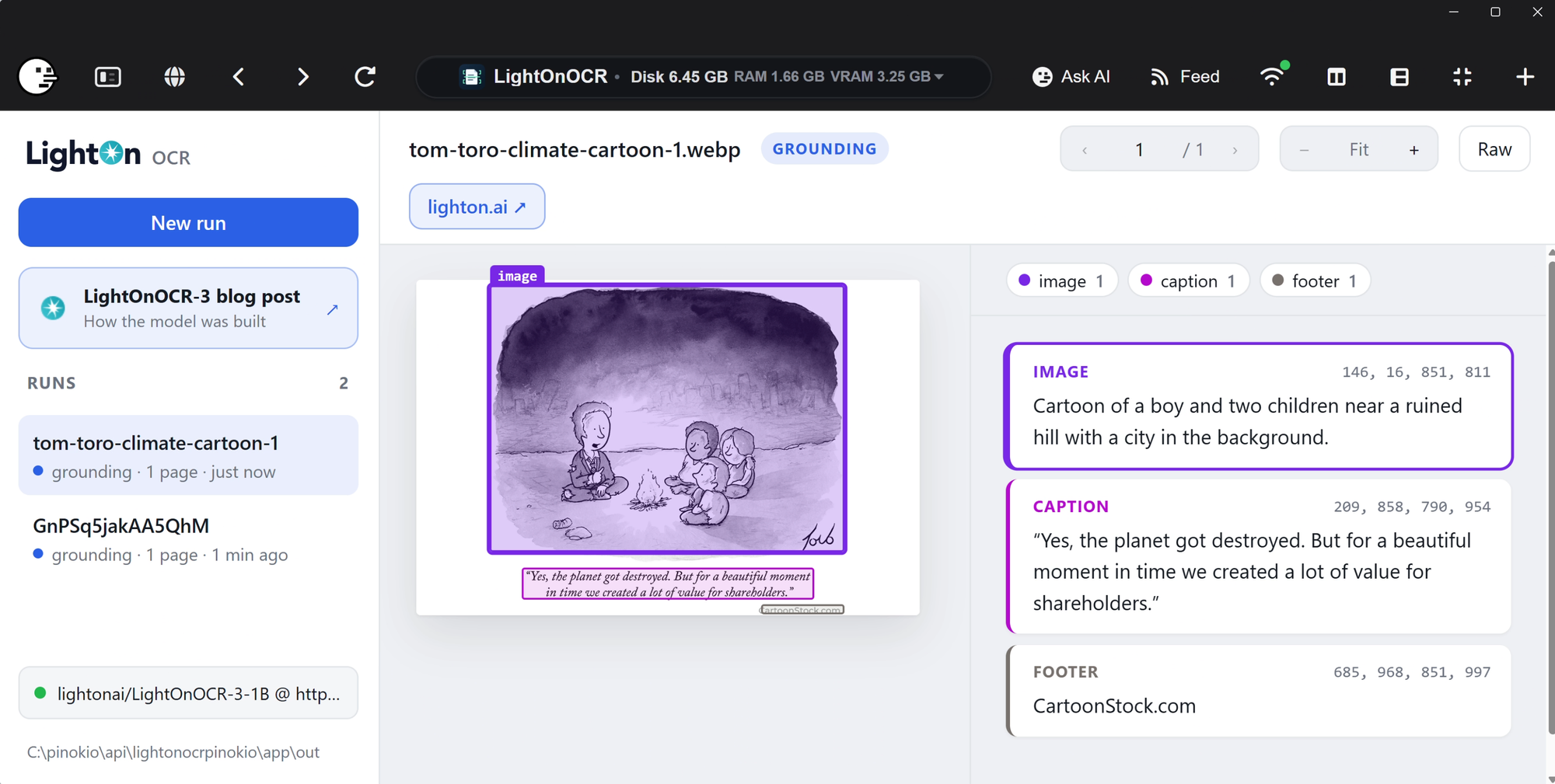
- View the source document alongside the extracted text
- inspect layout boxes showing where content came from
- revisit previous runs.
Examples


LightOnOCR 3 is now available on Pinokio. It's a sequel to the LightOnOcr 2 model, which you can try here (thanks to @theawakenone )
https://pinokio.co/apps/github-com-theawaken1-lightonocr-2-1b-pinokio
This LightOnOCR 3 launcher implements the backend using huggingface transformers and lets you run 3 variations of the model:
The launcher includes LightOn’s original web interface, available at:
https://github.com/lightonai/LightOnOCR
Demo
Here's how it works. You just launch the app and open any PDF or image file:
Features
Examples