For years, Pinokio has been the ultimate “Run AI Locally” platform. A place where you can discover, install, and run all kinds of open source AI apps locally. https://pinokio.co/apps
"Local" was never the point
But what if I told you "local" was never the point? It was never about being limited to using stuff on only one local machine. The point was being able to use AI that runs on hardware you own, where nobody else can see it, change it, or charge you for it. It was about control. It was about freedom.
For all these years, this came with a catch: you had to be sitting in front of the machine. You couldn't easily use the apps on your machine from outside, from another machine, while on the road, etc.
Today, that changes. Meet Pinokio Remote.
How to use
- First update to the latest version of Pinokio desktop (at least 8.3) https://desktop.pinokio.co/download.html
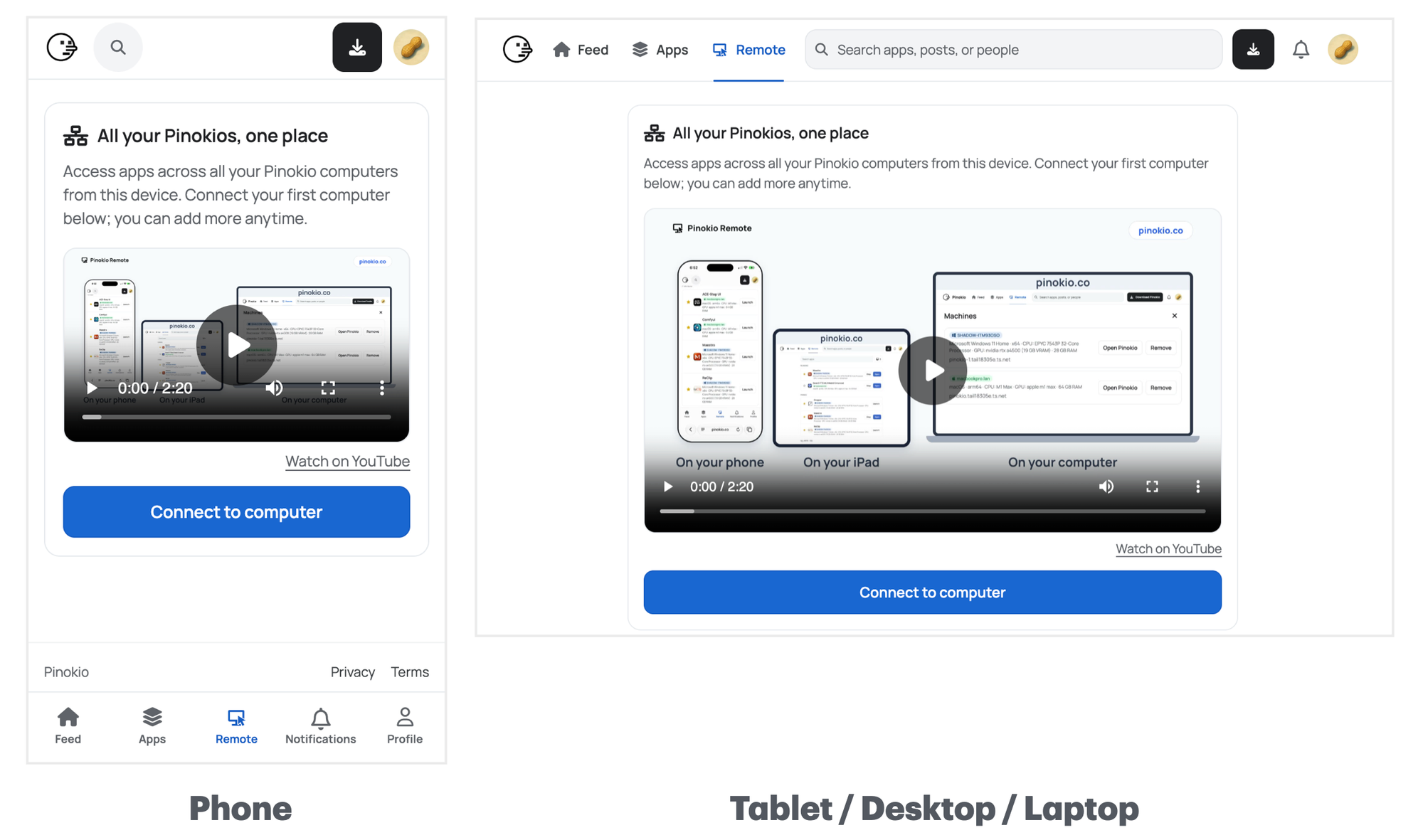
- Then open your web browser from anywhere and go to https://pinokio.co/connect and connect your device to get started. You should see all your pinokio apps show up immediately upon connection.
What becomes possible
With Pinokio remote, your apps still run on your computer at home. But you are no longer restricted to that same machine. You can use them from your phone, your tablet, any laptop you connect from. So what does this mean? What does this unlock?
- No more wait: Start a long video generation, go out, check the result on your phone.
- Portable: Chat with your local LLM app on the train. Private, and no subscription.
- Remote control: Forgot to stop an app before leaving? Stop it from your pocket.
- Pinokio Anywhere: Work trip with only a work laptop? Sign in to Tailscale and your whole setup is there in the browser.
- Thin Client: A powerful GPU desktop in the closet, a MacBook Air on your lap. Connect to your GPU machine from your MacBook Air and generate in the browser, juts like a regular website.
- Warm up: Start the app you’ll need on the drive home, so it’s ready when you walk in.
- Multi-device application: Take a photo, send it to the upscaler on your PC, get it back on your phone.
And many more!
Most importantly, ANYTHING that runs on pinokio is automatically supported.
- 1-click install from the directory: Tons of new apps and launchers being published everyday at https://pinokio.co/apps
- Create your own app: or you can just create one (use the "create" menu from pinokio to create your own using your AI agent) and publish. No programming experience needed.
What does this change?
It changes absolutely nothing. Just unlocks a new power.
It just provides a super convenient way for you to take full advantage of your pinokio computers from anywhere, without exposing them to the public internet. You don't even have to sign up to pinokio.co to use it. The connection is stored locally in the web browser local storage.
Basically, everything keeps running on your machine. Pinokio Remote just provides a "portal" through which you can access them from anywhere.
Local AI is over. Long live local AI.


For years, Pinokio has been the ultimate “Run AI Locally” platform. A place where you can discover, install, and run all kinds of open source AI apps locally. https://pinokio.co/apps
"Local" was never the point
But what if I told you "local" was never the point? It was never about being limited to using stuff on only one local machine. The point was being able to use AI that runs on hardware you own, where nobody else can see it, change it, or charge you for it. It was about control. It was about freedom.
For all these years, this came with a catch: you had to be sitting in front of the machine. You couldn't easily use the apps on your machine from outside, from another machine, while on the road, etc.
Today, that changes. Meet Pinokio Remote.
How to use
What becomes possible
With Pinokio remote, your apps still run on your computer at home. But you are no longer restricted to that same machine. You can use them from your phone, your tablet, any laptop you connect from. So what does this mean? What does this unlock?
And many more!
Most importantly, ANYTHING that runs on pinokio is automatically supported.
What does this change?
It changes absolutely nothing. Just unlocks a new power.
It just provides a super convenient way for you to take full advantage of your pinokio computers from anywhere, without exposing them to the public internet. You don't even have to sign up to pinokio.co to use it. The connection is stored locally in the web browser local storage.
Basically, everything keeps running on your machine. Pinokio Remote just provides a "portal" through which you can access them from anywhere.
Local AI is over. Long live local AI.