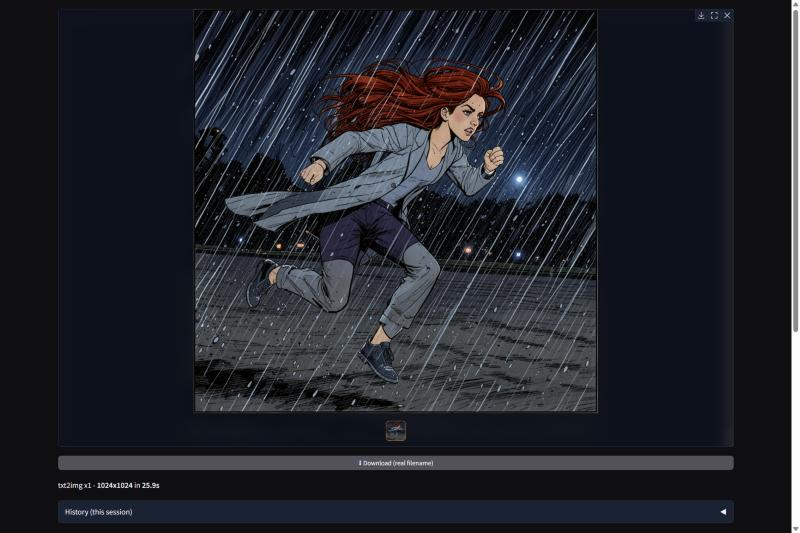
crispz-moss is a Fooocus-style web studio for MOSS-Image, the 5B open-weights model OpenMOSS (Fudan) released in October under Apache 2.0. It is the text-in-image and design studio of the crispz family: posters, logos, packaging, slides, covers, dense typography. Everything runs on your own GPU, nothing leaves the machine.
What makes it different from a prompt box:
- Layouts, not luck. You draw the text boxes on a canvas, type the exact words, and the model renders those words and nothing else. Nine design presets at their native sizes (A-series poster, logo, business card, book cover, 16:9 slide, packaging, thumbnail, 9:16 story, banner).
- Magic prompt and Describe, both local. A plain idea becomes a layout through Ollama in seconds, or through the model's own Qwen3.5-9B encoder in about a minute. Describe reads an existing image back into a layout, texts included.
- Drafts in 9 seconds. The 8-step DMD LoRA preset gives a clean poster with exact texts on an RTX 5090; the 50-step render takes 43 s at 1024.
- The rest of a studio. img2img, inpaint, outpaint and reframe (emulated), ESRGAN + refine upscale, LoRAs in every published format, editing with references, local vectorization to SVG, Remove BG, CivitAI search, X/Y/Z grids, a job queue, a CLI and the family JSON protocol.
Measured against Ideogram 4 on the same 24 posters: every requested text exact on both, and MOSS-Image did it faster, with no licence strings attached. The other crispz studios stay better at photos and editing: a hand-over sends your image to crispz-flux3 for native multi-reference edits.
Hardware: an NVIDIA GPU. 32 GB of VRAM is comfortable with the default auto offload; the nf4 encoder keeps everything resident at 21 GB. About 27 GB of weights download on the first render, from public Hugging Face repos: no licence to accept, no token.
Pinokio launcher: https://github.com/mikecastrodemaria/crispz-moss.pinokio
Source: https://github.com/mikecastrodemaria/crispz-moss
Install (Pinokio)
- In Pinokio, open Discover and paste
https://github.com/mikecastrodemaria/crispz-moss.pinokio.
- Click Install: the launcher clones the app, creates a Python 3.11 venv, installs the requirements and PyTorch (CUDA 12.8 on NVIDIA), and checks that the Qwen3.5 encoder and the FLUX.2 VAE really load.
- Click Start, then Open Web UI. Pick a design preset, write your texts in the layout editor, Generate.


crispz-moss is a Fooocus-style web studio for MOSS-Image, the 5B open-weights model OpenMOSS (Fudan) released in October under Apache 2.0. It is the text-in-image and design studio of the crispz family: posters, logos, packaging, slides, covers, dense typography. Everything runs on your own GPU, nothing leaves the machine.
What makes it different from a prompt box:
Measured against Ideogram 4 on the same 24 posters: every requested text exact on both, and MOSS-Image did it faster, with no licence strings attached. The other crispz studios stay better at photos and editing: a hand-over sends your image to crispz-flux3 for native multi-reference edits.
Hardware: an NVIDIA GPU. 32 GB of VRAM is comfortable with the default
autooffload; the nf4 encoder keeps everything resident at 21 GB. About 27 GB of weights download on the first render, from public Hugging Face repos: no licence to accept, no token.Pinokio launcher: https://github.com/mikecastrodemaria/crispz-moss.pinokio
Source: https://github.com/mikecastrodemaria/crispz-moss
Install (Pinokio)
https://github.com/mikecastrodemaria/crispz-moss.pinokio.