Pinokio
FeedApps
Download Pinokio
Sign inCreate accountJoin

Apps

Announcements

View all

Official updates.

PotionUI
@oroborus•14h ago
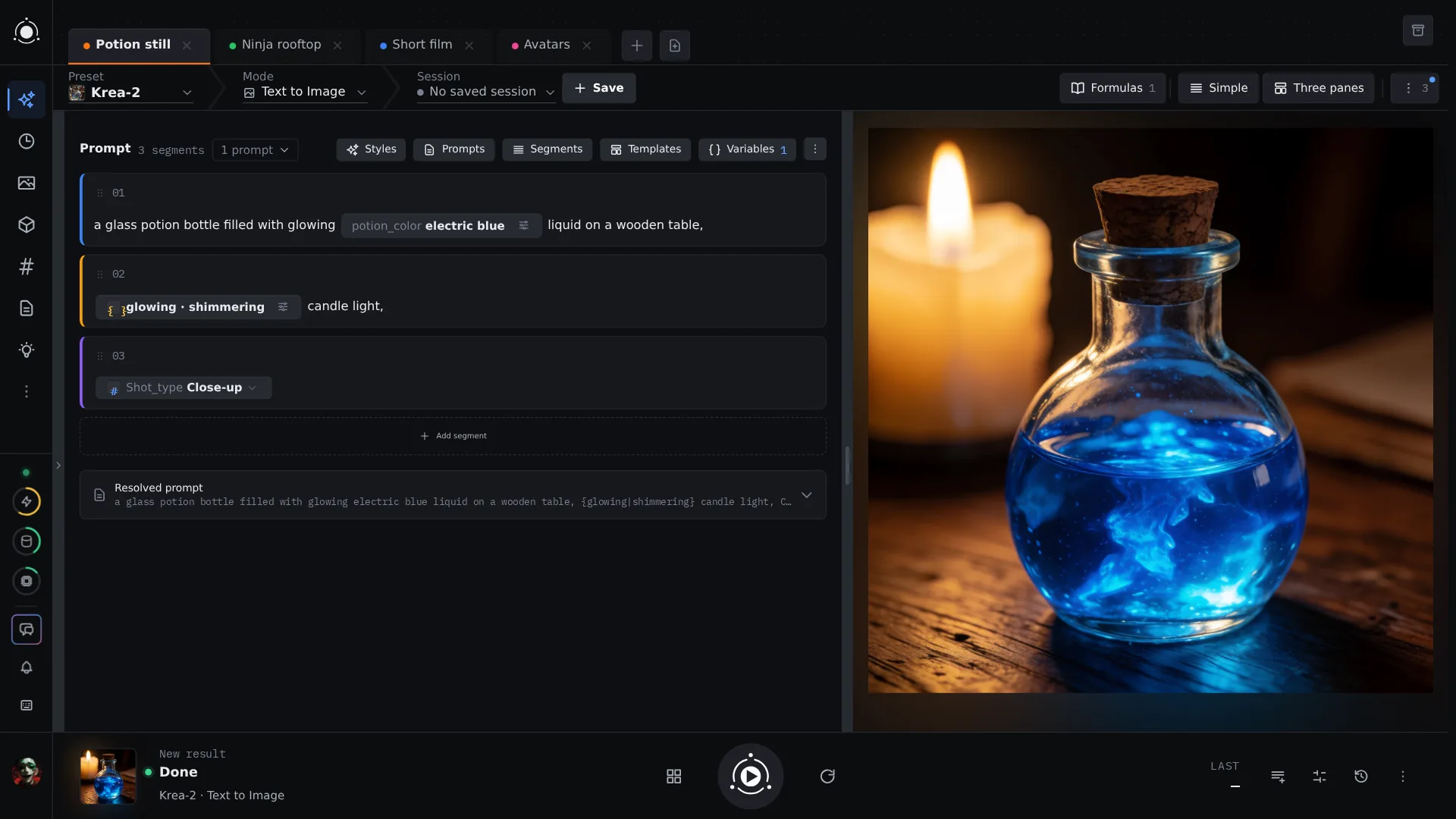
PotionUI 0.0.17 — instant model indexing, MOSS-Image, prompt conditions and a new Generate pagePotionUI is a self-hosted studio for AI images, video and audio. You pick a preset, write your prompt in colored segments with variables and phrasebook chips, and generate on your own NVIDIA GPU, or on a cloud model when you want one. Everything you make lands in a searchable History with the exact settings and model files behind it. What's new in 0.0.17 Models are ready at once. Point PotionUI at your existing model folder (a ComfyUI or A1111 one works) and every model is listed in seconds. Setup no longer reads your whole library first. Checking each file happens quietly in the background, at a gentle pace, and pauses while you generate. After setup you choose once: index everything in the background, pick the models you use, or decide later. Prompts that change per image. Add if / else conditions to a prompt: when a variable rolls "electric blue", the scene gets cold blue light; when it rolls "emerald green", green steam curls from the cork. The preview shows exactly which branch every image takes before you spend any GPU time. Also new History links you can bookmark or share open a generation's full details directly. Model Tools for admins: shrink a model to FP8, INT8 or NVFP4, and bake or merge LoRAs, right from the app. New native models: MOSS-Image, FLUX 3 Klein in its official INT8 format, and an experimental Text Enhancer for Krea-2 that follows long prompts more closely. PotionAI, the built-in assistant, can show its thinking while it answers, if your admin turns it on. Sign in straight through your own identity provider (OIDC), with a recovery login kept aside. A cleaner Generate page: preset, mode and session in one toolbar, and a now-playing deck for your running and finished generations. Pictures and videos now show inside Pinokio's window. What PotionUI can do Direct a short film. Chain shots so each one starts from the last frame of the one before, on a local video model or a cloud one. Mix your references. Drop pictures, a video clip and an audio track into one prompt and cite each with @. Keep everything findable. Collections, search, filters and tags across all your images and videos, and every result keeps its prompt, seed and models. Models with ready-made presets include SDXL, Flux, FLUX 3 Klein, Qwen-Image, Krea-2, Z-Image, MOSS-Image, Anima, Wan, LTX and MiniMax video, YuE and MiniMax music, SeedVR2 upscaling, and TRELLIS 3D. ComfyUI workflows and cloud providers plug in too. Install or update New here: click Install on the PotionUI page in Pinokio, then Start. You need Windows or Linux with an NVIDIA GPU (driver 580 or newer, 8 GB VRAM and 16 GB RAM at least). Other machines get a remote-only install that works with a remote worker or a cloud backend. Already installed: click Update, then Start. Before you update, back up data/storage in the PotionUI app folder (your database and outputs). The update upgrades the database, so going back to 0.0.16 needs that backup. GitHub: https://github.com/PotionUI/PotionUI — a star helps more people find it. Community: r/PotionUI and Discord.

Maestro
@blizaine•20h ago
Maestro v3.2 is live!🚀v3.2 Update: FastH3 V2: experimental eight-step text-to-video with generated audio. FastH3 OmniRef: experimental image, video and audio references, with official BF16, INT8 and FP8 checkpoints. FastH3 NVFP4: separate experimental QAD model for supported Blackwell GPUs. Qwen Image 2.1: repaired processor downloads, reduced final VAE memory use and improved tiled decoding to address lines. Hugging Face repairs: restored H3 VDN modules, default LoRAs and Turbo presets, including obsolete URLs in saved presets. Additional download repairs: MiniMax-Music3, writer vision projectors, Z-Image ControlNet and the YuE2 license link. Face Refiner: fixed failures when blending multiple refinement windows. Viggle Animate: fixed false “trim outside control video” errors caused by mismatched audio/video durations. Director LLM compatibility: improved external-server JSON handling, schema fallback and acceptance of unambiguous field aliases. Director source actions: stopped treating formatting instructions, character descriptions and choreography fragments as mandatory story events. Director style and pacing: improved style preservation, choreography instructions, timed stillness and loop composition through planning, resume and reruns. H3 reference validation: reduced false rejections involving source-video retention and character identification. Writer draft history: saved rejected, failed and interrupted drafts with clear reasons in Studio and Director. Multi-window recovery: retained accepted prompts and usable camera plans during targeted repairs. Video audio options: added soundtrack preservation, voice, music/style, sound-effect and ignore choices in Studio and Director. DLSS: improved availability checks and Windows 11 output alignment/cropping. Finishing recovery: preserved generated originals when optional DLSS/RIFE finishing fails, with visible warnings. WGPKernels and Auto-tune: fixed native row-limit failures and preserved valid manually selected INT8 backends. Faster UI startup: prioritized model controls, deferred background work and hidden panels, and reduced initial JavaScript by about 24%. Startup recovery: added loading indicators, bounded retries and reconnect recovery while preserving user edits. Mobile sidecar: fixed disappearing mode/reference controls caused by browser viewport changes. Gallery loading: eliminated the blank handoff before “Loading workspace.” Other updates: missing runtime markers no longer automatically trigger an update just from opening Maestro.
Featured
CozyClay
@cocktailpeanut•1d ago
Great walkthrough of CozyClay, learned stuff I didn't even know were possible https://www.youtube.com/watch?v=qlSI_ZbRdEc
Phosphene
@bizarro•1d ago
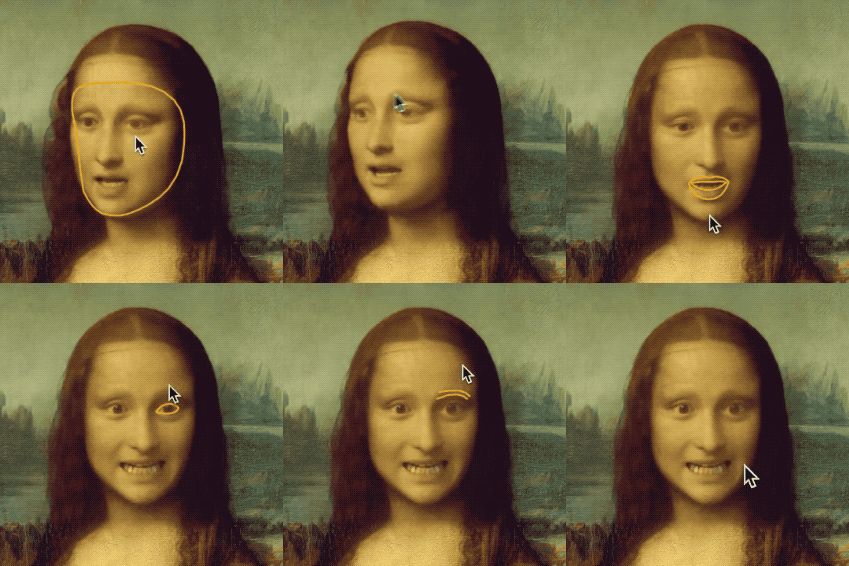
Phosphene 4.19.10 + 4.19.11 - H3 High about 2.3x faster, lighter on smaller MacsTwo updates in one post. Press Update in Pinokio, then restart Phosphene. 4.19.11 - LightX2V on Mac H3 Best at High is about 2.3x faster. A 5-second clip on an M4 Max 64 GB took about 35 minutes; now it takes about 15. Free for everyone. Choose H3, then High, then "Get it (1.4 GB)" under Speed. H3 Fast and Turbo are fixed, with sharper mouths. Live previews arrive earlier. Clips play and seek in Safari and the Mac app. The memory reading is back, and the logo turns during renders. Every clip in this post: Hailuo H3 at High on 4.19.11, 5 seconds from a still image, about 15 minutes each on an M4 Max. Credit: LightX2V (ModelTC) for lightx2v v1.3: https://huggingface.co/lightx2v/Minimax-h3-Turbo Hailuo H3's licence excludes the EU, UK, South Korea and US. https://github.com/mrbizarro/Phosphene/releases/tag/v4.19.11 4.19.10 - Better memory use on smaller Macs On Macs with 16 GB or less, Auto uses a lighter image engine when needed for images without references. Settings stay the same. Reference images keep your chosen engine, with clearer guidance if it cannot fit. Fewer wrong "not enough free memory" messages for images. Video uses less memory on Macs with 24 GB or less, with exactly the same results. Long clips turn into frames in smaller pieces when needed. Nothing to set. https://github.com/mrbizarro/Phosphene/releases/tag/v4.19.10 Also since the 4.19.7 post 4.19.8: a licence screen before you first use Hailuo H3, Ideogram 4, YuE2, FLUX.1 Krea [dev] or Bria FIBO. 4.19.9: a short, current README; past release notes are at https://phosphene.video/changelog/ Press Update in Pinokio, then restart Phosphene.

Featured
Drama 3 Offload Studio
@thomas_eric•1d ago
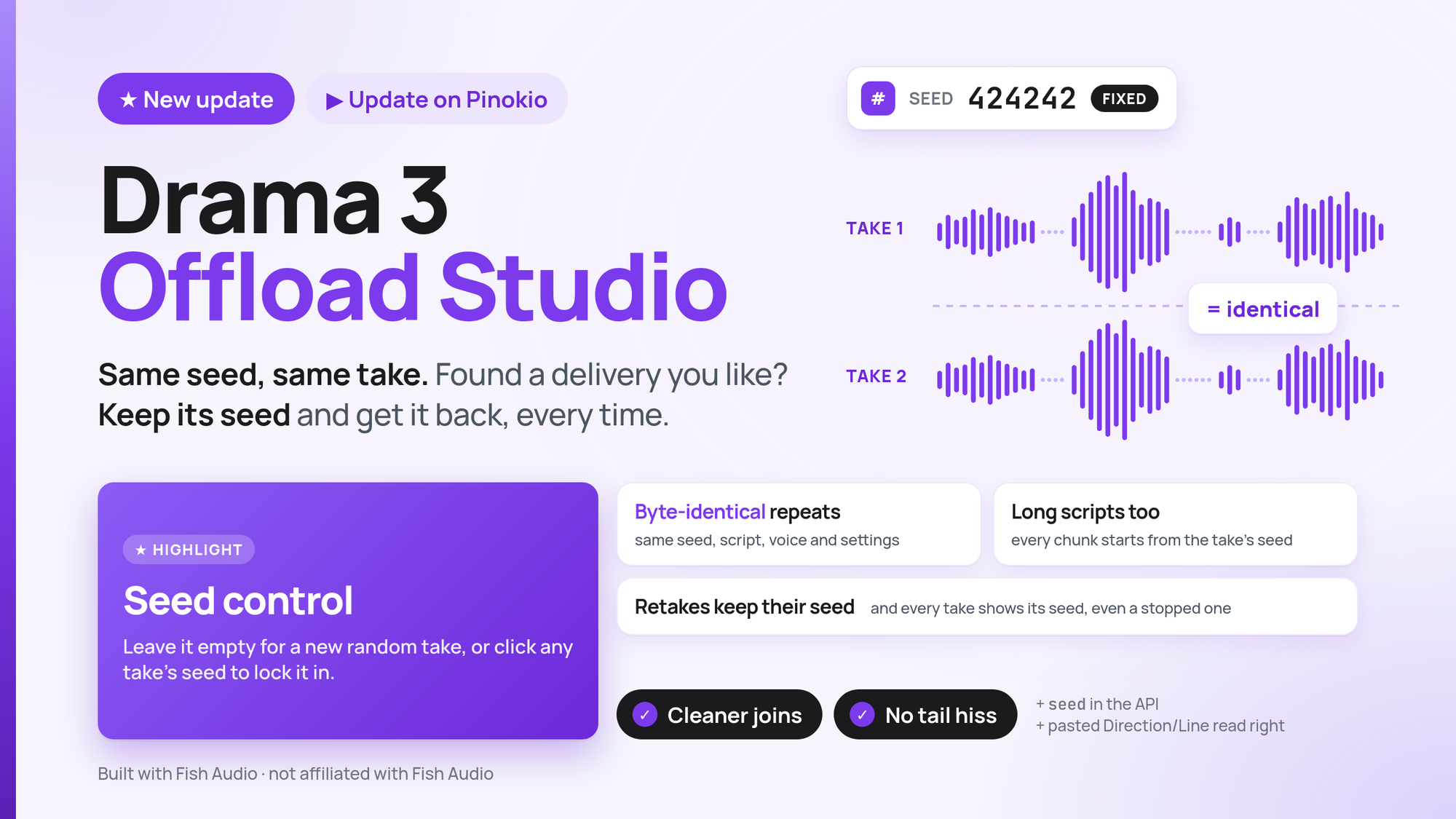
Update: Seed Control now available + more bug fixes!Hello! Olá! I just pushed an update to Drama 3 Offload Studio, the Pinokio launcher that runs Fish Audio's Drama 3 locally. Hit Update in Pinokio to get it. 🎲 Seed control Until now every take was a new roll of the dice with a hidden number generator. Meaning that generations with multiple chunks would have each different random number assign to it, making each part of the same dialogue sound vastly different from the other. Now every generation is controlled by a single seed across the entire generation! And you can keep the same seed across generations! I also made other small bug fixes around transitions. Examples of the new seed system: Gordon Ramsay cloning: GMAN cloning: Apple 1984 commercial cloning, but as an advert of this update: Vincent Price in the Thriller music video cloning for Halloween:
Featured
PM Codex
@ashvall•1d ago
PM Codex 1.1: a more polished review and approvalAfter analyzing a long meeting, the AI might come back with twenty proposed changes: new tasks, moved dates, a risk to update, a page of notes. Until now you had to take them all in one sign-off, or untick the ones you weren’t sure about and lose them. Version 1.1 changes that. You can approve what’s right and keep the rest open to talk over with the AI. It’s a small change, but it makes reviewing much easier. New here? What PM Codex is PM Codex is a free, open-source project management app with an AI assistant. Tell it what happened in plain words, like a meeting, a slipped date or a new risk. It proposes the updates to your timeline, tasks, risks and minutes, and nothing changes until you sign off. It runs on your own computer through Pinokio, and your data stays in your own Google Sheet. It works with Claude, and with Gemini API if you want a second assistant. You can see it in action on the showcase page. What’s new in 1.1 Sign off line by line. Approve a single change, a whole group, or everything at once. Anything you don’t decide stays open, and the AI is told which changes are still waiting, so you can pick up the conversation where you left off. Change requests come in groups. The AI now files related changes under a heading, such as “Steering 14 Oct: follow-ups” or “SIT re-plan”. A long request reads as a few groups, and you can approve or reject a group in one click. Claude can work across all your projects. It can read, search and propose changes in any project, not just the one on screen. Each project’s privacy glossary still hides that project’s names. If a change request is waiting in another project, the bar at the top of the app links straight to it. Compare timeline baselines. Both assistants can now read your earlier baselines. Ask how far the plan has moved since the initial baseline, and you’ll get an answer grounded in the actual numbers. Changelog: v1.1.0 (22 Oct 2026) Added Partial sign-off: approve or reject one change, a group, the selected changes, or all of them. Undecided changes stay open. An “Already signed off” list in the review panel. The top bar shows how many changes are still open. Change groups: both assistants can file changes under a shared heading. Each group can be selected, approved or rejected as a whole. Claude can read, search and propose changes in any project, with each project’s own privacy glossary applied. A link in the top bar to change requests waiting in other projects. Both assistants can read timeline baselines other than the active one. Showcase Github page: a better privacy glossary section. Changed Unticked changes are no longer thrown away on sign-off. They stay open. The review buttons are now “Approve selected” and “Reject selected”. Detail panels get narrower, down to 400px, while the assistant panel is open. Rows in Tasks, Risks and Deliverables rearrange to fit the space. Gemini still works inside the project that’s open. Working across projects is Claude-only. Showcase: the “Privacy” section is now “Your data”. Fixed A change request for a second project could be added to the first project’s request. It was hidden from view there, and signing it off applied it to the wrong project. Labels in Tasks, Risks and Deliverables rows overlapped when the review panel and a detail panel were open together. How to update In Pinokio, open PM Codex and click Update, then Start. Reload the PM Codex tab in your browser. Quit and reopen Claude desktop so it picks up Claude’s new tools. You don’t need to click Connect to Claude again. New to PM Codex? Install it from its Pinokio page, or browse the code on GitHub.
Type:api
apipluginAll
Platform:All
AllmacOSWindowsLinux
GPU:All
AllNVIDIAAMDApple
Sort by
RecommendedLatestCheck-ins
#ai194#tts62#image-generation49#video-generation42#137#music35#utility35#video28
facepoke
cocktailpeanutlabs/fpv2.0updated 2y ago
0 check-insNVIDIAAMDApple
fluxgym
[NVIDIA Only] Dead simple web UI for training FLUX LoRA with LOW VRAM support (From 12GB)
shamoon-zafar/fluxgymRv2.1updated 2y ago
0 check-insNVIDIAAMDApple
fluxgym
[NVIDIA Only] Dead simple web UI for training FLUX LoRA with LOW VRAM support (From 12GB)
shamoon-zafar/fluxgymv2.1updated 2y ago
0 check-insNVIDIAAMDApple
ai-toolkit
cocktailpeanutlabs/ai-toolkitv2.0updated 2y ago
0 check-insNVIDIAAMDApple
Groovy-Stylesuite
downlifted/Groovy-StyleSuitev2.0updated 2y ago
0 check-insNVIDIAAMDApple
fluxtrain
cocktailpeanutlabs/fluxtrainv2.0updated 2y ago
0 check-insNVIDIAAMDApple
FlashFace
Human Image Personalization with High-fidelity Identity Preservation: https://github.com/ali-vilab/FlashFace
Feedjer/FlashFacev2.0updated 2y ago
0 check-insNVIDIAAMDApple
Stable Diffusion Forge
Stable Diffusion WebUI Forge is a platform on top of Stable Diffusion WebUI (based on Gradio) to make development easier, optimize resource management, and speed up inference. https://github.com/lllyasviel/stable-diffusion-webui-forge?tab=readme-ov-file
pinokiofactory/forgev1.5updated 2y ago
9 check-insNVIDIAAMDApple
augmentoolkit
Turn any raw text into a high-quality dataset for AI finetuning https://github.com/e-p-armstrong/augmentoolkit
pinokiofactory/augmentoolkitv2.0updated 2y ago
0 check-insNVIDIAAMDApple
SwarmUI
A Modular Stable Diffusion Web-User-Interface, with an emphasis on making powertools easily accessible, high performance, and extensibility.
MasterX1582/SwarmUI-Pinokiov2.0updated 2y ago
0 check-insNVIDIAAMDApple
VFusion3D
halr9000/vfusion3d-pinokiov2.0updated 2y ago
@halr90000 check-insNVIDIAAMDApple
flux-webui
Minimal Flux Web UI powered by Gradio & Diffusers (Flux Schnell + Flux Merged)
cocktailpeanutlabs/flux-webui-betav2.0updated 2y ago
0 check-insNVIDIAAMDApple
stable-fast-3d
[NVIDIA ONLY] a state-of-the-art open-source model for fast feedforward 3D mesh reconstruction from a single image, from Stability AI. https://huggingface.co/spaces/stabilityai/stable-fast-3d
pinokiofactory/stable-fast-3dv2.0updated 2y ago
2 check-insNVIDIAAMDApple
flux-webui
Minimal Flux Web UI powered by Gradio & Diffusers
cocktailpeanutlabs/flux-allv2.0updated 2y ago
0 check-insNVIDIAAMDApple
Digital Tree
Phased Consistency Model - generate high quality images with 2 steps https://huggingface.co/spaces/radames/Phased-Consistency-Model-PCM
Craftech360-projects/aiart_pinokiov1.1updated 2y ago
0 check-insNVIDIAAMDApple
LDM 3D
[NVIDIA GPU ONLY] One click installer for Intel's ldm3d
cocktailpeanut/ldm3d.pinokioupdated 2y ago
@cocktailpeanut0 check-insNVIDIAAMDApple
DenseDiffusion
Dense Text-to-Image Generation with Attention Modulation
cocktailpeanut/densediffusion.pinokioupdated 2y ago
@cocktailpeanut0 check-insNVIDIAAMDApple
VALL-E-X
An open source implementation of Microsoft's VALL-E X zero-shot TTS model
cocktailpeanut/VALL-E-X.pinokioupdated 2y ago
@cocktailpeanut0 check-insNVIDIAAMDApple
Realtime StableDiffusion
Demo showcasing ~real-time Latent Consistency Model pipeline with Diffusers and a MJPEG stream server (https://github.com/radames/Real-Time-Latent-Consistency-Model)
cocktailpeanut/realtime-lcm.pinokioupdated 2y ago
@cocktailpeanut0 check-insNVIDIAAMDApple
Diffusers SDXL Turbo
Demo showcasing ~real-time Latent Consistency Model pipeline with Diffusers and a MJPEG stream server (https://github.com/radames/Real-Time-Latent-Consistency-Model)
cocktailpeanut/diffusers-sdxl-turboupdated 2y ago
@cocktailpeanut1 check-inNVIDIAAMDApple
Previous
1...697071...73
NextPage 70 of 73

Get project updates

Pulse

View all

The latest posts from across Pinokio.

New on Pinokio
@davi57 · God's Eye View
Automatically discovered via GitHub
Tencent Hy-Nomas System Requirement (At least 24GB VRAM)
@cocktailpeanut · Hy-Nomas
Another world model, another High VRAM requirement. Requires at least 24GB VRAM. Really wish people t...
Draw apicture a cat swimming in a pool
@kaypeace · Open WebUI1
Generated with FastH3 (available in Maestro 3.2) on NVIDIA A4500 Prompt: 15-second realistic found fo...
@cocktailpeanut · Maestro1
MiniMax H3 ComfyUI: python: can't open file '…/app/main.py': [Errno 2] No such file or directory
@mituxiaoshutong · MiniMax H3 ComfyUI
App: MiniMax H3 ComfyUI (minimax-h3-pinokio.git) Repo: https://github.com/ThomasEricB/minimax-h3-pino...

Radar

View all

Projects getting attention.

Followed·2 min
MiniMax H3 ComfyUI
MiniMax H3 omni-modal video generation in ComfyUI. Text/image/video/audio in, video with native 32kHz stereo audio out (768p default, 1080p+ supported). Disk-optimized: pruned INT8 + NVFP4 weights (~63GB instead of ~290GB). NVIDIA only.
Installable
Followed·2 min
HunyuanVideo
[NVIDIA ONLY] Super Optimized Gradio UI for Hunyuan Video Generator that works on GPU poor machines. Generate up to 10~14 sec videos https://github.com/deepbeepmeep/HunyuanVideoGP
Installable
Followed·7 min
God's Eye View
A live 3D intelligence console for planet Earth.
Installable
Followed·10 min
ACE-Step UI
Open source UI for ACE-Step 1.5 music generation.
Installable
Followed·10 min
Fooocus
Minimal Stable Diffusion UI
Installable
Pinokio
PrivacyTerms
FeedApps

Explore the community

#showcase
Generated with FastH3 (available in Maestro 3.2) on NVIDIA A4500 Prompt: 15-second realistic found footage horror, recorded on a cheap MiniDV camcorder in 2004. Two young men explore the basement of an abandoned farmhouse at night. The flashlight reveals shelves filled with hundreds of neatly labeled plastic bags, each containing a wallet, car keys, and a cell phone. 0–4 seconds: The cameraman slowly pans across the shelves. One man whispers, "What the fuck is all this?" 4–8 seconds: His friend picks up a bag, examines the driver's license inside, and says, "These are people's belongings. W...
@cocktailpeanut·8h ago
#cool-project
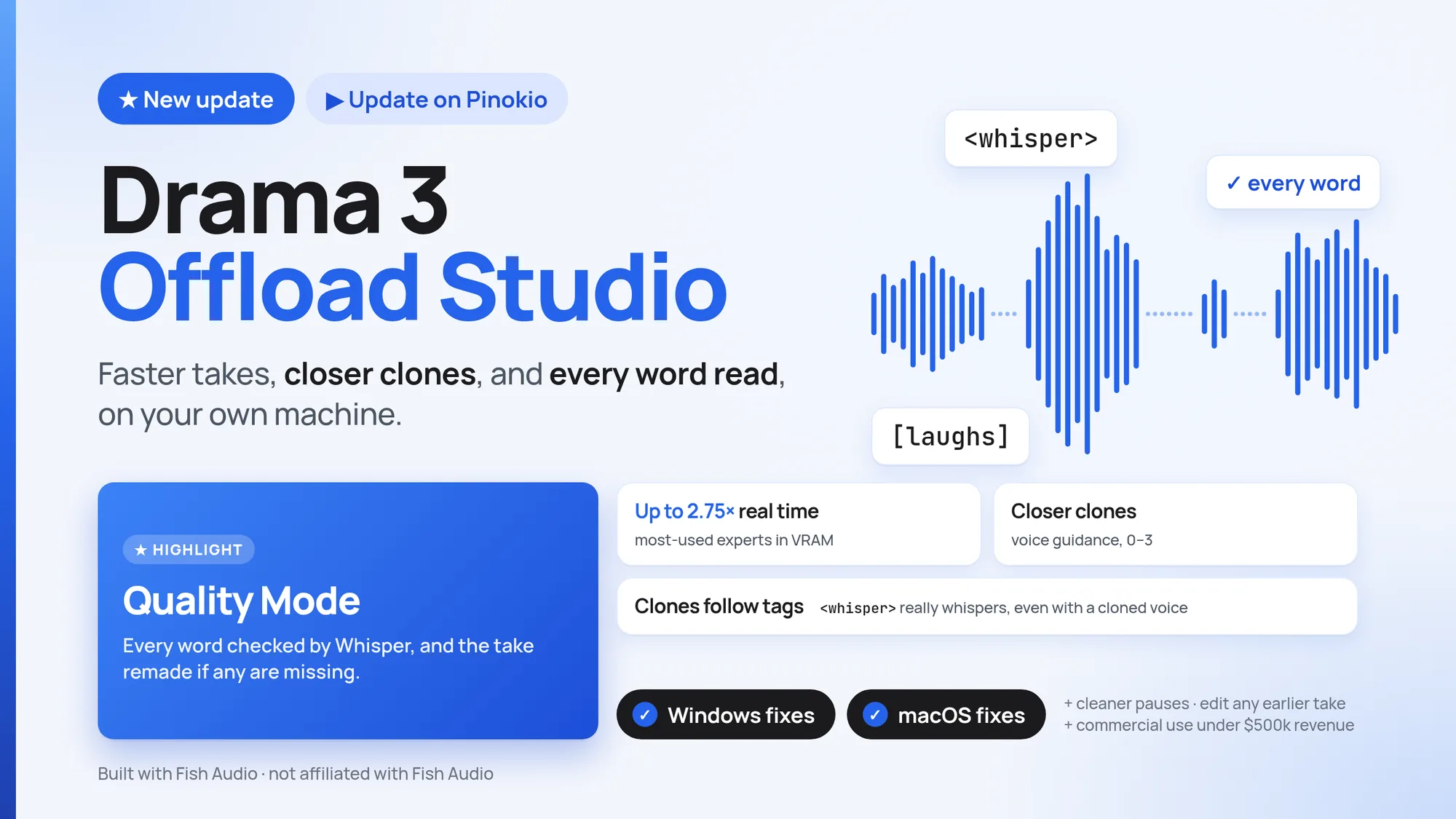
Major Update: New Quality Mode + Windows, MacOS fixes!
@thomas_eric·3d ago
#guide
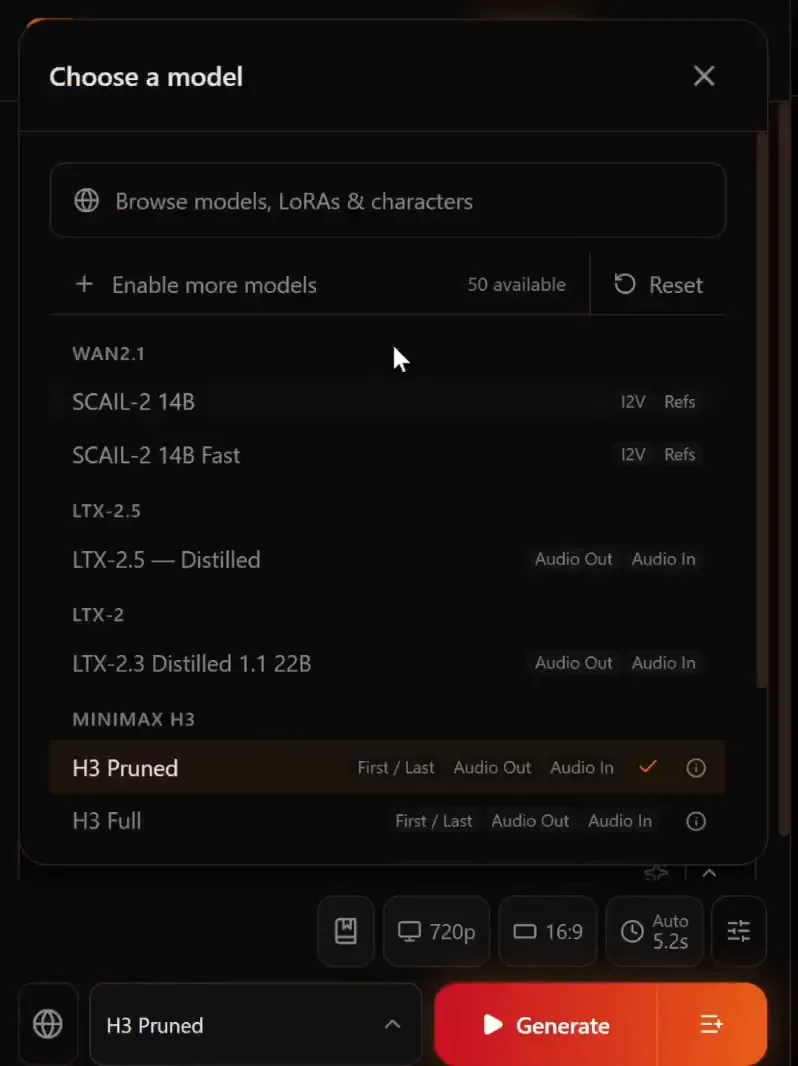
In Maestro 3.2, you can turn on the experimental FastH3 model by going into the "Enable more models" and checking the "FastH3 V2 8-Step -- Text to Video (Experimental)" option. Was confused how to turn it on at first so thought I would share!
@cocktailpeanut·8h ago
#testers-wanted
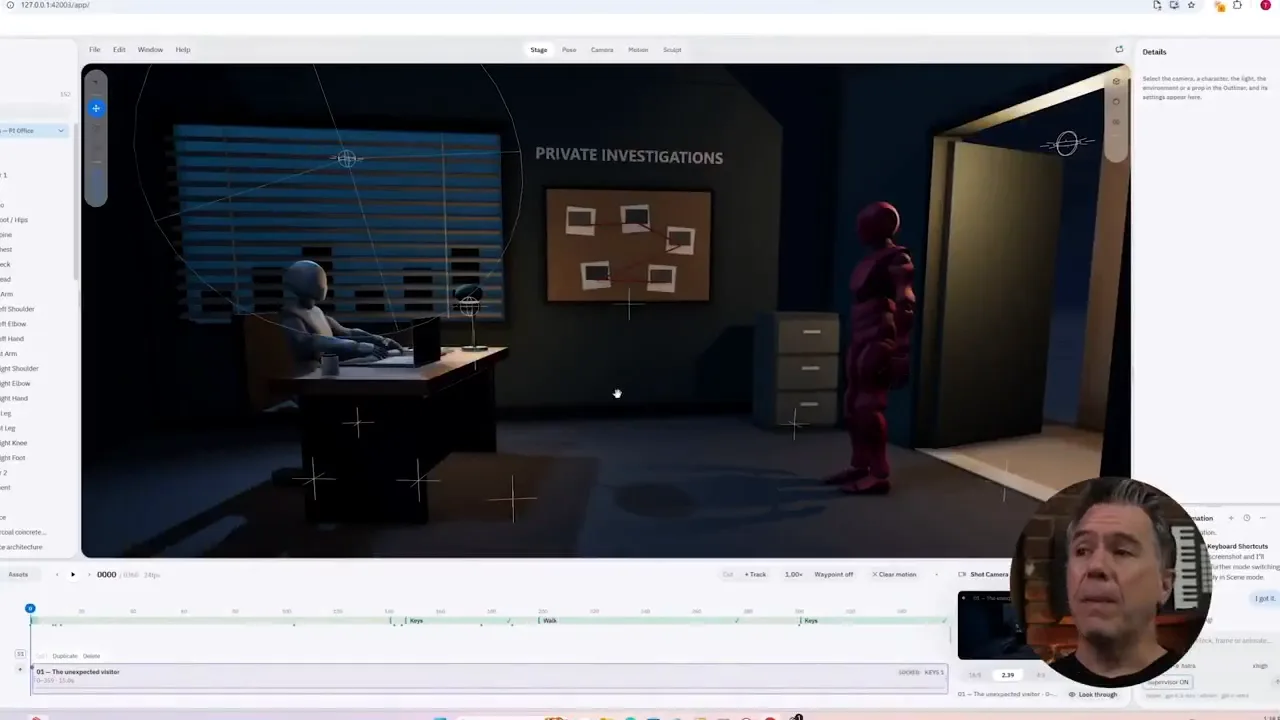
Testing this AI generated 3D animation app. If you try this out, let me know if it worked. 1. Launch the local app and log in with ChatGPT (no need for API keys, it's 1-click login) 2. Enter some prompt to generate the 3d world do whatever you imagine Works on all platforms, no GPU needed.
@cocktailpeanut·3d ago