Apps
Announcements


Building a better SKILL.md for my Blender agentBuilding something from scratch in Blender with a coding agent can get crazy expensive in tokens. It can take days, too. I had Codex build a raccoon wizard that way. It did a pretty good job. When I tried generating most of the parts locally and had Codex fit them together in Blender, it already had something to work with. Meshy and Tripo can give you great results, but a few wrong turns can get expensive. Local 3D models can do some really good work too, once you figure out which workflows and settings work for what you’re making. I built Mumblebox 3D Asset Foundry because I wanted my agent to be able to bridge those gaps. The MCP is working well. The agent can run workflows, check previews, and grab exports. What I’m working on now is teaching it when to use each workflow. If I need a character head from a reference, let my GPU make a starting mesh and have the agent check it and fit it in Blender. If I need a bracket with exact dimensions, the agent can make that right in Blender. I want it to be able to make a whole batch of assets locally and spend its time and tokens where they actually help. Pinokio handles setup and dependencies, and I can run the same visual wizards myself whenever I want. I also plan to integrate Tripo, Meshy, and Hi3D. The idea is to do most of the work locally and have paid services available for the jobs where they’re worth it. Foundry on Pinokio Two Blender repos I already use are EL4CTEO’s blender-skills for things like modeling, UVs, and rigging, and 1Pio’s blender-workbench for checking geometry against references. I’ve gotten a lot out of both. blender-skills · blender-workbench How are you writing your SKILL.md files? What did you put in yours that actually helped the agent choose the right tool? Is there a skill for writing skills that you’ve had good luck with? And if you have a Blender skill or repo you keep coming back to, I’d love a link and a little about what you use it for. I’m really kind of humbled by how willing people here are to help and share what they’ve learned. I appreciate it. — Brian





PotionUI 0.2.0: Kits, API keys, Perfect loop videos and a rebuilt details viewPotionUI 0.2.0 is out. Click Update in Pinokio to get it. The Update button now updates the launcher itself too. This release is about reusing what you already have and building on top of PotionUI. Kits keep sets of pictures, clips, audio and text together so you can drop them into any prompt (in other apps this is also called "Actors" or "Cast", but I didn't want to limit it to video only), and API keys let scripts and tools use your instance with exactly the access you choose. What's new Kits: make a named set of pictures, clips, audio and text in the Library and cite one item in a prompt as @kits.name.item. Only the items you cite go to the model. Add items straight from History. One media picker: History, Library and Kits are tabs of the same picker everywhere, with Small, Medium and Large tiles and a Replace menu on any loaded item. Video modes, simplified: MiniMax-H3 Video is now Video Director, with Text to Video, Image to Video and First to Last Frame as single-clip modes. Old sessions still open. Perfect loop for MiniMax-H3: give it a picture and what should move, get back a clip whose end flows into its start. LTX-2.5 Ingredients: characters and props from your pictures stay consistent in a new video. MOSS-Image regional prompting: draw regions on a canvas and describe each one. MiniMax-H3-Image is a new model family, with text to image and edit presets that take LoRAs. API keys: create keys with their own permissions, choose which MCP tools each can use, and generate from a saved session with a script. There is a new API guide with examples. Preset mirrors: admins can rename a preset and make copies that reuse its files with their own name, cover, defaults and modes, plus fixed prompt text that regular users never see. Plugin catalogs: install plugins from a catalog right in Admin. Queue routing: jobs spread across the backends of an engine, and a busy or silent worker no longer fails them. Nicer to use A rebuilt generation details view: parameters in boxes you copy with a click, section counts, and Library items open in the same view with previous and next. Prompt references show as readable thumbnail chips. A button on the resolution picker swaps to the mirrored size. Quick delete: press Delete on the current generation, or delete a whole collection's entries. Tags on models in Admin. A six-step setup wizard that no longer fails because a test generation did, and picks up again after a restart. Community contributions Big thanks to M4-S4 for a large share of this release: Install plugins from a catalog in Admin, and a plugin can no longer end up enabled after a failed install Face detection, face vectors and image embeddings for plugins, plus more plugin page and preset tools, and test databases for plugin authors RTX Upscale can raise a video's frame rate (2x, 4x or a target rate), and RIFE accepts a target frame rate Wan video decoding fits in less memory, and Wan 2.2 5B gets image to video MiniMax-H3-Image edits work on cards with less memory, such as 12 GB The default 1080p SeedVR2 video upscale fits a 12 GB card Effects work again with ffmpeg 8 The Plugins docs now point to community catalogs Fixed The first generation after a start no longer fails on a half-loaded module. Wan 2.2 image to video, and long Wan clips, fit in memory where they ran out. Security: setting up the first account behind a proxy now needs the setup token, users can no longer switch their own MCP access back on, and hidden fixed prompt text can no longer leak. Before you update Back up your data first. The first start migrates your database and that cannot be undone. Your MCP tokens become API keys that work for MCP only, so create a new key if a script needs the HTTP API. A saved session on the retired Long video mode opens with an offer to convert it to Video Director. You may see harmless "plugin not found" lines for two plugins that no longer exist at startup. The old MCP token routes and the token in a socket URL still work this release but are deprecated, so move your scripts over. Windows is fully supported. Update Click Update in Pinokio, start PotionUI and let it finish its first-start migration. Then open Settings and look at API keys. Full release notes: https://github.com/PotionUI/PotionUI/blob/master/CHANGELOG.md Website: https://potionui.com Discord: https://discord.gg/avR4trp3b8


Phosphene 5.0.20 - video on 16 GB Macs, and models on an external drivePhosphene 5.0.20 is out. Video now fits 16 GB Macs much better. Less memory on 16 to 24 GB Macs On a 16 GB Mac, an LTX-2.5 video now peaks at about 5.7 GB of memory instead of 9 GB. With LoRAs, about 6.7 GB instead of 19 GB. The frames are the same as before. Free for everyone. Keep your models on an external drive (Mac app) Choose where models live at setup or in Settings, and move them there or back whenever you like. If the drive is unplugged, the app says so and lets you plug it in, download to this Mac instead, or open without them. More first videos finish If the model download stopped, Phosphene now fetches the video model itself, and your first clip is sized to fit your Mac. H3 renders on small Macs now wait their turn instead of failing. Pro, if you want to support us Pro now makes LTX clips about 27 to 30% faster on 16 to 24 GB Macs too. Until now that needed 32 GB or more. Pro gets new speed-ups first. Everything in Pro comes to Free later. In Pinokio: press Update, then restart Phosphene. Mac app: choose Check for Updates, or get it at https://phosphene.video/download/ Release notes: https://github.com/mrbizarro/Phosphene/releases/tag/v5.0.20


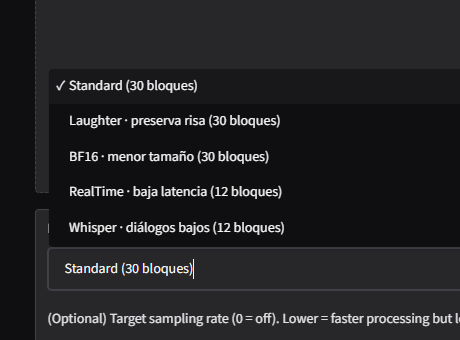
This may be going on a cool direction...I still have to do some work if I fully commit to this, but I needed to update the overall speed of this app, so... I added 5 new flavours to RE-USE, thanks to this awesome community we have on Hugginface! Props to the people who fine-tuned all of these options. (This also means that MLX support CAN be possible! I pin-pointed those models, but I don't have a Mac available, so if anyone wants to copy this one repo and do that version, feel free to do it). Added a bunch more of knobs to really tweak the output and overall speed of the recovered result (with an easy explanation to know what to tweak). Also added batch processing for people that need a "run-and-leave" solution for several broken audio. This may be a really small project for you to play with, but it is no more a "cheap clone". And maybe in the future it is much more...