Pinokio
FeedApps
Download Pinokio
Sign inCreate accountJoin
Home

Tags

Browse
#bug#cool-project#guide#pinokio-feedback#pinokio-question#showcase#testers-wanted
PrivacyTerms

#editor

Browse tags

DiscoverPinned

Most posts · Last 30 days

No recent tagged posts yet.

@bizarro·1mo ago

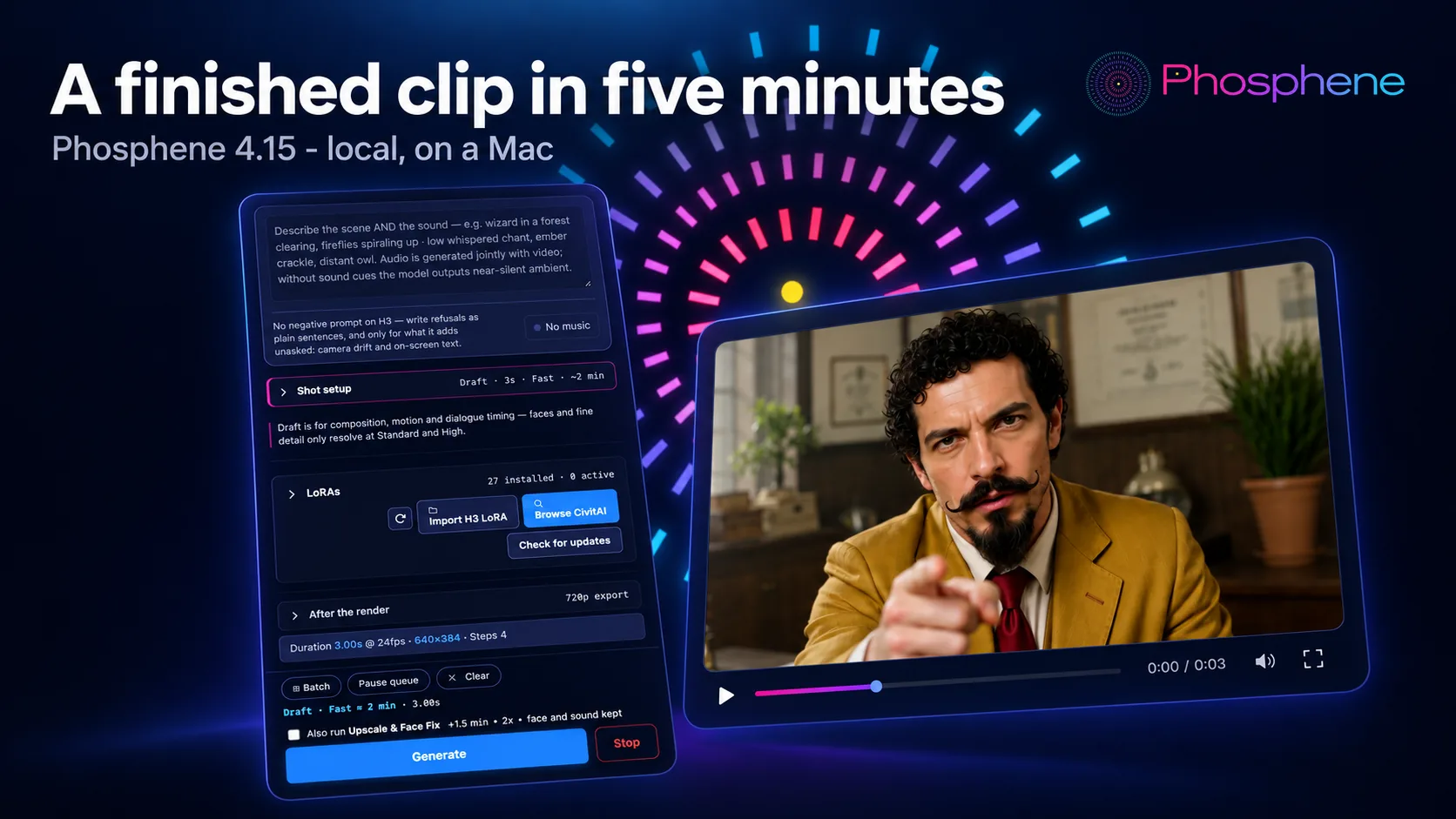
Phosphene 4.15 - HD Hailuo H3 clips in five minutes

What ships: a Speed switch on Hailuo H3. Fast runs a 3-step adapter, Best runs the full schedule - and with Upscale & Face Fix after it, a finished HD clip costs five minutes instead of half an hour. Measured on an M4 Max, 5-second clip, character LoRA on: Draft + Fast - 2.8 min render + 2.5 min Upscale & Face Fix = 5.2 minutes, 1280x768 High + Fast - 7.9 min render + 8.6 min Upscale & Face Fix = 16.5 minutes, 2048x1152 That clip below is the first one: five minutes, start to finish, on a laptop. For scale: the infomercial those Bizarro clips come from was shot before Fast existed. 50 takes, 2


Phosphenemrbizarro/phosphene2.1K followers
#editor#h3#phosphene#speed
10
@bizarro·1mo ago

Phosphene 4.14 - write songs, fix faces, and a real sound timeline

Phosphene 4.14 is out. Three big things: it writes songs now, any clip gets a one-click face fix, and the Editor finally has proper sound tracks. Still free, still local, on your Apple Silicon Mac. Audio -> Compose: write a whole song Type your lyrics (verse, chorus, bridge) and describe the style in plain words. You get a full song back, vocals and arrangement, as a WAV in your gallery. Draft for a quick listen, Final for the keeper. On an M4 Max a 3-minute song takes about 3 minutes at Final. A 2-minute Draft takes about 1 minute. Peaks at about 11 GB of memory, so 24 GB Macs and up can run

Phosphenemrbizarro/phosphene2.1K followers
#editor#music#phosphene
7
@bizarro·1mo ago

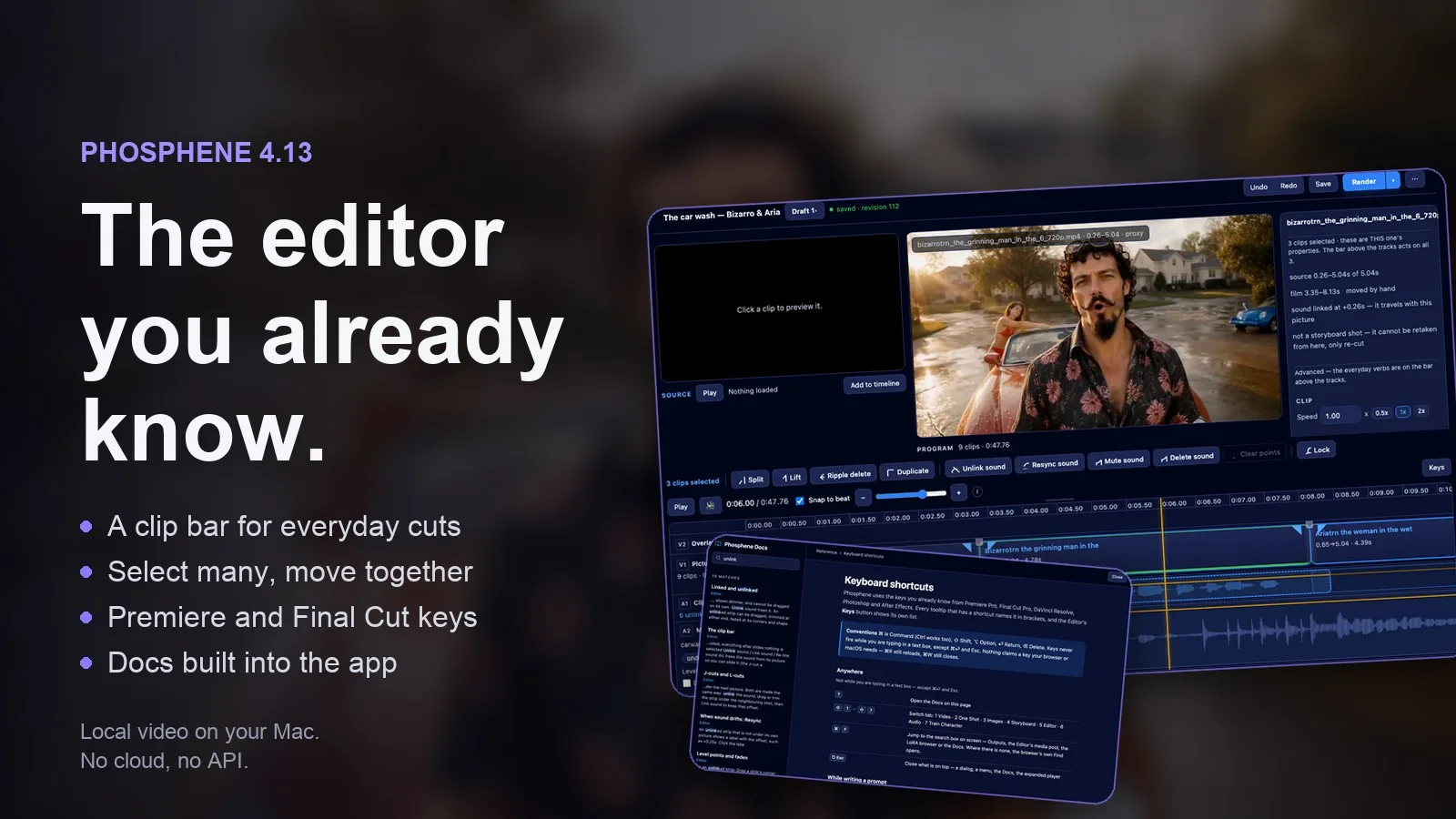
Phosphene 4.13 - the editor you already know

Two updates in one post: 4.13 is the Editor release, and 4.12.4 before it fixed ten things you reported. 4.13 - the editor you already know A clip bar above the tracks with the actions you use all day: Split, Lift, Ripple delete, Duplicate, Unlink and link sound, Resync, Mute, Delete sound, Lock. A greyed-out button tells you why it can't act. Select several clips and move them together. Shift-click, Cmd-click or Cmd+A, then drag: spacing and sound come along, and one undo puts it all back. Right-click a shot for the same actions, or a gap to close it. Keys you already know from Premiere and F

Phosphenemrbizarro/phosphene2.1K followers
#editor#phosphene
1
You’re all caught up.

Join the community

Follow people and apps for updates. Explore Announcements and All for more.

Sign inCreate account
Discover people →

Popular builders

View all
PrivacyTerms
Pinokio
PrivacyTerms
FeedApps

Radar

View all

Projects getting attention.

Followed·just now
LivePortrait
Bring portraits to life! https://github.com/KwaiVGI/LivePortrait
Installable
Followed·4 min
God's Eye View
A live 3D intelligence console for planet Earth.
Installable
Followed·5 min
Uncensored Local Studio
Run image generation, GGUF language models, Whisper speech recognition, and Kokoro speech synthesis locally from one offline studio.
Installable
Followed·6 min
ai-toolkit
AI Toolkit by Ostris
Installable
Followed·9 min
Wan2GP
1-click WanGP Launcher. Super Optimized Gradio UI for AI video creation for GPU poor machines (6GB+ VRAM). Supports Wan 2.1/2.2, Qwen, Hunyuan Video, LTX Video and Flux. https://github.com/deepbeepmeep/Wan2GP
Installable

Popular builders

View all
  • cocktailpeanut@cocktailpeanut
    Creator of
    • mimetic-a0
    • theprototype.app
    • LightOnOCR 3

    creator of pinokio https://x.com/cocktailpeanut

  • Morpheus@morpheus
    Creator of
    • Z-Fusion
    • Freebuff
    • songgeneration-tencent

    404 Error not found Don't hesitate to ask if you have questions. I'm here to help. Tag me if you can.

  • bilawalsidhu@bilawalsidhu
    Creator of
    • see-through-walls
    • God's Eye View
3 people shown