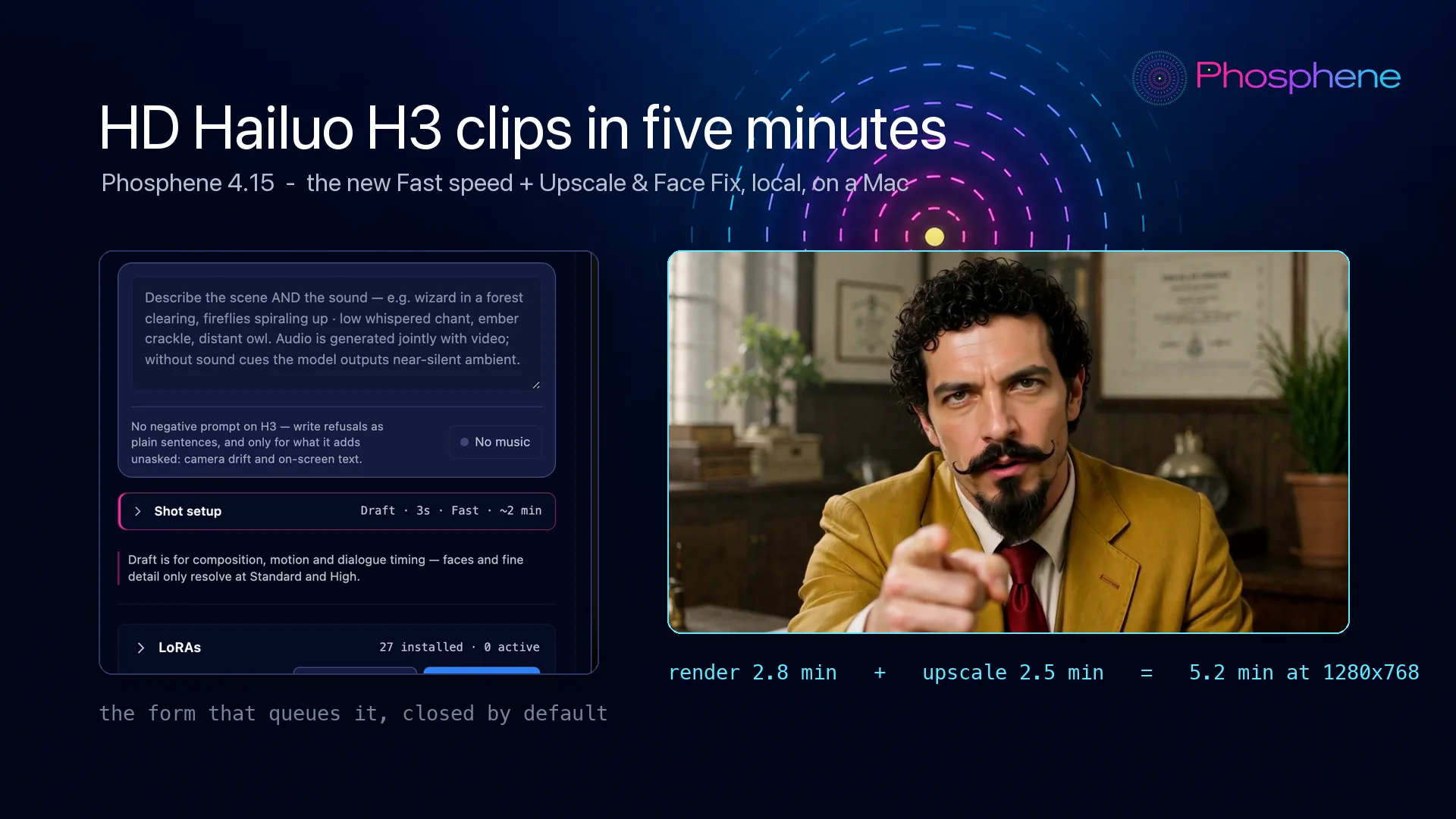
What ships: a Speed switch on Hailuo H3. Fast runs a 3-step adapter, Best runs the full schedule - and with Upscale & Face Fix after it, a finished HD clip costs five minutes instead of half an hour. Measured on an M4 Max, 5-second clip, character LoRA on:
- Draft + Fast - 2.8 min render + 2.5 min Upscale & Face Fix = 5.2 minutes, 1280x768
- High + Fast - 7.9 min render + 8.6 min Upscale & Face Fix = 16.5 minutes, 2048x1152
That clip below is the first one: five minutes, start to finish, on a laptop.
For scale: the infomercial those Bizarro clips come from was shot before Fast existed. 50 takes, 26.1 hours of render time, 26.6 minutes for the median take and 1h42 for the worst. The same 50 takes at High + Fast would be under 7 hours.
Room tone
One generated ambience bed under a whole film, so cuts stop clicking. On our own edit the jump at a cut went from 13.0 dB to 2.7 dB. It is a track you can fade, not a prompt line.
The Editor stops rearranging itself
- Sound mode is a mode you choose - the lanes no longer resize themselves under your hands.
- Panels open when you ask for them, the Source monitor is a drop target again, and the picture is bigger.
- Tooltips answer in 0.16 s instead of a second.
The render form is four sections, all closed
Shot setup, LoRAs, After the render, Advanced. Each one says what it is hiding before you open it - Draft - 3s - Fast - ~2 min - so the form is a summary you can read, not a wall you scroll.
Batch is a section now, not a modal behind a small button. Paste many prompts, or ask for N takes of the one you have, each with its own seed. It counts the jobs and prices them before you commit.
Fixed
- A film with music over it no longer comes out with silent shots: the mix defaulted to replacing every clip's sound with the bed, and now it plays under.
- When an engine crashes it names the line of code, not just the exception.
- The LoRA trainers no longer inherit the shell's environment (the same class of bug that broke music in 4.14.0).
How to get it: press Update in Pinokio, then restart Phosphene.
Full notes: https://github.com/mrbizarro/Phosphene/releases/tag/v4.15.0



What ships: a Speed switch on Hailuo H3. Fast runs a 3-step adapter, Best runs the full schedule - and with Upscale & Face Fix after it, a finished HD clip costs five minutes instead of half an hour. Measured on an M4 Max, 5-second clip, character LoRA on:
That clip below is the first one: five minutes, start to finish, on a laptop.
For scale: the infomercial those Bizarro clips come from was shot before Fast existed. 50 takes, 26.1 hours of render time, 26.6 minutes for the median take and 1h42 for the worst. The same 50 takes at High + Fast would be under 7 hours.
Room tone
One generated ambience bed under a whole film, so cuts stop clicking. On our own edit the jump at a cut went from 13.0 dB to 2.7 dB. It is a track you can fade, not a prompt line.
The Editor stops rearranging itself
The render form is four sections, all closed
Shot setup, LoRAs, After the render, Advanced. Each one says what it is hiding before you open it - Draft - 3s - Fast - ~2 min - so the form is a summary you can read, not a wall you scroll.
Batch is a section now, not a modal behind a small button. Paste many prompts, or ask for N takes of the one you have, each with its own seed. It counts the jobs and prices them before you commit.
Fixed
How to get it: press Update in Pinokio, then restart Phosphene.
Full notes: https://github.com/mrbizarro/Phosphene/releases/tag/v4.15.0