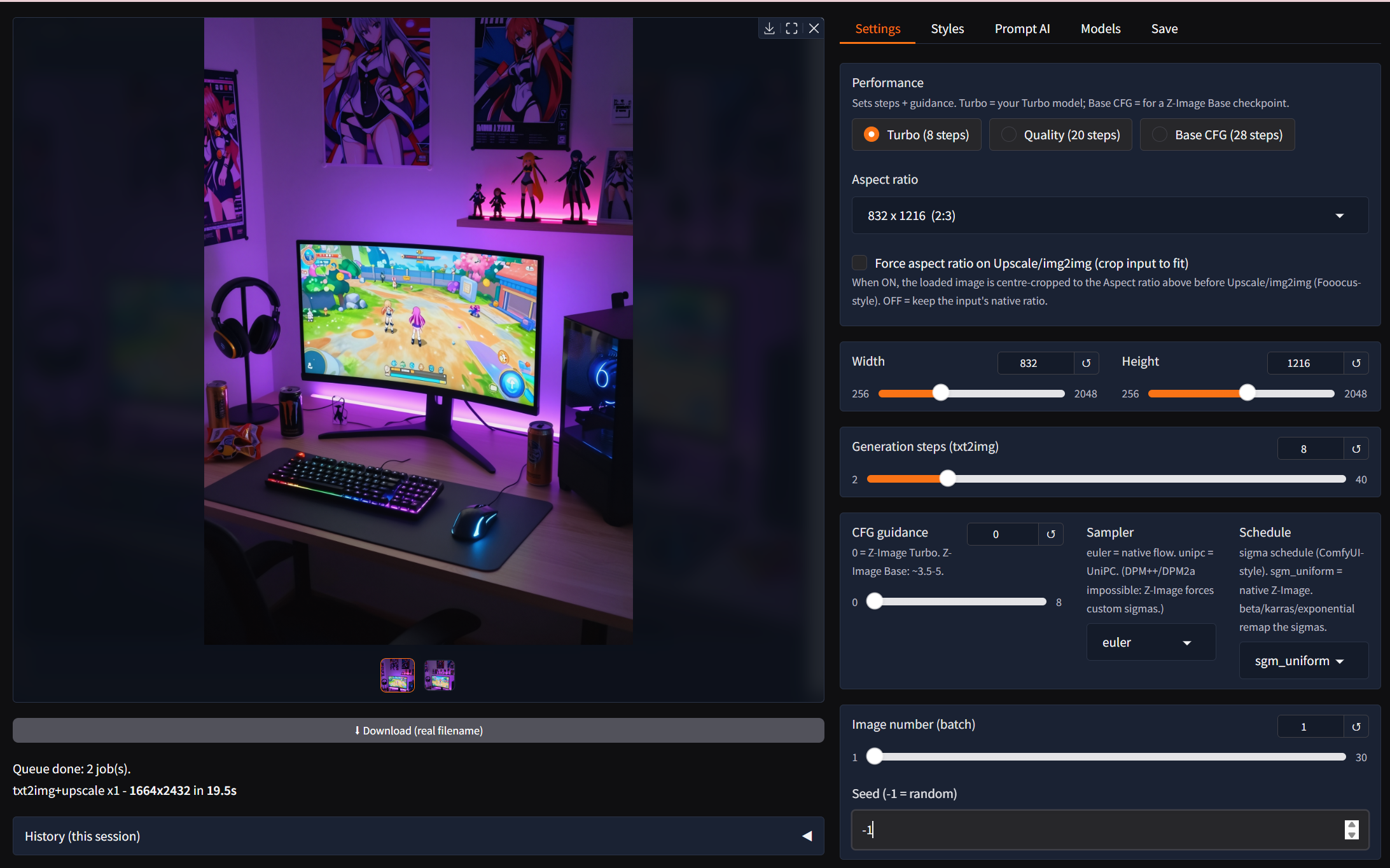
crispz-krea is a Fooocus-style web studio for FLUX.1 Krea [dev], the Krea and Black Forest Labs model trained against the "AI look": natural skin, real light, no plastic sheen. Same workbench as crispz-studio, with the Flux pipeline inside. Everything runs on your own GPU, no ComfyUI, no cloud.
- Text to Image with styles, wildcards, tag autocomplete, prompt variants, live preview and Stop.
- Upscale and enhance: Real-ESRGAN plus a Flux refine pass, tiled up to 4K, one-click Vary, Reframe / outpaint that generates the missing bands instead of cropping.
- Models: single-file Flux checkpoints from CivitAI, LoRAs with hot swap, a CivitAI search with previews and trigger words.
- Job queue and X/Y/Z grids for overnight batches and side-by-side comparisons.
- Prompt AI, local: Describe, Improve and Vision Mix through Ollama; Remove BG, Face Swap, detailer, CLI and the family protocol v1.
Hardware: an NVIDIA GPU; 16 GB of VRAM is comfortable with offload. FLUX.1 Krea [dev] is gated on Hugging Face under the FLUX.1 [dev] non-commercial licence: accept it once and set a read token in the app's settings.
Pinokio launcher: https://github.com/mikecastrodemaria/crispz-krea.pinokio
Source: https://github.com/mikecastrodemaria/crispz-krea
Install (Pinokio)
- In Pinokio, open Discover and paste
https://github.com/mikecastrodemaria/crispz-krea.pinokio.
- Click Install: the launcher clones the app, creates the venv, installs the requirements and PyTorch (CUDA 12.8 on NVIDIA).
- Accept the licence on Hugging Face, paste your token in Settings, click Start, then Open Web UI.



crispz-krea is a Fooocus-style web studio for FLUX.1 Krea [dev], the Krea and Black Forest Labs model trained against the "AI look": natural skin, real light, no plastic sheen. Same workbench as crispz-studio, with the Flux pipeline inside. Everything runs on your own GPU, no ComfyUI, no cloud.
Hardware: an NVIDIA GPU; 16 GB of VRAM is comfortable with offload. FLUX.1 Krea [dev] is gated on Hugging Face under the FLUX.1 [dev] non-commercial licence: accept it once and set a read token in the app's settings.
Pinokio launcher: https://github.com/mikecastrodemaria/crispz-krea.pinokio
Source: https://github.com/mikecastrodemaria/crispz-krea
Install (Pinokio)
https://github.com/mikecastrodemaria/crispz-krea.pinokio.