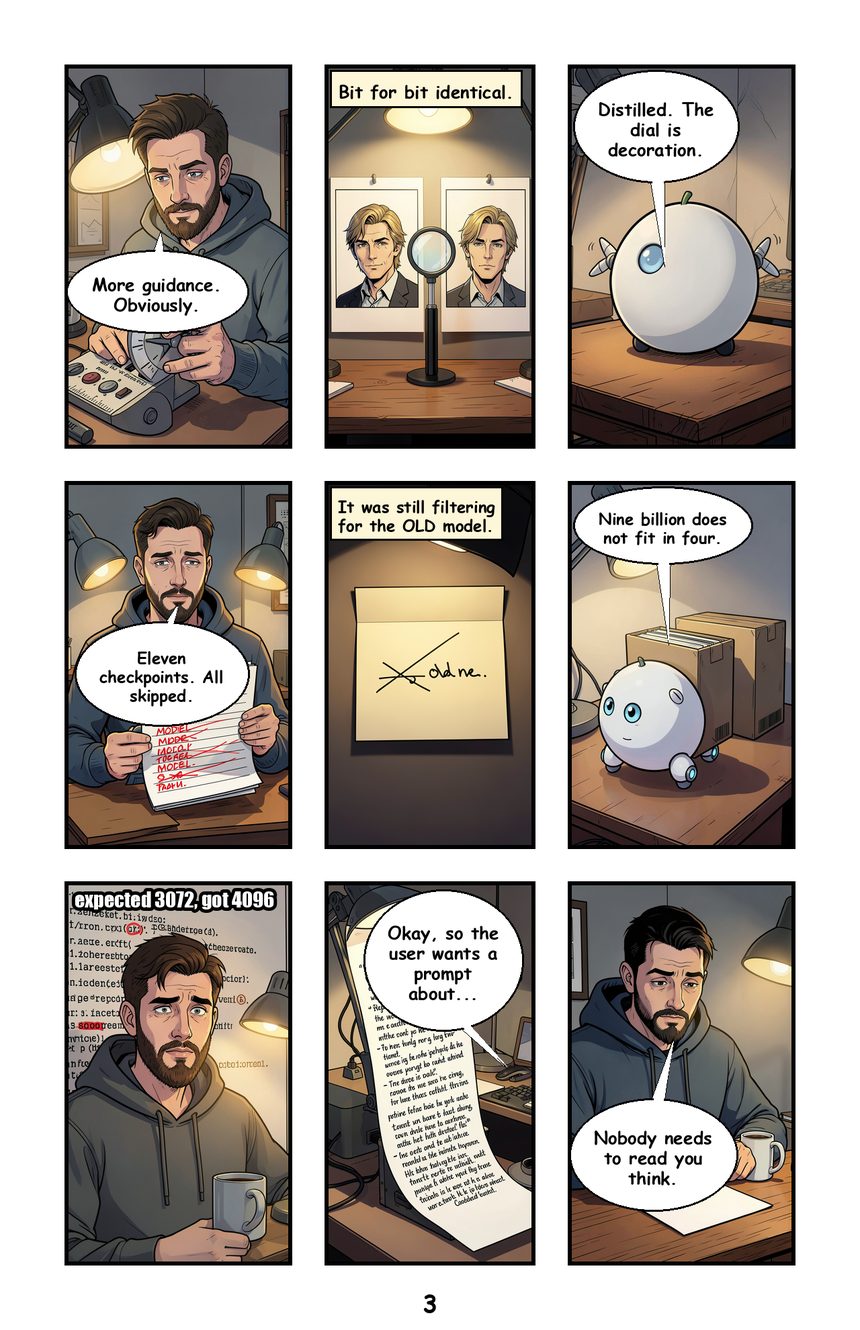
comics2crispz turns a script into a comic book: chapters, a flatplan of facing pages, panels drawn by a local image model, balloons lettered in place, a print-ready PDF. It draws nothing itself: it drives the crispz studios already on your machine (crispz-studio, crispz-klein, crispz-flux3, crispz-qwen-edit, Fooocus2026...) through a small JSON protocol, so the GPU is shared and the model stays warm. Pure Python, runs on CPU.
- Write it as text. A
.czs script (=== chapter ===, --- page 4-grid, [pn1] what to draw, Lea: what she says) or a single .md bundle with the settings, the Visual Bible and the script. Import, export, round trip.
- Visual Bible: characters and settings with reference images (identity through the model's references), the book's style, mood per chapter, default balloon shape and font.
- Flatplan and pages: real book formats (Franco-Belge, A4, US comic, manga right-to-left, webtoon), 30 layouts plus slanted presets, panel shapes edited corner by corner, inner margins, framing of the drawing inside its frame.
- Balloons: speech, thought, caption, SFX; automatic placement near the speaker's face, drag to pin, fonts (drop any .ttf), outline colour and halo, hidden lines.
- Effects: Break the frame (the subject cut out over the neighbouring panels, Spider-Man style), frameless elements floating across panels, inpaint by brush, edit by instruction, per-panel version history.
- Production: storyboard sketches in seconds before the final render, background jobs with pause, a dashboard of what is missing, PDF and PNG export.
Hardware: none of its own. Install one crispz studio for the drawing (an NVIDIA GPU on that side); comics2crispz itself needs Python and a few hundred MB.
Pinokio launcher: https://github.com/mikecastrodemaria/comics2crispz.pinokio
Source: https://github.com/mikecastrodemaria/comics2crispz
Install (Pinokio)
- In Pinokio, open Discover and paste
https://github.com/mikecastrodemaria/comics2crispz.pinokio.
- Click Install: the launcher clones the app, creates the venv, installs the requirements (Pillow, rembg on CPU) and builds an example book.
- Click Start, then Open Web UI: the example book opens. In ⚙ settings, point the engine URL to your running crispz studio (its own "Open Web UI" address).
- New book, or import a
.md bundle, and generate the missing panels.

comics2crispz turns a script into a comic book: chapters, a flatplan of facing pages, panels drawn by a local image model, balloons lettered in place, a print-ready PDF. It draws nothing itself: it drives the crispz studios already on your machine (crispz-studio, crispz-klein, crispz-flux3, crispz-qwen-edit, Fooocus2026...) through a small JSON protocol, so the GPU is shared and the model stays warm. Pure Python, runs on CPU.
.czsscript (=== chapter ===,--- page 4-grid,[pn1] what to draw,Lea: what she says) or a single.mdbundle with the settings, the Visual Bible and the script. Import, export, round trip.Hardware: none of its own. Install one crispz studio for the drawing (an NVIDIA GPU on that side); comics2crispz itself needs Python and a few hundred MB.
Pinokio launcher: https://github.com/mikecastrodemaria/comics2crispz.pinokio
Source: https://github.com/mikecastrodemaria/comics2crispz
Install (Pinokio)
https://github.com/mikecastrodemaria/comics2crispz.pinokio..mdbundle, and generate the missing panels.