Hey everyone! Foundry Preview 21 is up. I’m building it so you and your coding agent can work in the same 3D workshop. You can start an asset in a wizard and have the agent pick it up, or let the agent run a job and review the result yourself in Foundry.
Give your Blender agent a head start. The expanded MCP lets the agent choose a workflow, set options, check progress, and retrieve previews and exports. The companion skill helps it decide when to use Foundry and how to bring the result into Blender. Open-weight workflows run on your own Windows/NVIDIA PC, so the agent can keep working while Foundry generates. My goal is to save time and tokens on the first pass so you can spend more of both on the part that needs your eye.
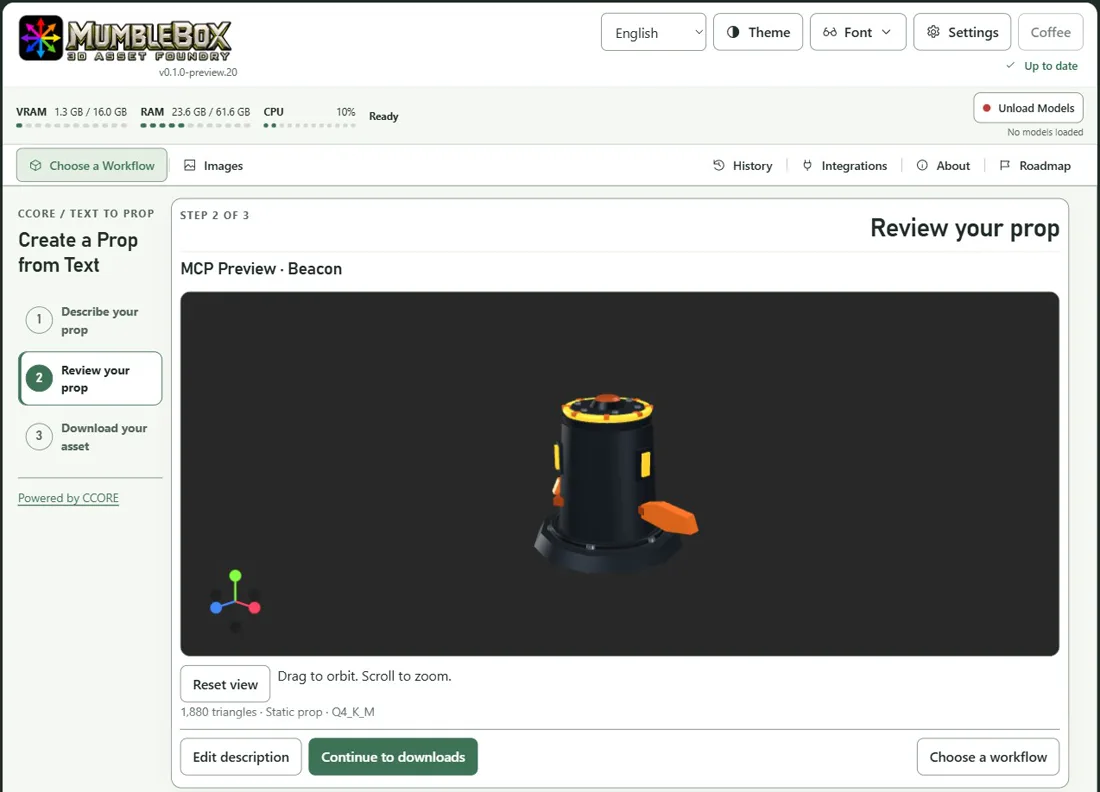
The little beacon below came from a real Foundry job submitted through the MCP.
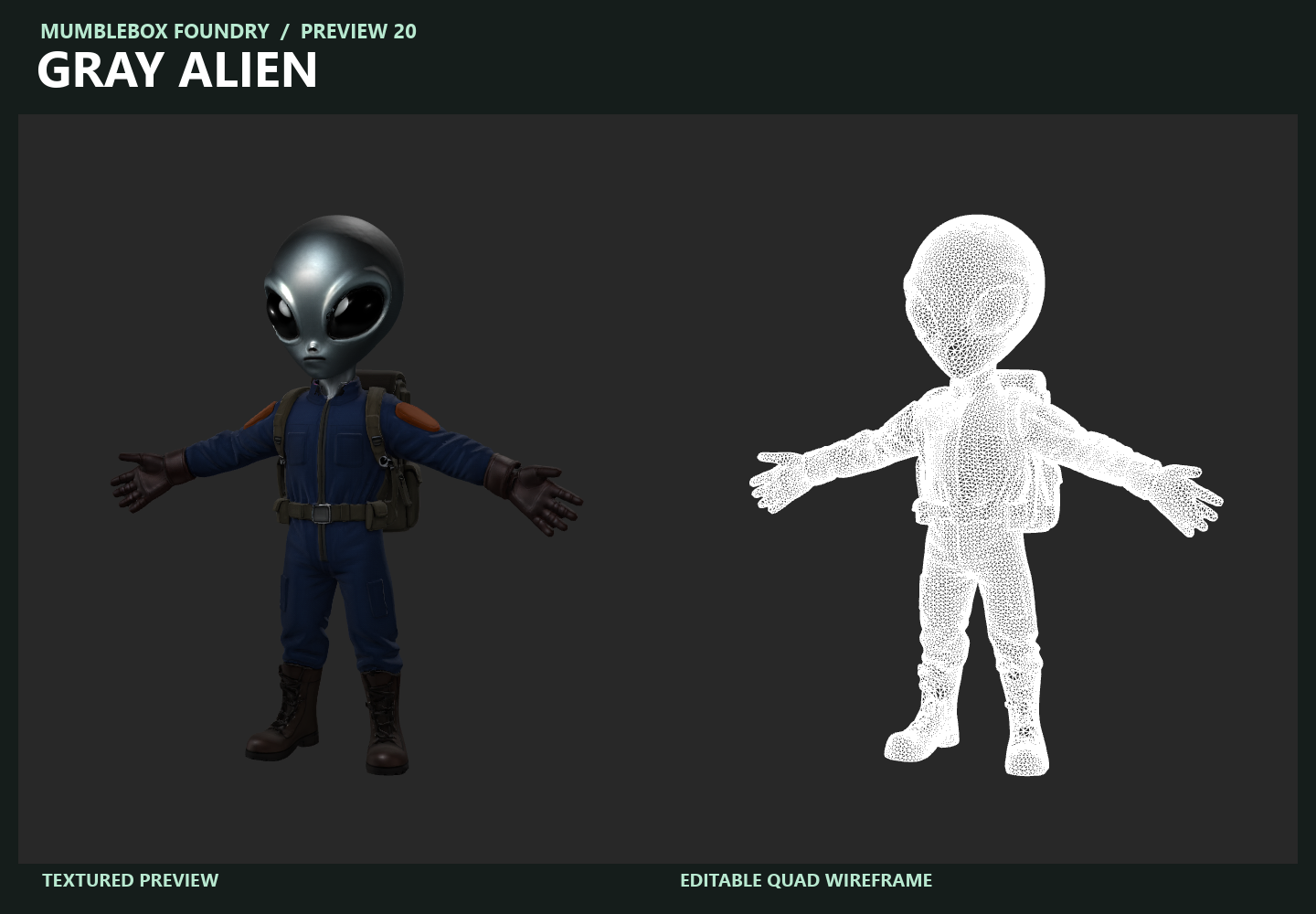
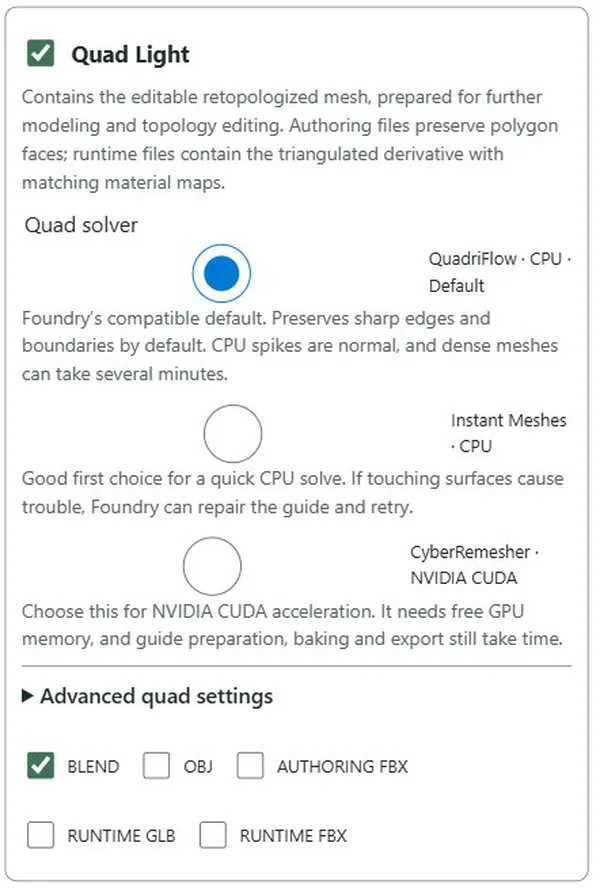
Three ways to make editable quads. Single Image and Turnaround now offer Instant Meshes (CPU), QuadriFlow (CPU), and CyberRemesher (NVIDIA CUDA). Try Instant Meshes for a quick first pass, use QuadriFlow for the existing default, or pick CyberRemesher for a GPU solve. Each has its own advanced settings.
Preview 21 also brings more of the wizard into the MCP, including shared examples, image previews, and Gallery handoffs that preserve the exact reference you chose.
Already installed? Use Update in Pinokio. New here? Pinokio handles setup, and the wizards walk you through the workflows. Thanks to everyone trying these previews and sharing ideas. If you try Foundry with an agent, I’d love to hear what it took off your plate and where you still had to step in.
Set up the MCP and companion skill · Preview 21 changelog and download



Hey everyone! Foundry Preview 21 is up. I’m building it so you and your coding agent can work in the same 3D workshop. You can start an asset in a wizard and have the agent pick it up, or let the agent run a job and review the result yourself in Foundry.
Give your Blender agent a head start. The expanded MCP lets the agent choose a workflow, set options, check progress, and retrieve previews and exports. The companion skill helps it decide when to use Foundry and how to bring the result into Blender. Open-weight workflows run on your own Windows/NVIDIA PC, so the agent can keep working while Foundry generates. My goal is to save time and tokens on the first pass so you can spend more of both on the part that needs your eye.
The little beacon below came from a real Foundry job submitted through the MCP.
Three ways to make editable quads. Single Image and Turnaround now offer Instant Meshes (CPU), QuadriFlow (CPU), and CyberRemesher (NVIDIA CUDA). Try Instant Meshes for a quick first pass, use QuadriFlow for the existing default, or pick CyberRemesher for a GPU solve. Each has its own advanced settings.
Preview 21 also brings more of the wizard into the MCP, including shared examples, image previews, and Gallery handoffs that preserve the exact reference you chose.
Already installed? Use Update in Pinokio. New here? Pinokio handles setup, and the wizards walk you through the workflows. Thanks to everyone trying these previews and sharing ideas. If you try Foundry with an agent, I’d love to hear what it took off your plate and where you still had to step in.
Set up the MCP and companion skill · Preview 21 changelog and download