Pinokio
FeedAppsRemoteCreate
Download Pinokio
Sign inCreate accountJoin

Apps

Announcements

View all

Official updates.

Pinned announcement from Pinokio
pinokio
@cocktailpeanut•2d ago
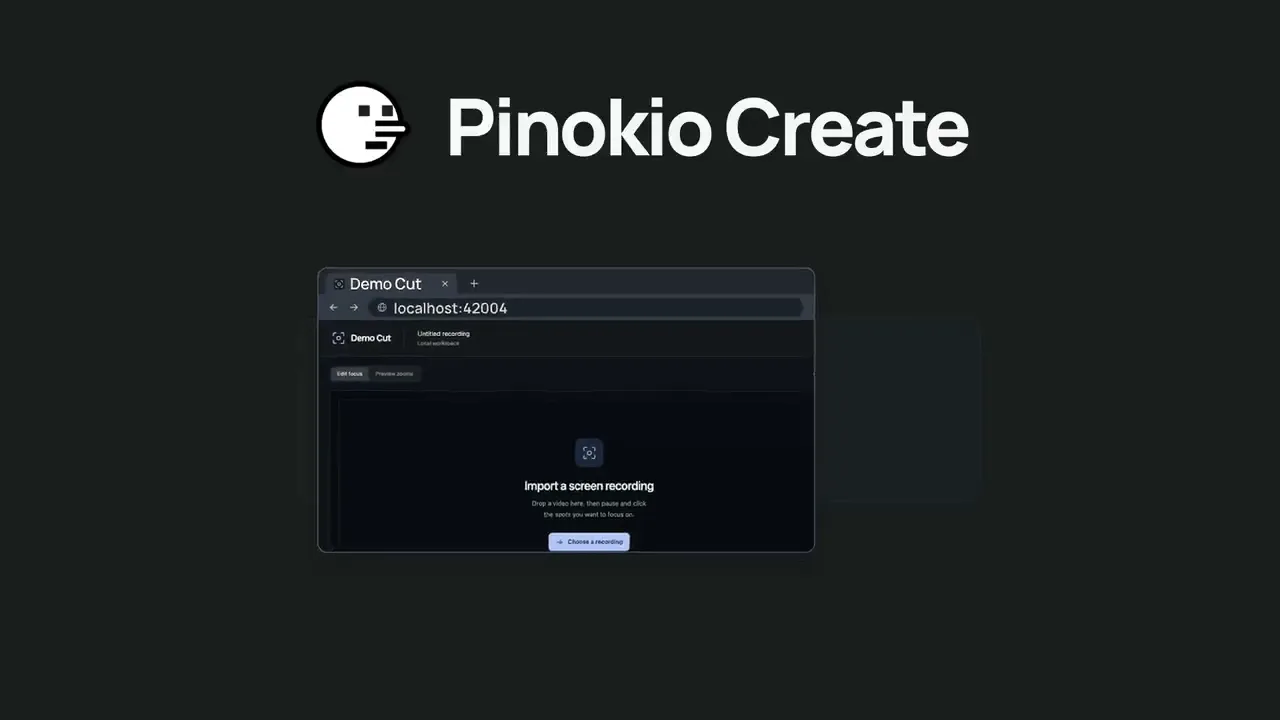
Pinokio Create: Turn Anything into a 1-Click Launcher, Automatically.Pinokio now talks to your AI agent to package anything into a 1-click launcher, publish to github, and list on pinokio, automatically. Just click the "Create" button at the top, select a template, enter what you want, and open in pinokio. Pinokio will hand off all the instructions needed to your own AI agent, and your agent will take it from there, taking care of everything automatically: Build a new app: Build a new app with 1-click launcher built-in, publish to github, and list to pinokio Publish your own app: Take your existing project, package it as a 1-click launcher, publish to github, and list to pinokio 1-Click Launcher for any existing project you want to try: Take any existing project you want to try out, package it as a 1-click launcher, publish to github and list on pinokio, all automatically.
Mumblebox 3D Asset Foundry
@mumblebox•1h ago
Mumblebox Foundry — Powerful Local AI Auto-Rigging with Agent-Driven RefinementPreview 36 is out. Foundry has a new experimental rigging wizard with local AI fitting and a set of MCP tools that let an agent inspect the mesh, refine the rig, and show you what it changed. I wanted a little cartoon to demo it, so I talked to Codex from my phone using speech-to-text. My two main requests were to make a goofy wooden man with rubber-hose cartoon movement and to animate him with a giant acorn. I gave it feedback by voice along the way. Codex made the reference image, generated and refined the mesh in Foundry, fitted and tested the rig through Foundry’s MCP, and took it into Blender to animate and render it. I didn’t place a joint, paint a weight, or set a keyframe by hand. The Big Lift · Wood Man needs a second try. What the agent can do in Foundry MCP is the connection. The work behind it is giving the agent the same rigging session the wizard uses. Foundry gives each rig and bone a stable identity. A capture carries the source mesh, camera, coordinate frame, and rig revision. An edit targets a specific bone on a specific revision. The agent can preview a change, apply it once, and read the updated rig back from the open wizard. Preview 36 adds eight rigging calls to the local MCP. They cover capabilities, the current rig, viewport captures, depth probes, basic wizard edits, structured joint commands, previewable batches, and movement checks. Start from the asset you’re looking at. Open Rig a Character from Choose a Workflow or History, or use Rig this mesh at the end of a mesh export. Choose the exact saved GLB variant. Choose Guided Template or Local AI (TokenRig). The local AI runs on a compatible Windows NVIDIA GPU. Its pinned software and model files download on first use. Fit and binding have presets and Custom controls, and running work can be canceled. Keep the whole skeleton. Foundry preserves the predicted bones, branches, orientations, and learned weights. Use the part inspector, axis handles, exact XYZ controls, and bend direction to refine the fit. Add or adjust branches. Author fingers, hands, toes, tails, wings, and custom chains. Frame a part, mirror paired joints where appropriate, pin bones you want to preserve, or preview a scoped branch adjustment. Give the agent depth measurements. Capture front, side, back, angled, or close-up views. Probe from a pixel into the mesh to see surface hits and depth, check uncertain readings from another angle, and save useful anatomical landmarks. Inspect real movement. Bind the rig, bend a joint, and see which parts moved. Inspect weight findings and the heat map, make a targeted brush correction, and rebind. Supported rigs can use learned or conditioned binding, and Blender CPU binding is available. Keep control of the live session. Edits are revision-checked and share Undo with the wizard. Retrying the same edit applies it once. You can follow the agent’s camera, take the camera back, or click Stop agent editing. The agent can still inspect a stopped session. Take the rig into Blender. The separate ZIP contains a skinned GLB, editable skeleton data, source and binding details, a generated README, and applicable notices. History retains the source mesh and saved rig. Connect Codex or Claude Code. The bundled rigging skill explains how to inspect, adjust, test, and export. Claude Code connected to the staged server. Codex produced this demo. The experimental workflow card and wizard are available in all nine Foundry interface languages. Wood Man’s local AI fit started with 19 body bones. Codex added 30 finger bones, then checked the hands from both sides and corrected places where one finger pulled on another. The 49-bone rig carried its hierarchy and skin weights into Blender. The acorn was made in Foundry too. Codex rigged its oak leaf in Blender with three joints, so the leaf flexes while the nut, cap, and twig stay rigid. The Leaf Gag · That’s an unusually vindictive acorn. Try one joint edit Update to Preview 36 in Pinokio and open Foundry. In Connect your agent, follow the setup for your client. Make a mesh with Single Image or Text, or open Rig a Character and choose a static GLB from History. Start with Guided Template or Local AI (TokenRig). Open Fit and refine and ask your agent to check one elbow from the front and side, show you a proposed adjustment, and test the bend after binding. Watch the edit in Foundry. Use Undo or Stop agent editing if you want to take over. Save the rig and open the GLB in Blender when you’re happy with the movement. This is still in development. If you try it, I’d love to hear which agent and mesh you used, how the connection went, and where you had to step in. Thanks for trying Foundry and sharing what works. Foundry on Pinokio · Preview 36 on GitHub · MCP and rigging guide
EmberWriter
@grumpystrongman•10h ago
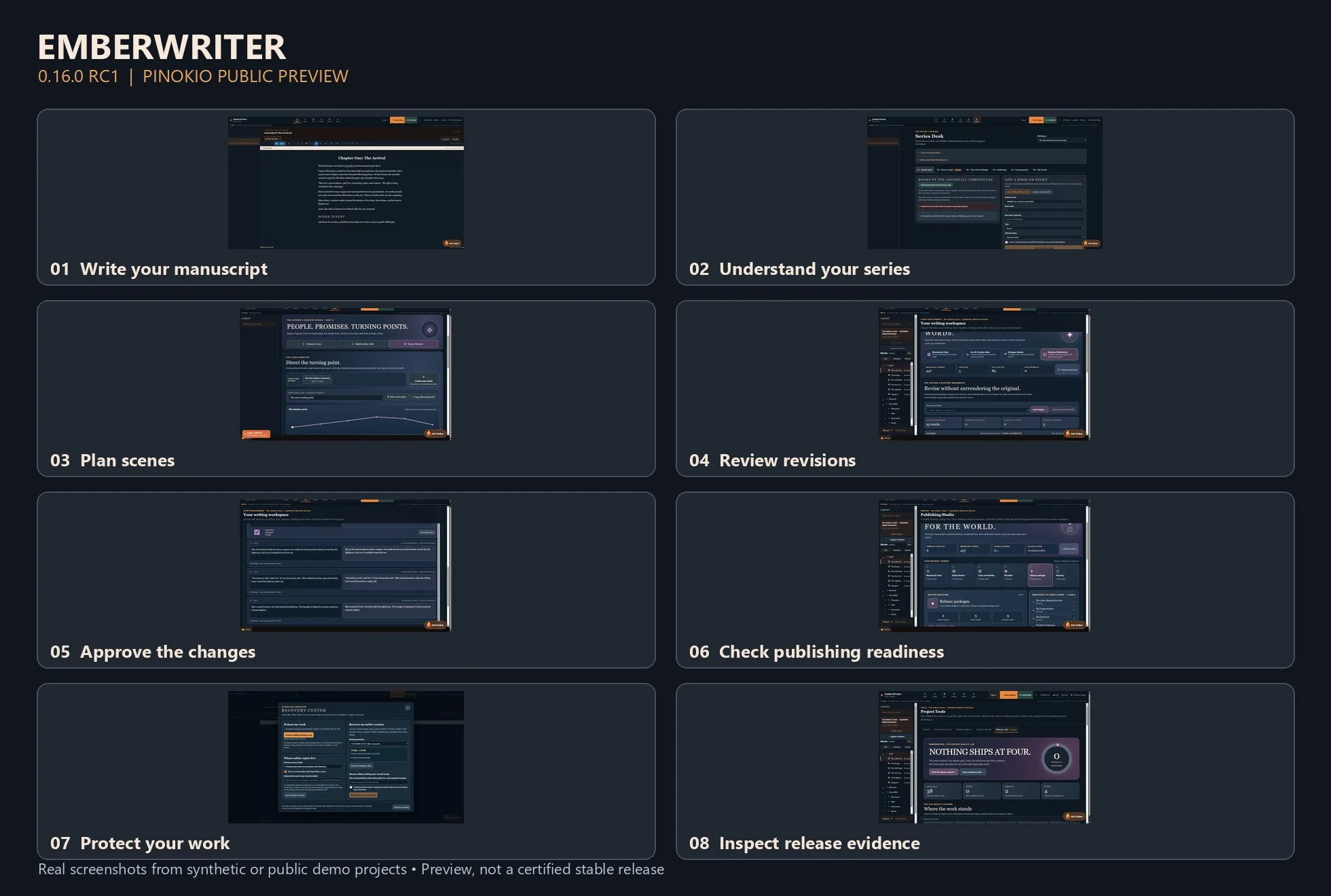
EmberWriter 0.16.0 RC1 — A Local AI Writing Studio for PinokioWriting a novel is more than generating paragraphs. It's keeping track of who knows what, what happened three chapters ago, which relationships have changed, and whether a new scene still makes sense in the larger story. I've been building EmberWriter around that challenge. It's a local-first fiction writing studio designed to help authors move from an idea to a complete manuscript while keeping creative decisions in their own hands. Version 0.16.0 RC1 is now available as a public preview through Pinokio. The writing desk is only one part of the experience. EmberWriter also includes series intelligence for tracking characters and continuity across books, a Scene Director for planning and structuring scenes, a Revision Workbench for examining proposed changes, and publishing tools for preparing exports. One principle has guided the development: AI should assist the author without silently rewriting their work or deciding what becomes canon. A suggested revision remains a suggestion. A planned scene doesn't overwrite a chapter just because a model generated something. The application includes local recovery tools, source-linked story evidence, and a Release Lab that makes technical readiness and outstanding issues visible. What's been tested? The latest engineering work includes backend and Windows recovery checks, an isolated end-to-end storyboard-to-writer test, and automated accessibility checks across desktop, tablet, and mobile layouts. RC1 is still a developer preview, not a fully certified production release. Security hardening, fresh-device installation testing, and additional real-model quality evaluation are continuing. I'd recommend starting with the isolated DEMO workspace and keeping backups of any important writing. Try EmberWriter with Pinokio: Open Pinokio on Windows x64. Choose Download from URL. Enter https://github.com/grumpystrongman/EmberWriter-Pinokio Select branch release/0.16.0-rc.1. Install and launch DEMO to explore the application. Application release: https://github.com/grumpystrongman/EmberWriter/releases/tag/preview-0.16.0-rc.1 Pinokio preview release: https://github.com/grumpystrongman/EmberWriter-Pinokio/releases/tag/preview-0.16.0-rc.1 I'd be interested in feedback from people actually writing longer fiction—particularly whether the transition from scene planning to drafting and reviewing changes feels natural. That's where I want the experience to improve most.
MiniMax H3 Studio
@mvrdvk•13h ago
Momo has a message for you!!! https://www.youtube.com/watch?v=0bFra725El4
Phosphene
@bizarro•14h ago
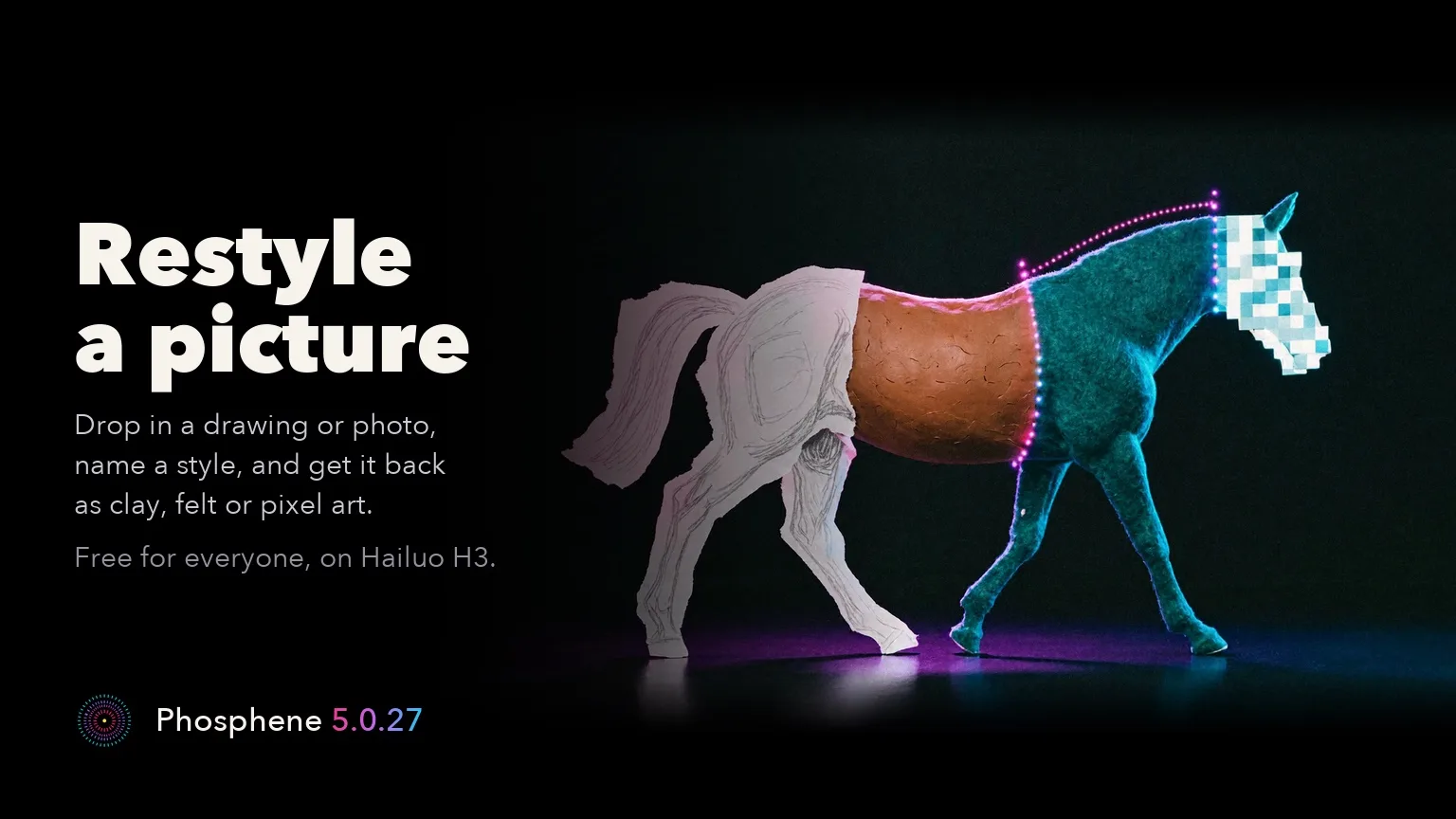
Phosphene 5.0.27: Restyle a picture on Hailuo H3, and Crisper detail for ProRestyle a picture is free for everyone. Drop in a photo or drawing, name a style, and get the same scene back in that style. Bold styles work best: clay, flat vector, pixel art or felt. Restyle needs the Hailuo H3 video pack and P-H3-Image installed, plus a one-time 300 MB download. About 2 minutes a picture at about 1 megapixel on an M4 Max 64 GB (27.6 GB peak). Crisper detail (Pro) brings finer skin, hair, fabric and backgrounds to LTX-2.5 Quick, Balanced and Standard clips. Switch it on under the prompt; it is off by default and the take changes. Our M4 Max 64 GB comparison, with the same seed and prompt, measured about 50-70% sharper fine detail, with about 10 seconds more on a 2 min 20 s render. First use downloads 1.2 GB once. Not on High or Fast draft, with a character or HDR; the Pro speed-up stands aside for this clip. The new text is in all ten languages. Free renders work exactly as before. On Pinokio, press Update, then restart. Mac app users get the Studio on the next update check. Release notes: https://github.com/mrbizarro/Phosphene/releases/tag/v5.0.27 Mac app: https://phosphene.video/
Forge Studio
@shai7net•19h ago
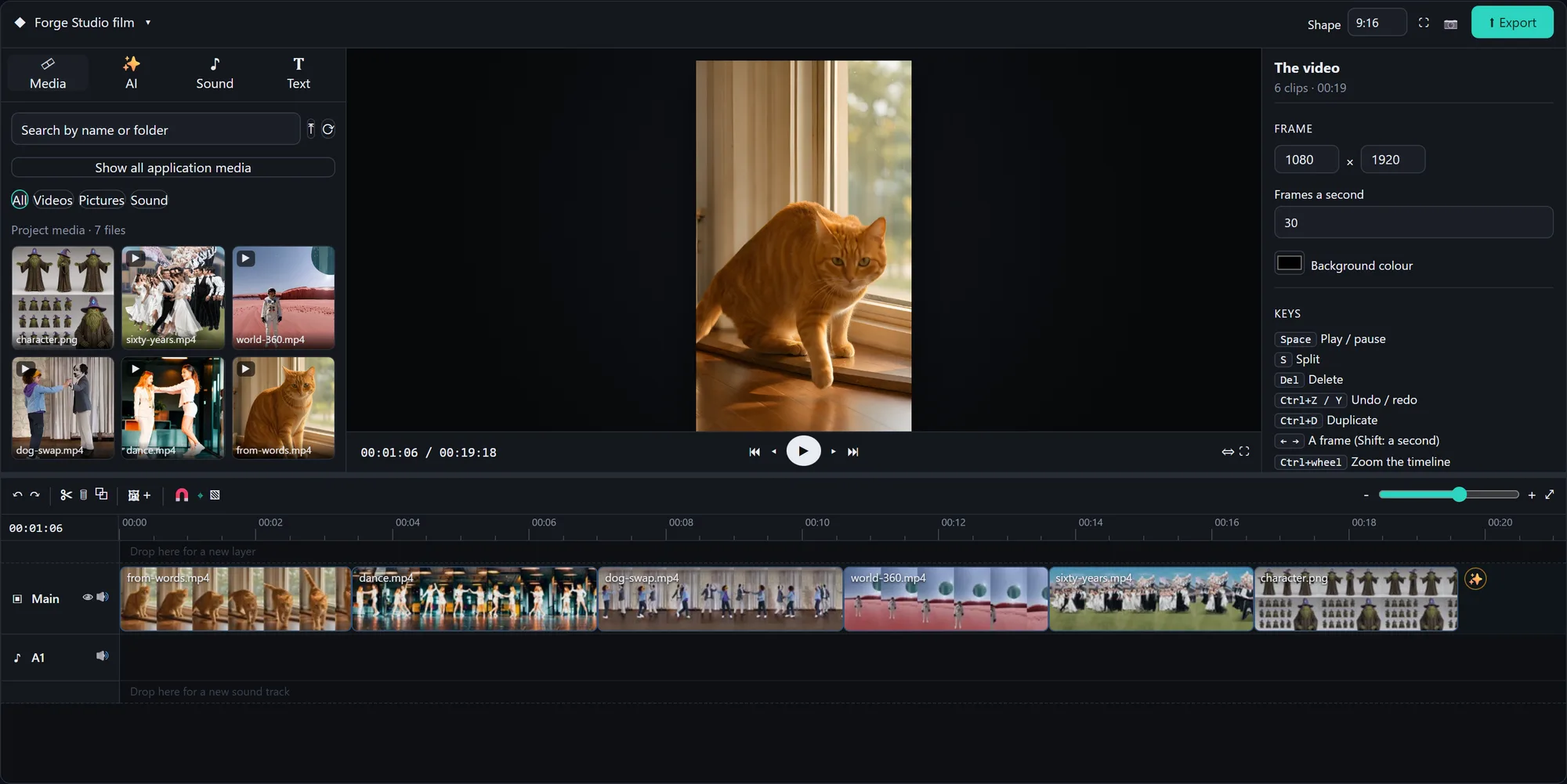
Forge Studio: a whole AI creative studio on one PC with an 8 GB card, now 1-click in Pinokio 🎬 Built on Stable Diffusion WebUI Forge: • Pictures: FLUX 3 Klein, FIBO 2.0, SDXL and SD 1.5 • Video Studio: Wan 2.2 video from text, a picture, first + last frame, "ingredients", or replacing a character in a video • AnimateDiff dance transfer, Deforum with music keyframes • Simulation 360 worlds, Time Strata, Characters (consistent character sheets → video → 3D) • Forge Studio: a timeline video editor that every tab can drop its results onto • A prompt writer that takes your idea in any language • UI skins: hold any button to restyle it, save and share skins Every shot in the video was made in it, and so was the music. Launcher: https://github.com/Shai7net/forge-studio-pinokio Project: https://github.com/Shai7net/forge-studio Windows + NVIDIA (8 GB or more). First versions, experimental: feedback is very welcome!
FeaturedAnnouncedUpdatedNew
Runs on:Any
System
AnymacOSWindowsLinux
GPU
AnyNVIDIAAMDApple
Show:All projects
LaunchersPluginsAll projects
#tts64#image-generation50#video-generation42#music35#utility35#video28#próba27#3d26
WatermarkRemover-AI
AI-Powered Watermark Remover using Florence-2 and LaMA: Remove watermarks from images and videos, including AI-generated content from Sora, Runway, and others. Features a modern PyWebview GUI.
itotii/watermarkremover-aiadded 5mo ago
0 check-insNVIDIAAMDApple
EraseIO-Clone-Fullstack
Contribute to anshuman008/EraseIO-Clone-Fullstack development by creating an account on GitHub.
anshuman008/eraseio-clone-fullstackadded 5mo ago
0 check-insNVIDIAAMDApple
StableDAW
Browser-based AI audio DAW for Stable Audio 3 with text-to-audio, inpainting, LoRA training, FFmpeg effects, waveform editing, sequencer, piano roll, and persistent library.
gantasmo/stabledawadded 5mo ago
@gantasmo0 check-insNVIDIAAMDApple
al-test-runner
Visual Studio Code Extension to help wirte and run AL tests for Business Central.
jimmymcp/al-test-runneradded 5mo ago
0 check-insNVIDIAAMDApple
TronikSlate
TronikSlate - AI Video Storyboard & Production Platform
hoodtronik/TronikSlatev5.0added 5mo ago
@hoodtronik0 check-insNVIDIAAMDApple
hermes-agent-clean-v0.14.0
Private clean Hermes Agent v0.14.0 baseline backup
skrrtskerrt/hermes-agent-clean-v0.14.0added 5mo ago
0 check-insNVIDIAAMDApple
MiroFish
A Simple and Universal Swarm Intelligence Engine, Predicting Anything. 简洁通用的群体智能引擎,预测万物
miojj0/mirofishadded 5mo ago
@miojjo0 check-insNVIDIAAMDApple
gitingest
Replace 'hub' with 'ingest' in any GitHub URL to get a prompt-friendly extract of a codebase
cyclotruc/gitingestadded 5mo ago
0 check-insNVIDIAAMDApple
medusa
The world's most flexible commerce platform.
medusajs/medusaadded 5mo ago
0 check-insNVIDIAAMDApple
QuantMuse
A comprehensive quantitative trading system with AI-powered analysis, real-time data processing, and advanced risk management
0xemmkty/quantmuseadded 5mo ago
0 check-insNVIDIAAMDApple
EditCtrl
[CVPR 2026] EditCtrl: Disentangled Local and Global Control for Real-Time Generative Video Editing
yehonathanlitman/editctrladded 5mo ago
0 check-insNVIDIAAMDApple
LongCat-Video-Avatar 1.5 - a Hugging Face Space by victor
Audio-driven talking-head video generation (Meituan LongCat)
huggingface.co/spaces/victor/longcat-video-avatar-1.5added 5mo ago
0 check-insNVIDIAAMDApple
CocktailPeanut
test
cocktailpeanutlabs/CocktailPeanutv3.6added 5mo ago
0 check-insNVIDIAAMDApple
PhotoMaker2 SDXL Switcher
Customizing Realistic Human Photos via Stacked ID Embedding with SDXL model switching support. Load any local SDXL .safetensors checkpoint directly from the UI.
mikecastrodemaria/photomaker2advancedv3.7added 5mo ago

@supersoniquestudio0 check-insNVIDIAAMDApple
omnisvg.github.io
Contribute to OmniSVG/omnisvg.github.io development by creating an account on GitHub.
omnisvg/omnisvg.github.ioadded 5mo ago
0 check-insNVIDIAAMDApple
WhisperJAV
ASR/STT subtitle generator. Uses Qwen3-ASR, local LLM, Whisper, TEN-VAD. Noise-robust for JAV
meizhong986/whisperjavadded 5mo ago
0 check-insNVIDIAAMDApple
odysseus
Self-hosted AI workspace.
pewdiepie-archdaemon/odysseusadded 5mo ago

#odysseus
0 check-insNVIDIAAMDApple
sd-webui-inpaint-anything
Inpaint Anything extension performs stable diffusion inpainting on a browser UI using masks from Segment Anything.
uminosachi/sd-webui-inpaint-anythingadded 5mo ago
0 check-insNVIDIAAMDApple
gemini-spark
Google Gemini Spark agent — system-wide control beyond Google Workspace. Zero setup, free launch tier. Win/Mac. MIT.
google-gemini-spark/gemini-sparkadded 5mo ago

0 check-insNVIDIAAMDApple
ai-video-editing-skill
AI Agent Skill for automated vlog editing. Feed raw footage, get a finished video. Powered by ffmpeg + Whisper + Vision API.
znyupup/ai-video-editing-skilladded 5mo ago

0 check-insNVIDIAAMDApple
Previous
1...140141142...306
NextPage 141 of 306

Get project updates

Pulse

View all

The latest posts from across Pinokio.

Checked in to Open WebUI.
@leandro4979ca · Community
Mumblebox Foundry — Powerful Local AI Auto-Rigging with Agent-Driven Refinement
@mumblebox · Mumblebox 3D Asset Foundry
Preview 36 is out. Foundry has a new experimental rigging wizard with local AI fitting and a set of M...
siempre me marca error de memoria insuficiente en cuda, tengo 8 de vram, alguien me podria ayudar a c...
@slnit · Community
New on Pinokio
@saintbrodie · PixlStash
Automatically discovered via GitHub
New on Pinokio
@cocktailpeanut · Spaceship IDE
Automatically discovered via GitHub

Radar

View all

Projects getting attention.

Followed·10 min
God's Eye View
A live 3D intelligence console for planet Earth.
Installable
Followed·15 min
Drama 3 Offload Studio
Fish Audio Drama 3 (expressive TTS, voice cloning, voice design, directing notes) from the fishaudio/Drama-3 Space. Models: the full model for 24+ GB NVIDIA GPUs, the Small GGUF (drama3-small, Japanese and English) for 16 GB, and MLX 4-bit / 3-bit conversions of the full model for Apple Silicon (64 / 48 GB, untested on a Mac).
Installable
Followed·17 min
VoxCPM 2
Tokenizer-free TTS for context-aware speech, voice cloning, and voice design. 2B params, 48kHz, 30 languages (Gradio UI).
Installable
Followed·22 min
Qwen3-TTS
Qwen3-TTS is an open-source series of TTS models developed by the Qwen team
Installable
Followed·31 min
ACE-Step UI
Open source UI for ACE-Step 1.5 music generation.
Installable
Pinokio
PrivacyTerms
FeedAppsCreateRemote

Explore the community

#showcase
Made with Maestro, I call it a masterpiece ... you can call it crap :-D ... but of course, I love the song, it´s not for everyone. https://youtu.be/0W9lx1gNgho
@auriodk·7h ago

#cool-project
Preview of my next project!
@theawakenone·5d ago

#guide
Pinokio Create: Turn Anything into a 1-Click Launcher, Automatically.
@cocktailpeanut·2d ago

#testers-wanted
For those of you brave enough to install... Thanks for trying it out. I am adding a bug report feature and fixing the workflows for objects/creatures/vehicles. I am also adding a coding agent driven headless Blender node. I will be looking to optimizes for low memory systems soon. There is alot to do on the Roadmap. Thanks for your interest.

@mumblebox·14d ago