






Pinokio
FeedAppsRemoteCreate
Download Pinokio
Sign inCreate accountJoin

Apps

Announcements

View all

Official updates.

Pinned announcement from Pinokio
pinokio
@cocktailpeanut•1d ago
Pinokio Create: Turn Anything into a 1-Click Launcher, Automatically.Pinokio now talks to your AI agent to package anything into a 1-click launcher, publish to github, and list on pinokio, automatically. Just click the "Create" button at the top, select a template, enter what you want, and open in pinokio. Pinokio will hand off all the instructions needed to your own AI agent, and your agent will take it from there, taking care of everything automatically: Build a new app: Build a new app with 1-click launcher built-in, publish to github, and list to pinokio Publish your own app: Take your existing project, package it as a 1-click launcher, publish to github, and list to pinokio 1-Click Launcher for any existing project you want to try: Take any existing project you want to try out, package it as a 1-click launcher, publish to github and list on pinokio, all automatically.
God's Eye View
@bilawalsidhu•2h ago
Hey everyone, we've got an official website now: https://godseyeview.ai. You can check out all the features, setup instructions and watch reconstructions of real-world events. By popular demand, we also have a hosted version coming, so you can get on the waitlist there as well. We will be opening up for early access soon. We also have a substantial 0.4.0 update coming to the open source self-hosted project next week. Thanks for all the support! Tons more to come.
Mumblebox 3D Asset Foundry
@mumblebox•4h ago
Foundry Preview 35 · The retro ray gun, better MCP tools, and an update fixSorry about all the commits and updates today. We kept making the same circular mistake. Update restarted Foundry, and reopening Foundry could start Update again. Preview 35 removes that step and checks for a newer release before stopping Foundry. I’ve been working on making Foundry easier to try, easier to connect to your agent, and easier to help improve. I made a 1930s-style ray gun to show what that looks like. You can load the same reference in Foundry, export the textured model, and take it into Blender. The Foundry GLB rendered under Blender studio lights. What’s fixed. Clicking Next in Single Image or Text could stop with setText is not defined. Thanks to @rgdesign for flagging it here and to @SibioJak for reproducing it on GitHub. We also fixed a Windows ZIP verification error caused by inconsistent line endings. The Preview 35 update keeps Foundry running when you already have the newest release. What you can try. Open Single Image or Text and choose Use sample image. First-use files shows which files the workflow expects to need and calls out anything it can’t estimate. If you hit an error, Copy details gives you a short report you can paste into an issue. The interface and workflow tips are available in all nine supported languages. The original image you can load with Use sample image. The exported ray gun spinning in Blender. What changed under the hood I’ve been giving the MCP and the companion SKILL.md a lot of attention. The tool descriptions now explain what inputs the agent needs and which calls read information, change a draft, or start a job. An agent can check first-use files before it queues work, watch the same progress you see in the wizard, and pick up the ZIP when it’s ready. On the Red Comet run I stopped the texturing pass through MCP, then retried it. Foundry picked up from the saved geometry and refinement. The same workflow exported a GLB with two embedded 4K maps, which I imported into Blender and lit for the turntable. The updated skill walks agents through choosing the right workflow, checking the result, and bringing it into Blender. Walkthrough, source image, settings, and GLB For the Windows ZIP fix, I compared all 639 files in the release ZIP with what Git produces from the release tag under both Windows line-ending settings. The new build matched byte for byte. Preview 35 should be fine for tonight. I’m sure I’ll find more bugs tomorrow. Thanks for your patience and for trying Foundry, sending in bugs, and sharing your results. More workflows are coming, and I’ll keep refining the recipes and defaults as we see what works on real assets. If you make something you like, I’d love to see it and hear which settings helped. Preview 35 on GitHub · Foundry on Pinokio
Phosphene
@bizarro•1d ago
Phosphene 5.0.24 - now in ten languagesPhosphene 5.0.24 is out. The Studio now speaks your language. Everything here is free for everyone. https://phosphene.video/ Ten languages: English, Spanish, German, French, Italian, Portuguese, Russian, Japanese, Korean and Chinese (Simplified). Phosphene follows your Mac's language by itself; to pick another, open Settings and choose Language. Counts and times read naturally in every language, and labels that were written in pieces now read as whole sentences. The Pro window says what Pro does on this Mac, shows both plans with their prices, the 14-day refund and how your key arrives. Mac app 5.0.24: the app's own screens come in the same ten languages. The Studio in Spanish. Press Update, then restart Phosphene. The Studio picks your Mac's language on the next start. Release notes: https://github.com/mrbizarro/Phosphene/releases/tag/v5.0.24
MiniMax H3 Studio
@mvrdvk•2d ago
How to try it: Open Motion → Face Swap, add a source clip and a portrait of the replacement face, then describe exactly which person to swap. Preview a short shot first and check that the face follows the original head movement and expressions.
Haru
@cocktailpeanut•2d ago
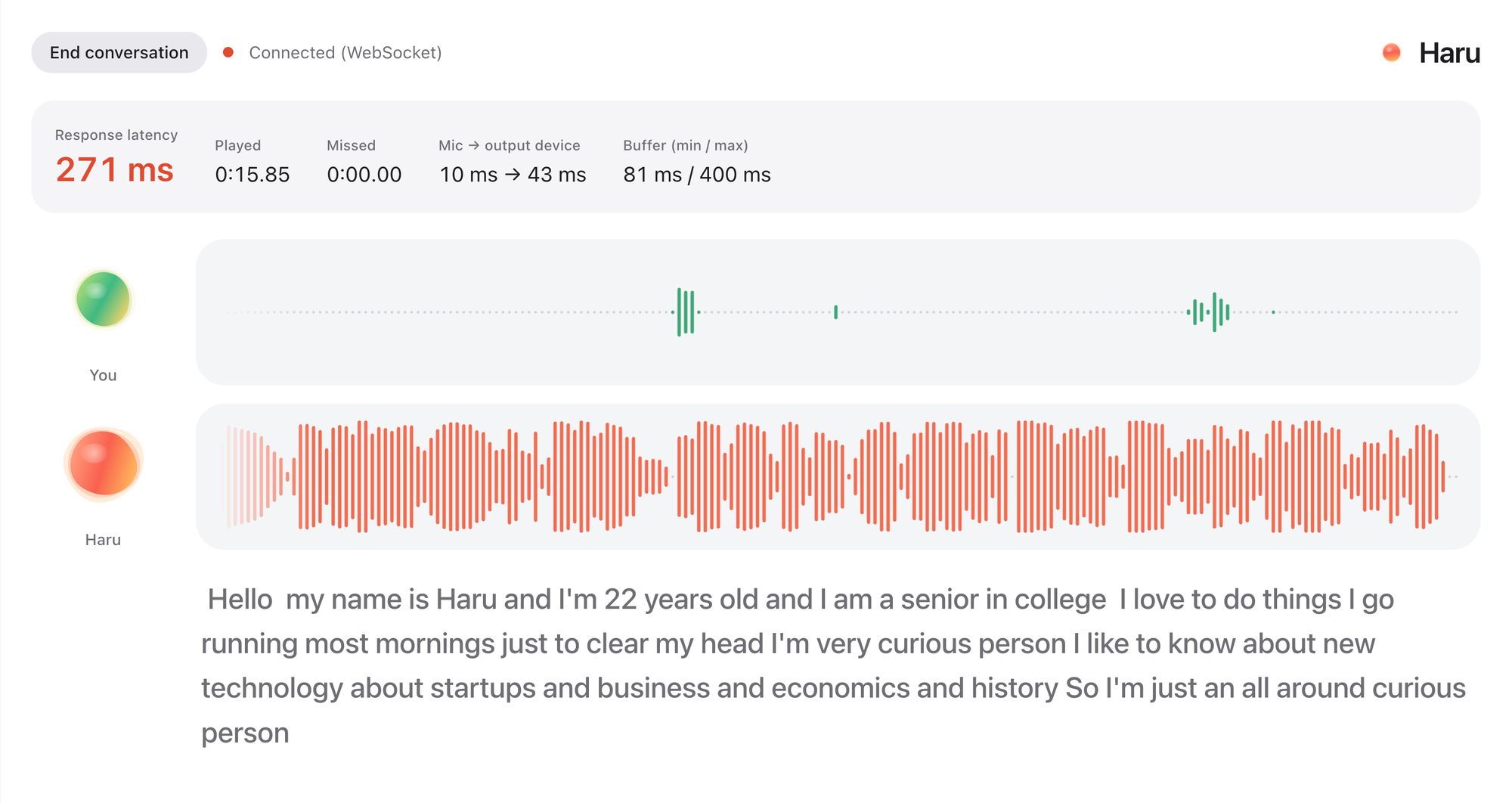
Haru: HER is here. Realtime voice chat with an AI friendRemember the movie HER? You talk to an AI like talking to a friend. It's not an assistant. It's your friend. You can just chat about anything, you can even interrupt while they're talking. Well, now you can actually experience the same thing with Haru. It's fully open source and open weight. It's completely free to use forever. More on X: https://x.com/cocktailpeanut/status/2121287442086994133 And here's what the UI looks like. When you start the chat (which can continue up to 60 minutes) and turn on the microphone, haru introduces himself/herself and you just start chatting. You can even interrupt while haru is speaking, just like chatting with a human. It is not perfect and has some quirks, but definitely worth trying out, really fascinating. System Requirements I've tested on NVIDIA GPU and Mac. Based on my experience you need: At least 12GB VRAM (but 16GB VRAM if you want actual smooth experience) NVIDIA GPU or a 12GB RAM Mac Supported Languages English Spanish Portuguese German French Chinese Japanese Russian Korean Examples Check out some examples: https://x.com/vinami/status/2121049617383231604?a=f1l6aAn7At7YIwYGWao&s=20 https://x.com/HigurashiAI/status/2121043937762889832?a=LxX12XkRp1HaexjZ_8Q&s=20
FeaturedAnnouncedPopularNewUpdated
Runs on:Any
System
AnymacOSWindowsLinux
GPU
AnyNVIDIAAMDApple
Show:All projects
LaunchersPluginsAll projects
#music35#tts64#image-generation50#video-generation42#utility35#video28#próba27#3d26
PotionUIFeatured
PotionUI/potionui-pinokiov7.0updated 3d ago
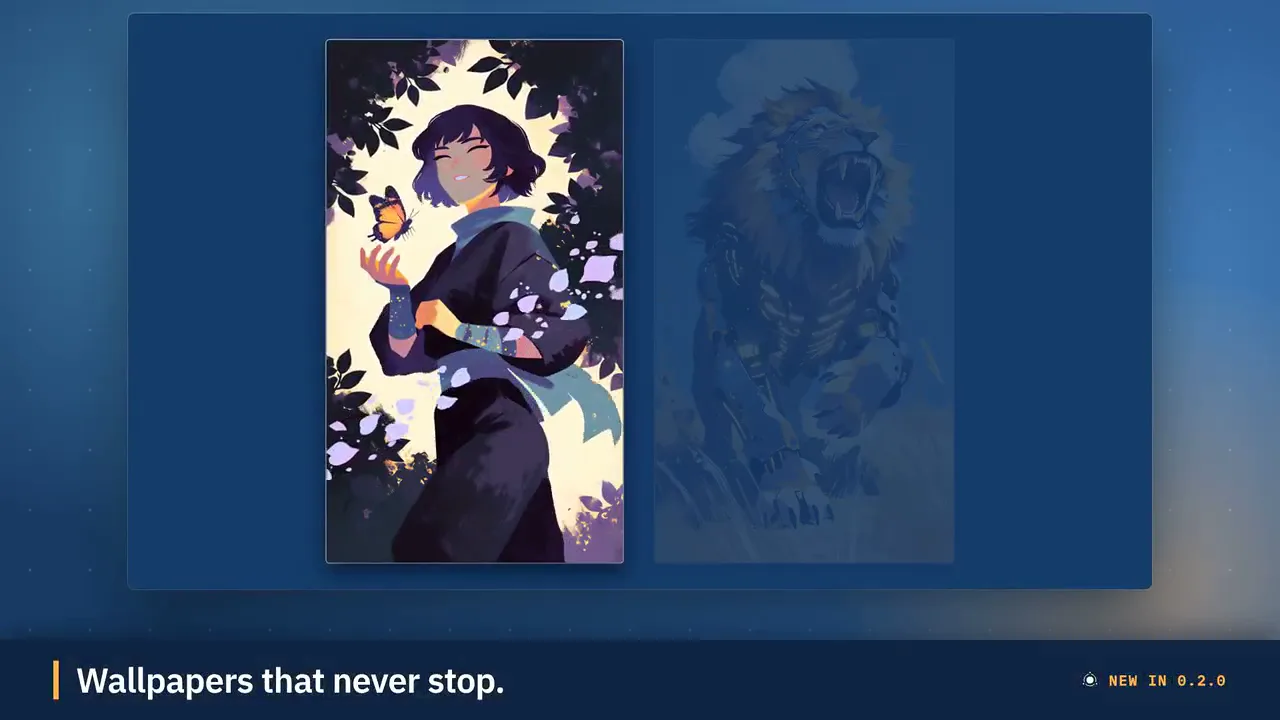
PotionUI: self-hosted AI image and video generation with a preset-driven interface, a native diffusers engine and ComfyUI support. Requires Windows or Linux with an NVIDIA GPU (driver 580 or newer, 8 GB VRAM and 16 GB RAM minimum). Other machines get a remote-only install.
PotionUI 0.2.0: Kits, API keys, Perfect loop videos and a rebuilt details view· 2d ago
8 check-insNVIDIAAMDApple
Wan2GPFeatured
pinokiofactory/wanv8.0updated 1d ago
1-click WanGP Launcher. Super Optimized Gradio UI for AI video creation for GPU poor machines (6GB+ VRAM). Supports Wan 2.1/2.2, Qwen, Hunyuan Video, LTX Video and Flux. https://github.com/deepbeepmeep/Wan2GP
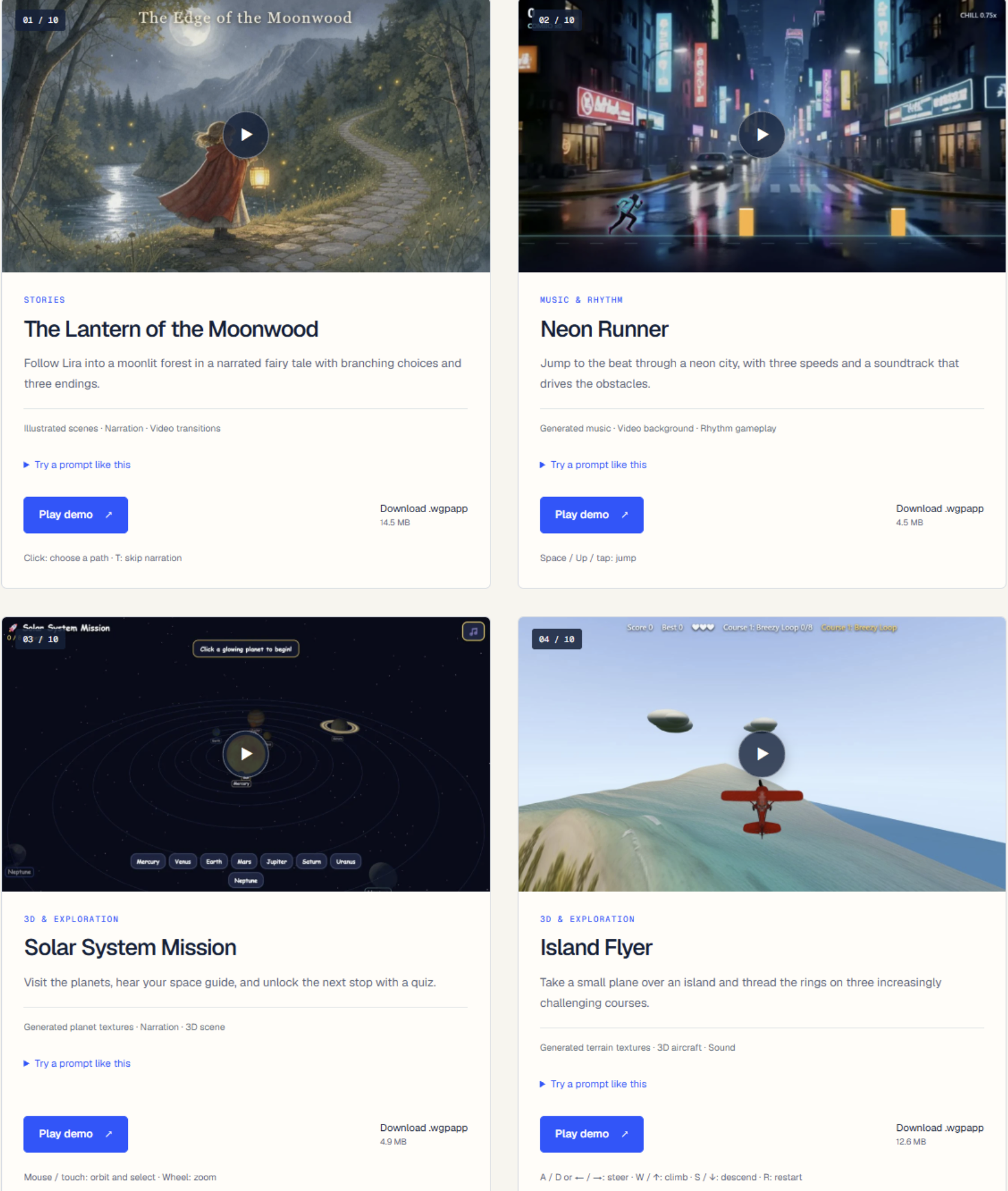
Create games with wan2gp· 17d ago+1
#wan2gp#video-generation#wan
743 check-insNVIDIAAMDApple
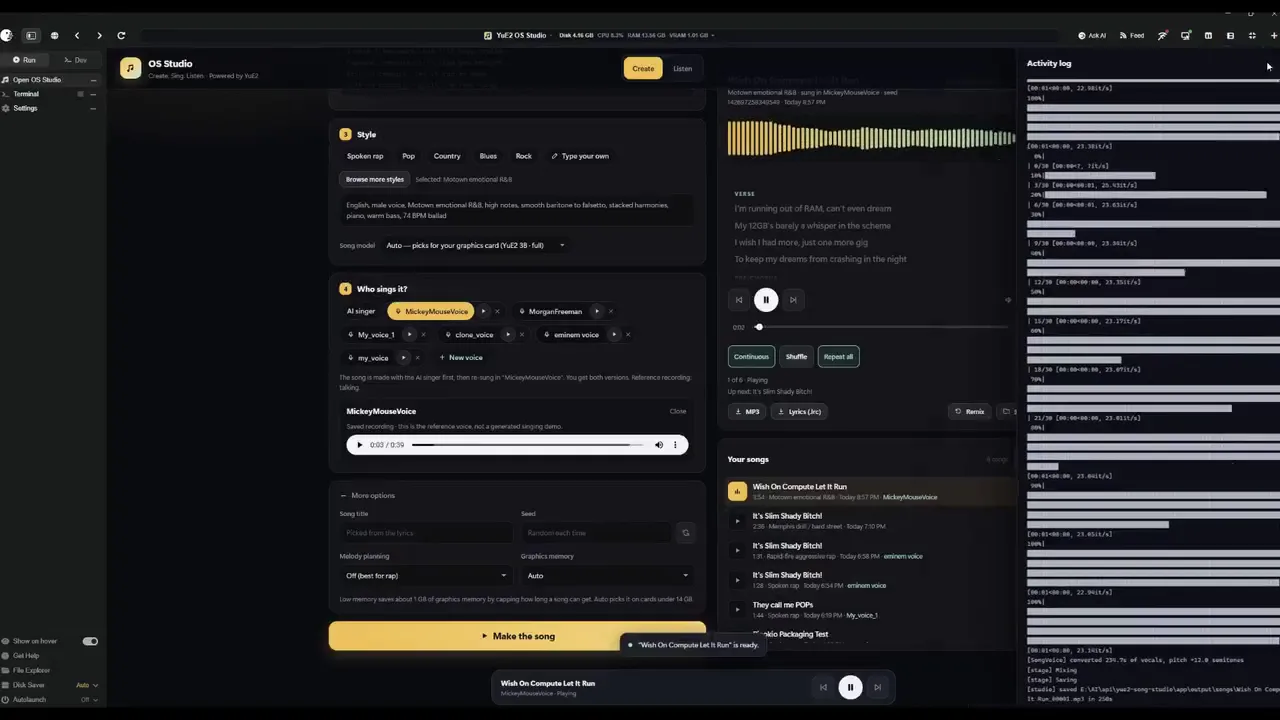
YUE2 // GROOVEFeatured
deadjoe/yue2-groove-pinokiov8.0updated 5d ago
YUE2 // GROOVE is the latest music studio built on the open-source Yue2 model and its inference stack. Generate high-quality full songs from style and lyrics with an editable score plan — powered by the latest YuE model — cover from audio with SheetSage2 and MERT2, refine and compare edits, and keep your works in a reusable, easy-to-manage library. You get high-quality creation with real creative control. Hardware: an NVIDIA GPU with 24 GB VRAM on Linux (YuE2's recommended setup, validated end-to-end on NVIDIA L4 hosts; a 16 GB memory budget runs everything the app can produce, and 12 GB runs the unquantized model at CFG 1.0 or for shorter songs) or an Apple Silicon Mac with 32 GB+ unified memory (where this app is developed and tested). Windows is best effort: install, launch, Cover and a full-length song verified on Windows 11 (RTX 2070, 8 GB); song generation there runs through the GGUF engine. Cards under 16 GB (and Windows) get the optional GGUF engine: the same model through yue2.cpp with an 8-bit backbone, 8.2 GB peak for a full song, measured indistinguishable from the reference rendering in a blind ABX, a different take for the same seed; the reference PyTorch configuration stays the default wherever it fits.
YUE2 // GROOVE 1.0.11 — Windows Cover detection fixes· 21d agoA small update to improve Cover setup and troubleshooting on Windows: Fixed AUTO-DETECT incorrectly reporting that the Cover environment was missing. Improved environment checks and error messages for audio-library loading problems. Added audio-library checks during installation and updates. New installations on Linux/Windows PCs without NVIDIA GPUs now use the smaller CPU packages for Cover. To u
#music
@bearbone14 check-insNVIDIAAMDApple
MaestroFeatured
Blizaine/Maestrov8.0updated 15h ago
An all-in-one, 100% local AI creative studio, director, and multi-track editor. Generate with MiniMax H3, LTX-2.5/2.3, Wan, Flux, Qwen, and more; turn an idea or song into a planned production; then finish it on the timeline. Requires an NVIDIA GPU (6GB+ VRAM).
Maestro v3.2 is live!🚀· 24d agov3.2 Update: FastH3 V2: experimental eight-step text-to-video with generated audio. FastH3 OmniRef: experimental image, video and audio references, with official BF16, INT8 and FP8 checkpoints. FastH3 NVFP4: separate experimental QAD model for supported Blackwell GPUs. Qwen Image 2.1: repaired processor downloads, reduced final VAE memory use and improved tiled decoding to address lines. Hugging F
#maestro#video-generation#music
@blizaine306 check-insNVIDIAAMDApple
MuScriptorFeatured
cocktailpeanut/muscriptor.pinokiov8.0.0updated 1mo ago
Local multi-instrument audio-to-MIDI transcription from Kyutai and Mirelo.
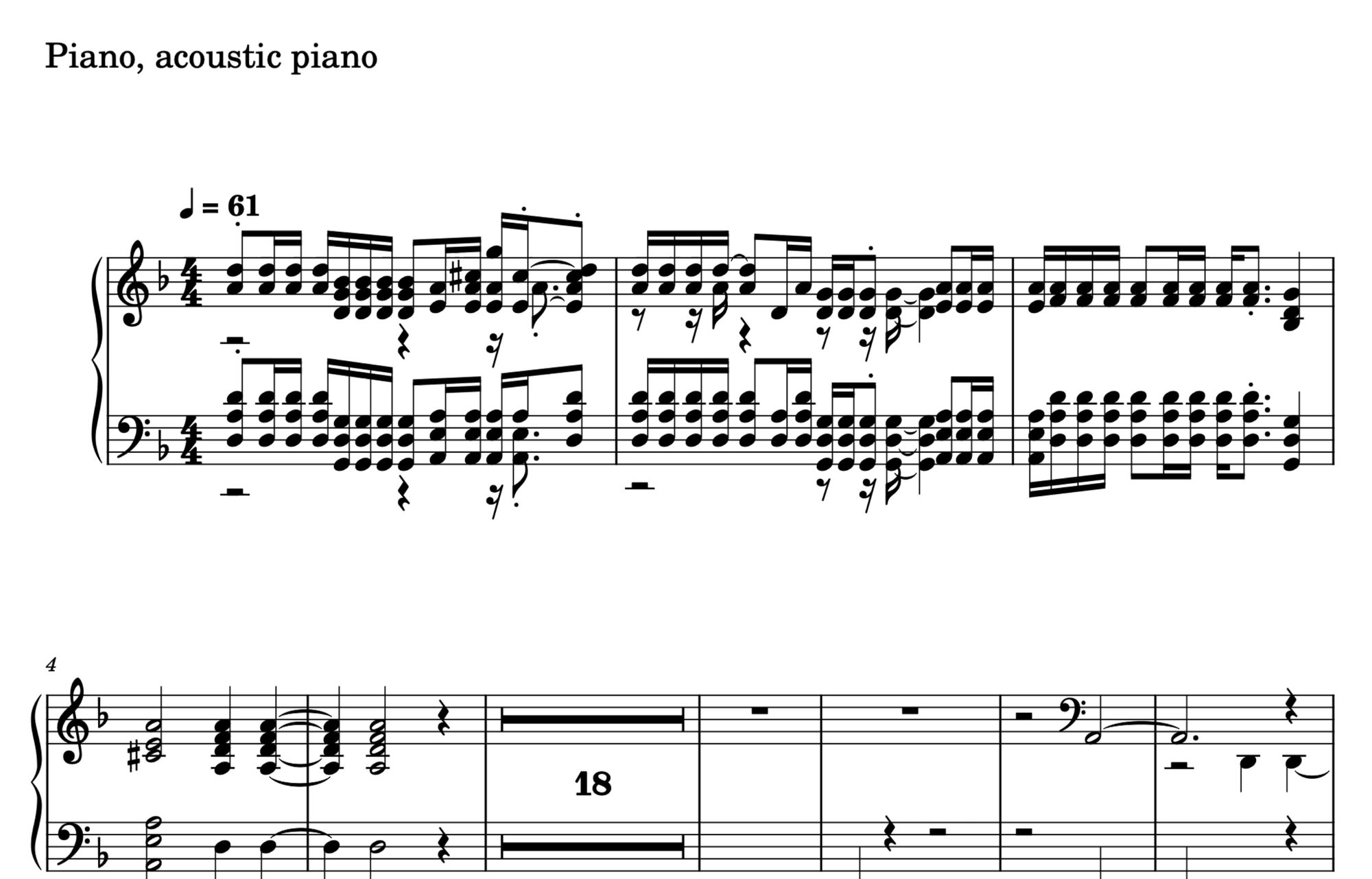
Generate sheet music from audio· 1mo ago+1
#music#audio#midi
@cocktailpeanut28 check-insNVIDIAAMDApple
YUE2 // MLX
Rdx-ai-art/yue2-mlx.pinokiov5.0updated 1mo ago
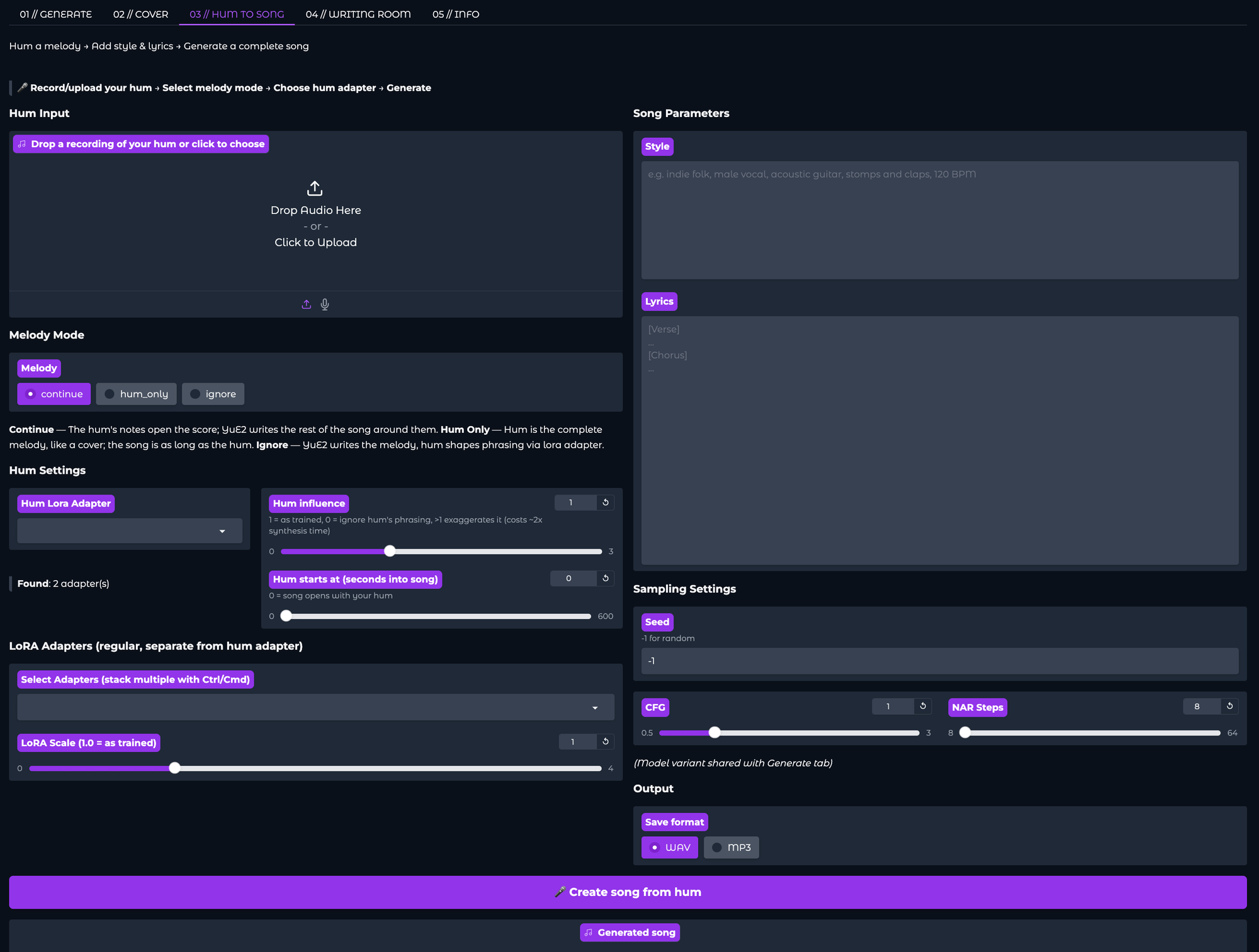
Mac-optimized YuE2 music generation using native MLX inference. Generate complete songs (melody, chords, vocals, accompaniment) from text prompts. Features an LLM Writing Room for lyric composition via OpenAI-compatible APIs (LM Studio, etc.). Pure Apple Silicon — no PyTorch needed.
Update v4 is here! Lora Support, Hum to Song, bug fixes and more...· 1mo ago
@rdx_ai7 check-insNVIDIAAMDApple
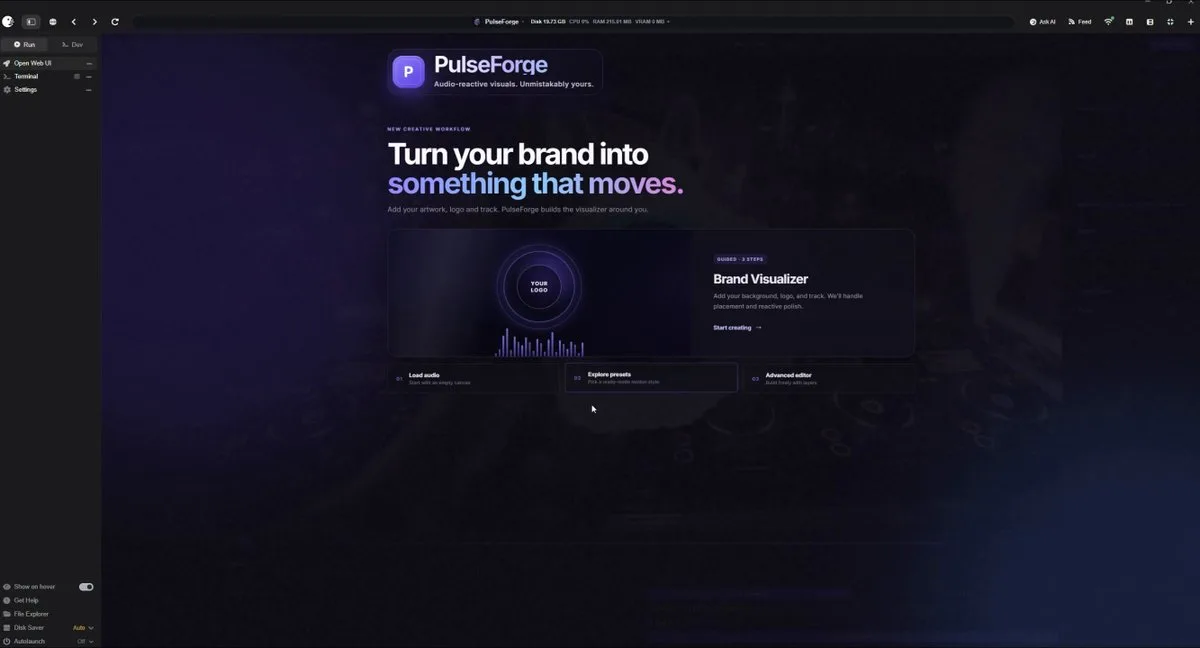
PulseForgeFeatured
TheAwaken1/PulseForgev5.0updated 22d ago
A fully local, cross-platform audio visualizer editor. Create reactive music videos with layered graphics, AI-transcribed lyrics, and frame-perfect MP4 exports — all running in your browser
PulseForge Update· 2mo ago+1
#music#audio-visualization
@theawakenone5 check-insNVIDIAAMDApple
MiniMax M3 Studio
erdinoral/minimax-m3-studiov8.0updated 6d ago
Local MiniMax Music3 studio fork for Windows + NVIDIA GPUs.
MiniMax M3 Studio· 2mo ago+6
@mvrdvk4 check-insNVIDIAAMDApple
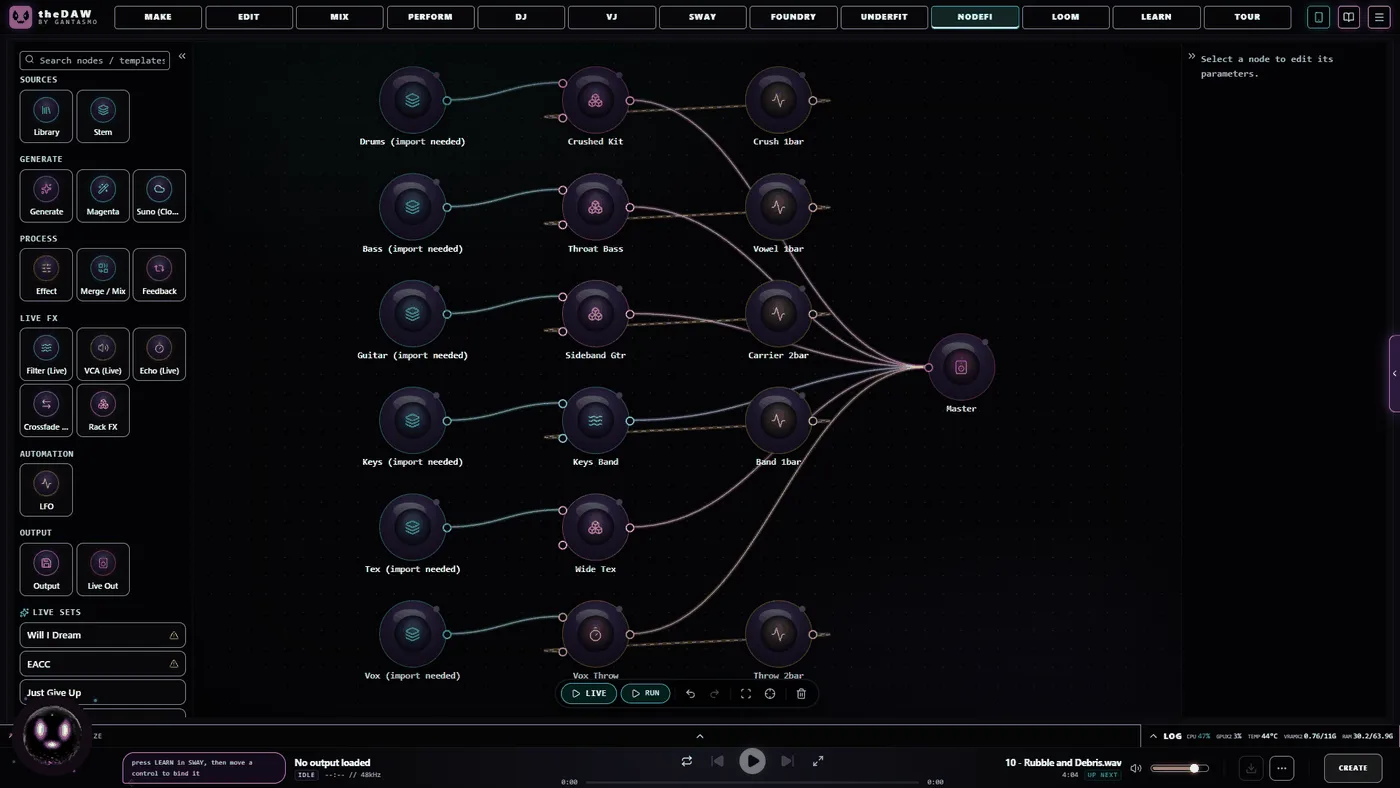
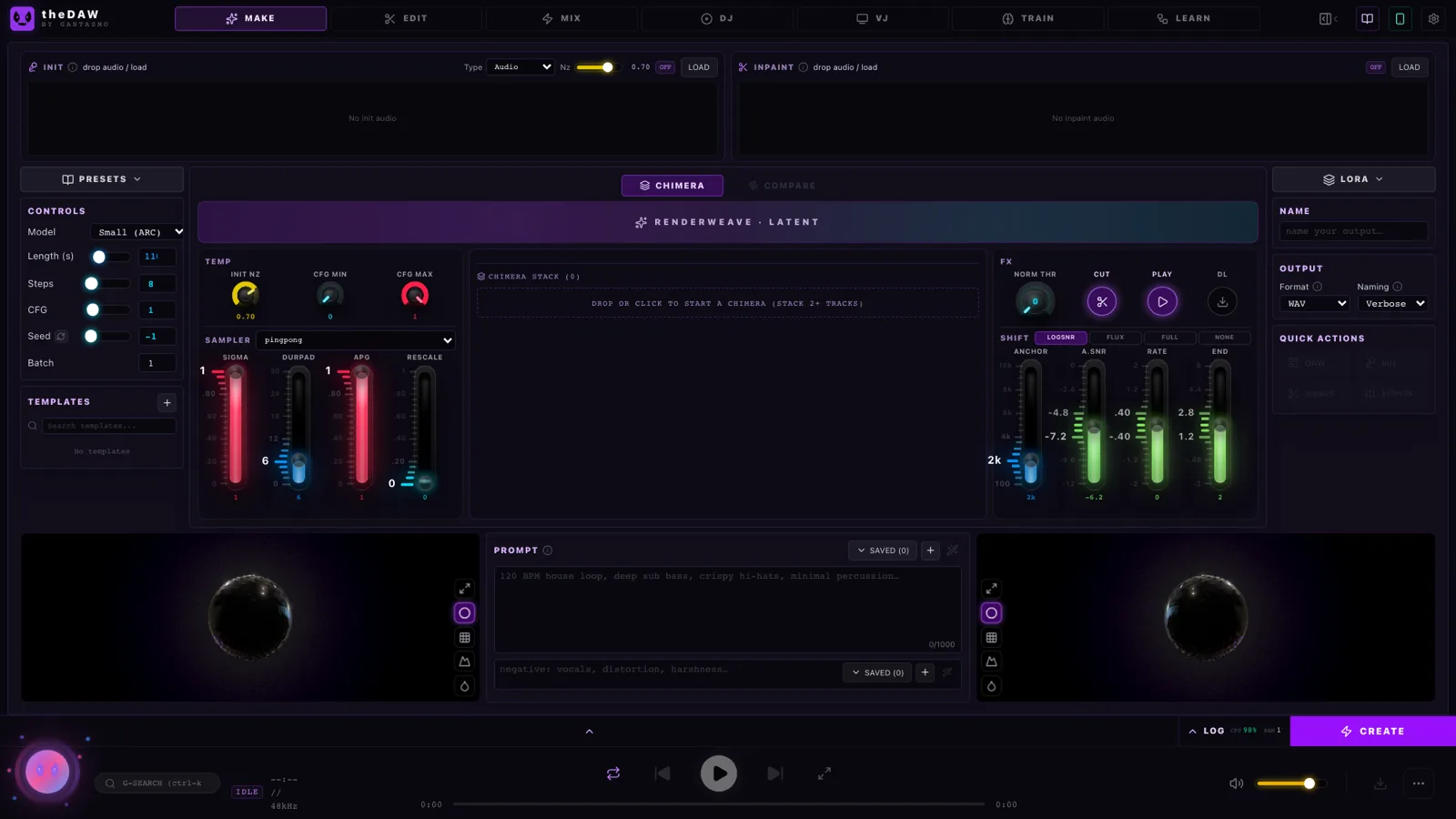
theDAWFeatured
gantasmo/theDAW-Pinokiov7.0updated 27d ago
Full-featured DAW, DJ, and VJ app interoperable w/Ableton, Reaper, Resolume & more. Stable Audio 3, Magenta RT2, Lyria 3 Pro, Suno API, Chimera track fusion, Demucs stems, MIDI generate/notate, rule-based composer (harmony, counterpoint, fugue), orchestra sound bank w/concert-hall reverb, VST3 instruments, MPE, native Audima Labs Sway support, img > spectrogram > music, drawing > music, VST3 & .gan plugins, automix & key-lock, GLSL shaders, volumetric video, Quest 3 XR interface, MIDI auto-map, RAG assistant, asset library with example projects
theDAW by GANTASMO: everything you've wanted from a DAW, and much more. All for Free!· 2mo ago+5
#music#daw#music-studio
@gantasmo11 check-insNVIDIAAMDApple
MiniMax H3 ComfyUIFeatured
ThomasEricB/minimax-h3-pinokiov8.0updated 6d ago
MiniMax H3 omni-modal video generation in ComfyUI. Text/image/video/audio in, video with native 32kHz stereo audio out (768p default, 1080p+ supported). Disk-optimized: pruned INT8 + NVFP4 weights (~63GB instead of ~290GB). NVIDIA only.
Introducing MiniMax H3 for ComfyUI!· 3mo ago+2
#minimax#video-generation#minimax-h3
@thomas_eric62 check-insNVIDIAAMDApple
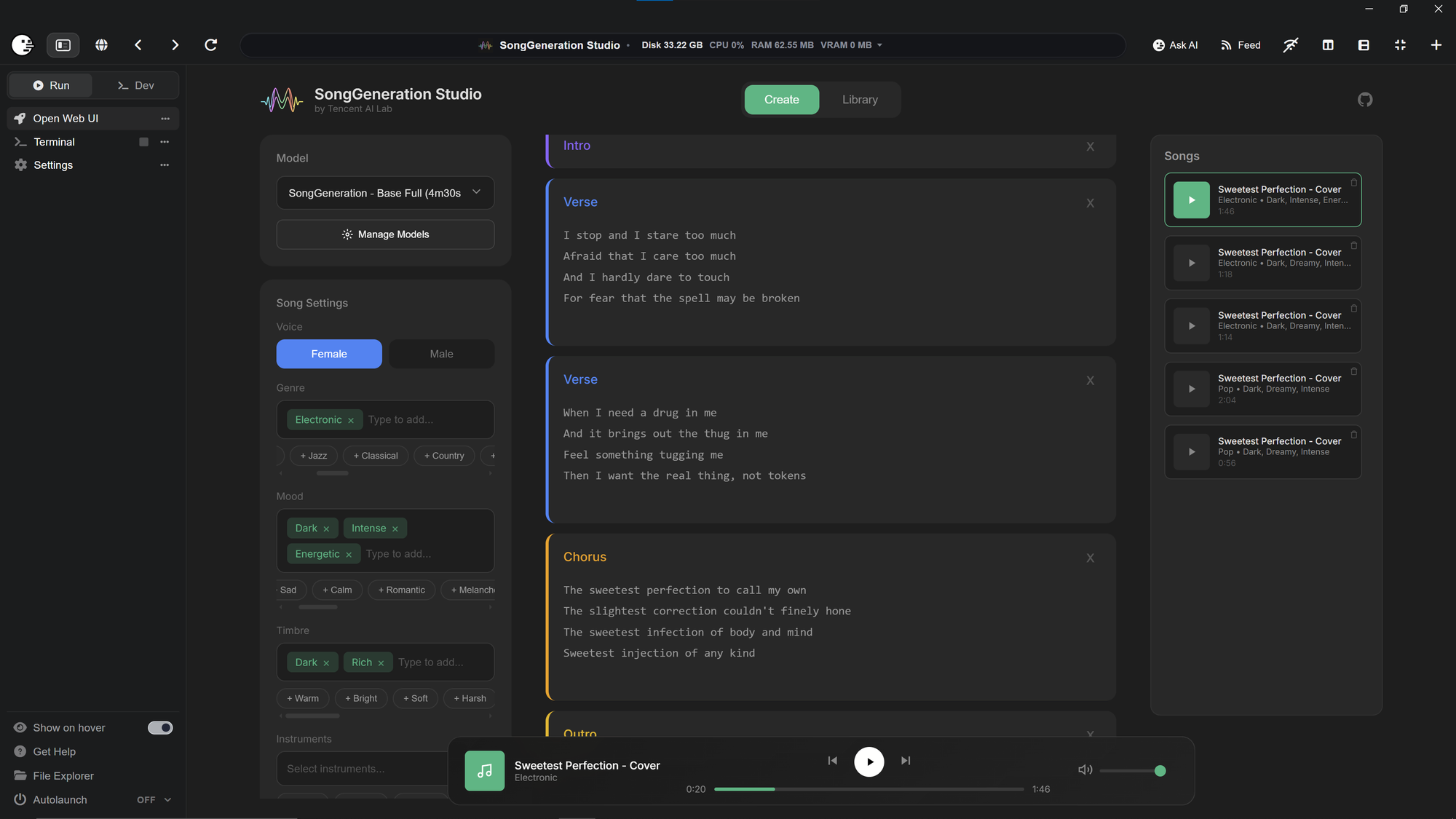
SongGeneration StudioFeatured
6Morpheus6/SongGeneration-Studiov3.7updated 1mo ago
AI Song Generation with Full Style Control - Generate complete songs with lyrics, vocals, and instrumental tracks using Tencent AI Lab's SongGeneration (LeVo) model. [NVIDIA ONLY]
Songgeneration - Fixed· 3mo ago
#music#song#audio
@morpheus25 check-insNVIDIAAMDApple
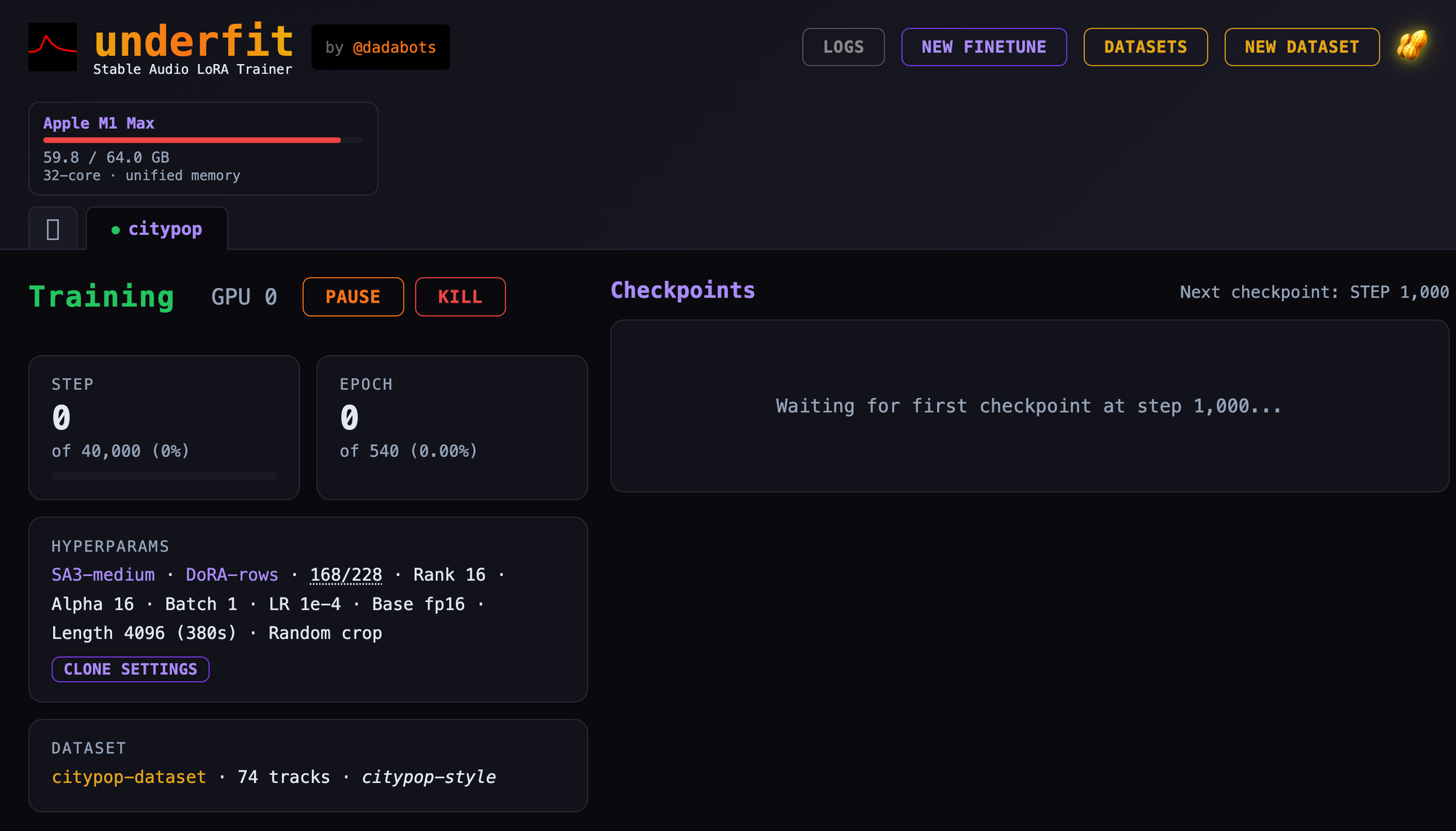
UnderfitFeatured
cocktailpeanut/underfit.pinokiov7.0updated 1mo ago
LoRA fine-tuning dashboard for Stable Audio 3
Train StableAudio 3 on your Mac with Underfit!· 4mo ago
#lora#music#music-generation
@cocktailpeanut6 check-insNVIDIAAMDApple
Wan2GP - AMDFeatured
6Morpheus6/wan2gp-amdv8.0updated 10d ago
[AMD ONLY] Super Optimized Gradio UI for AI video creation for GPU poor machines (6GB+ VRAM). Supports Wan 2.1/2.2, Qwen, Hunyuan Video, LTX Video, Flux and more. (On Windows supported by all dedicated AMD GPUs from RDNA 2 - RDNA 4)
Improved GPU detection· 4mo ago+7
#wan2gp#video-generation#video
@morpheus201 check-insNVIDIAAMDApple
StableDAWFeatured
cocktailpeanut/stabledaw.pinokiov7.0updated 2mo ago
Browser-based AI audio DAW for Stable Audio 3 with text-to-audio, inpainting, LoRA training, FFmpeg effects, waveform editing, sequencer, piano roll, and persistent library. https://github.com/gantasmo/stabledaw
StableDAW: A Full AI Music Studio That Runs on Your Own Computer· 5mo ago+10
#audio#daw#music
@cocktailpeanut26 check-insNVIDIAAMDApple
Stable Audio 3Featured
cocktailpeanut/stable-audio-3-small.pinokiov7.0updated 27d ago
Launcher for Stable Audio 3 Small Music, Small SFX, and NVIDIA Medium using public cocktailpeanut Hugging Face mirrors. https://github.com/Stability-AI/stable-audio-3
Stable Audio amazing at inpainting· 5mo ago
#music#music-generation#sfx-generation
@cocktailpeanut14 check-insNVIDIAAMDApple
ACE-Step UIFeatured
cocktailpeanut/ace-step-ui.pinokiov5.0updated 6d ago
Open source UI for ACE-Step 1.5 music generation.
Is it a Suno alternative? A Spotify alternative? A never-ending generative radio?· 9mo ago
#music#ace-step-ui#ace
@cocktailpeanut63 check-insNVIDIAAMDApple
ACE-Step 1.5Featured
cocktailpeanut/ace-step.pinokiov5.0updated 6mo ago
The most powerful local music generation model that outperforms most commercial alternatives.
The Official ACE-Step 1.5 Gradio App Now Works on Macs!· 9mo ago+1
#music#music-generation#musicgen
@cocktailpeanut38 check-insNVIDIAAMDApple
HeartMuLa StudioFeatured
cocktailpeanut/heartmula-studiov5.0updated 6mo ago
A professional, Suno-like music generation studio for HeartLib. https://github.com/fspecii/HeartMuLa-Studio
HeartMuLa Studio· 9mo ago
#music#music-generation#musicgen
@cocktailpeanut39 check-insNVIDIAAMDApple

Get project updates

Pulse

View all

The latest posts from across Pinokio.

Checked in to Video Indirici.
@hakan71 · Community
Hey everyone, we've got an official website now: https://godseyeview.ai. You can check out all the fe...
@bilawalsidhu · God's Eye View
Foundry Preview 35 · The retro ray gun, better MCP tools, and an update fix
@mumblebox · Mumblebox 3D Asset Foundry1
Sorry about all the commits and updates today. We kept making the same circular mistake. Update resta...
is it free?
@preneshkl · MiniMax H3 Studio
Checked in to Maestro.
@gjphilander · Community

Radar

View all

Projects getting attention.

Followed·16 min
PotionUI
PotionUI: self-hosted AI image and video generation with a preset-driven interface, a native diffusers engine and ComfyUI support. Requires Windows or Linux with an NVIDIA GPU (driver 580 or newer, 8 GB VRAM and 16 GB RAM minimum). Other machines get a remote-only install.
Installable
Followed·17 min
FooocusPlus
An enhanced version of Fooocus giving you access to all of the latest AI image generation models
Installable
Followed·23 min
Lover Clinic AI Video Tools
🔥 AI Image & Video Suite — Photo Upscale, Video Upscale, Background Removal, Image Enhancement & Tools
Installable
Followed·35 min
FaceFusion 3.9.2
Industry leading face manipulation platform
Installable
Followed·36 min
PIXAL-3D Studio
Pixal3D image-to-3D generation with a clean, simplified web UI powered by ComfyUI. Turn a single reference image into a textured 3D model (GLB) — tuned for 8-12GB VRAM with RAM offloading. https://github.com/PrimeEcto/PIXAL-3D
Installable
Pinokio
PrivacyTerms
FeedAppsCreateRemote

Explore the community

#showcase
Minimax H3 Singularity 4 Step Generation Prompt: Use the provided image as the starting frame. Preserve the exact minimalist black-and-white Wojak meme drawing style, characters, and party setting. Static camera, no cuts, no zooms, no dialogue, no text. 0–3s: The man leans casually against the wall in the corner, legs crossed, one hand in his pocket, holding his drink. He has a faint, peaceful smile. Across the room, three extremely attractive adult women dancing at the party notice him. They exchange excited glances. 3–7s: The first woman confidently approaches him, flips her hair, gives h...
@cocktailpeanut·17d ago
#cool-project
Preview of my next project!
@theawakenone·4d ago
#guide
Pinokio Create: Turn Anything into a 1-Click Launcher, Automatically.
@cocktailpeanut·1d ago
#testers-wanted
For those of you brave enough to install... Thanks for trying it out. I am adding a bug report feature and fixing the workflows for objects/creatures/vehicles. I am also adding a coding agent driven headless Blender node. I will be looking to optimizes for low memory systems soon. There is alot to do on the Roadmap. Thanks for your interest.
@mumblebox·13d ago